


Buy iTunes $100 USD Gift Card in Nigeria
You May Also Like
Featured Products
000RENG459783
Rehmie.com.ng
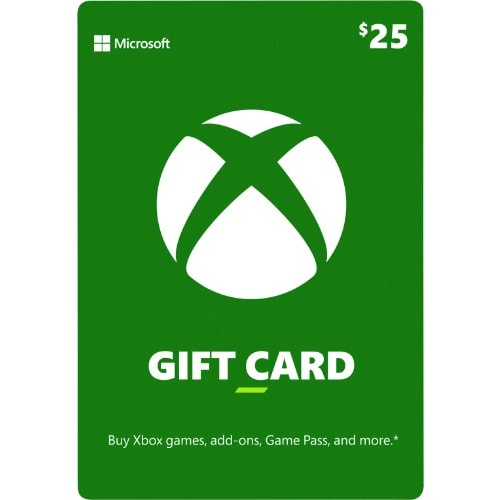
Xbox Live $25 Gift Card
ATTENTION: THE XBOX LIVE VOUCHER (FUNDS) CAN BE REDEEMED/ACTIVATED ONLY ON XBOX CONSOLES / MICROSOFT ACCOUNTS USING US DOLLARS (USD) CURRENCY SETTINGS.
NOTE, PREPAID ORDERS CAN CHOOSE BETWEEN PHYSICAL DELIVERY OR ELECTRONICALLY VIA WHATSAPP OR E-MAIL.
INSTANT EMAIL/WHATSAPP DELIVERY AVAILABLE FOR PREPAID ORDERS ONLY!!!
eVOUCHER/eCODE.
$25 USD XBOX / MICROSOFT STORE CREDITUse a $25 Xbox live gift card for your gaming needs on XBOX 360, XBOX ONE, XBOX SERIES X/S or Windows PC.What is Xbox Live Gift CardWith an Xbox Gift Card, give the freedom to pick the gift they want.It can be used to buy the hottest new Xbox full game downloads, apps, movies, TV shows, devices, and more.There are no fees or expiration dates to worry about.This digital gift code is good for purchases at Microsoft Store online, on Windows, and on Xbox.Xbox Live Gift Card Redemption Guide on PC:
On a computer, go to Redeem Code and click Sign In.
Sign in with your Microsoft account.
Click Redeem.
Enter the 25-character prepaid code and click Confirm.
Xbox Live Gift Card Redemption Guide on Xbox One / Xbox Series X/S:
Go to Games, and then select Use a code. Or, say “Xbox, use code”.
If prompted, sign in.
Select Or enter the 25-character code, and then enter your code.
Xbox Live Gift Card Redemption Guide on Xbox 360:
Sign in to Xbox Live using the account for which you want to use the prepaid code.
Press the Guide button on the controller.
Go to Games & Apps and select Redeem Code.
Enter the 25-character prepaid code and select Done.
When prompted, click Yes to confirm the redemption.
000RENG455467
Apple
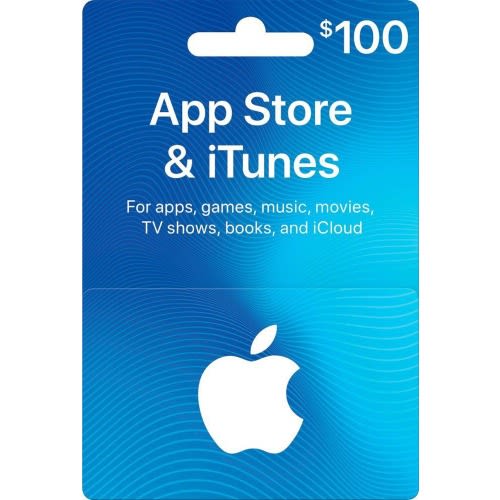
iTunes $100 USD Gift Card
Attention: This card can be activated and Redeemed ONLY on iTunes (APPLE) accounts IDs Registered (LOCATION SETTINGS) in the United States (USA) / APPLE Store Accounts that use US Dollars (USD).
NOTE, THIS ITEM CAN BE DELIVERED PHYSICALLY OR ELETRONICALLY (ALL PREPAID ORDERS WILL BE DELIVERED ELECTRONICALLY VIA WHATSAPP OR E-MAIL).
INSTANT EMAIL/WHATSAPP DELIVERY AVAILABLE FOR PREPAID ORDERS ONLY!!!
iTunes $100 USD Apple Store (iTunes) Credit
All About iTunes Gift Card (US)
The iTunes Card is one of the most popular gift cards out there mainly because of its usefulness. You can use an iTunes Gift Card US to purchase music, e-books, movies, games and more. It’s one of those multipurpose cards that you can do anything with.If you think that music is all you can buy with the card, you should think again.Apple iTunes Gift Card provides the access to movies and TV shows in high resolution, newest and trendiest apps and games, as well as e-books to read while relaxing at home or on the way from work.The Apple iTunes Card is versatile and a one-stop card for all the Apple users out there. If you’re an Apple user and you haven’t gotten your hands on one, fix that mistake by getting your Apple iTunes Card right here, right now!
Great idea to surprise your friend:
Gift cards are a great gift if you want to surprise someone with something they will enjoy, with the ability to choose the present themself.A game, movie, or a brand new released album? No worries - iTunes Gift Card has your back! You can also use the gift card in the iBooks store. As you can see, the range of services is extensive.
No credit card is needed:
Buying stuff online usually requires your credit card data. It’s completely understandable that not everyone feels safe sharing their bank account details and sometimes, your cards can disappoint you.With an iTunes Gift Card, your purchases are completely safe and you do not need to share any sensitive data or worry about disappointments and network/service problems. You only have to load the funds within your account.You do not have to go too far for the Apple Store credit; Get iTunes Gift Card NIGERIAN products at the rate you want to buy.
Compatibility:
Compatible with iPod, iPad ,iPhone and iMac.Compatible with iTunes for Mac or Windows
How to redeem an iTunes card on a desktop computer:
When you are logged into your iTunes account, click on your Account Name.
From the drop-down, choose “Redeem…”.
Type the 16-digit code from the gift card image emailed to you and click Redeem. (You can also use the Use Camera feature from your computer or mobile device and hold the attachment image up to your camera to avoid typing.)
How to redeem your card on an iOS device:
Tap Featured at the very bottom of the page.
Make sure you’re logged into your account and tap Redeem.
Tap Use Camera to use your mobile device to capture the image from your desktop computer. You can also choose to enter your code manually and tap Return.