


Buy Smart Tank 519 All In One Printer in Nigeria
You May Also Like
Featured Products
000RENG561498
Canon
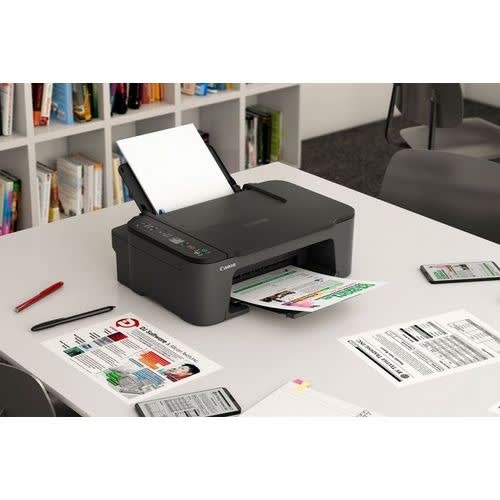
Pixma Ts3440 All-in-one Wireless Home & Office Printer
CANON PIXMA TS3440 INKJET PRINTER
Print, copy and scan with our entry-level multifunction printer for home and office. It & rsquo;s super-simple to set up and use, and allows smartphone printing for extra versatility.
Print, copy, scan: it & rsquo;s so easy!
You & rsquo;ll love the simplicity of the Canon PIXMA TS3440. Compact, affordable and easy to use, it & rsquo;s the perfect all-rounder. It offers smartphone compatibility, a clear 1.5 & rdquo; mono LCD and crisp, sharp printing for text and photos.
gallery1Smart simplicity
With a compact, modern design and excellent value, you can print, scan and copy effortlessly. It & rsquo;s so easy!
Compatible with your techYou can print, copy and scan from your tablet or smartphone, with wireless compatibility and clean, simple interface
Super-simple setupYou & rsquo;ll be up and running in less time than ever with one-touch wireless connectivity and an easier setup procedure
Seeing is believingStatus updates are shown in plain sight on the crystal-clear 1.5 & rdquo; mono segment LCD screen
Live without bordersYou can print borderless photos up to 5x7 & rdquo; in size; a 4x6 & rdquo; photo prints in just 65 seconds1. Connect directly to your camera with Wi-Fi PictBridge technology.
Key Features
Functions: Wi-Fi, Print, Copy, Scan, Cloud
Print Resolution: Up to 4800 1 x 1200 dpi
Print Technology: 2 FINE Cartridges (Black and Colour)
Mono Print Speed: Approx. 7.7 ipm 2
Colour Print Speed: Approx. 4.0 ipm 3
Photo Print Speed: Borderless 10x15cm : Approx. 65 seconds 4
Borderless Printing: Yes (13x18cm, 10x15cm, 13x13cm)
Two Sided Printing: Manual operation
Standard Ink Cartridges: PG-445 (Black) / CL-446 (Colour)
Paper Weight: Plain paper: 64 - 105 g/m & sup2; / Canon photo paper: up to 275 g/m & sup2;
Display Type & Size: 3.8cm LCD segment mono
Interface:
Hi-Speed USB (B Port)
Wi-Fi: IEEE802.11 b/g/n
Wi-Fi Security: WPA-PSK, WPA2-PSK, WEP
Wireless LAN Frequency Band: 2.4GHz
Print Applications & Methods
Canon PRINT Inkjet/SELPHY app
Easy-PhotoPrint Editor
PIXMA Cloud Link
Canon Print Service Plugin (Android)
Apple AirPrint
Access Point Mode
WLAN PictBridge
Mopria (Android)
Weight: approx. 4 kgDimensions (W x D x H): approx. 435 x 327 x 145 mmAcoustic Noise Levels: approx. 48.0 dB(A) 11
000RENG561494
HP
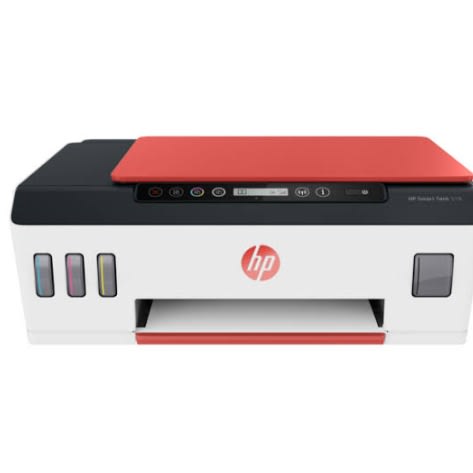
Smart Tank 519 All In One Printer
Innovative cartridge-free ink printer & ndash; for high-volume, low-cost printing
With integrated ink tanks and an automatic ink sensor, you get a compact, spill-free refill system that makes it easy to manage ink. Perfect for low-cost, high-volume printing & ndash; up to 3 years of ink included in the box.
Faster connections, easy productivity & ndash; wherever you are
Stay connected with dual band Wi-Fi & ndash; faster, more reliable connections. Help save time with Smart Tasks, and print and scan anywhere with HP Smart & ndash; best-in-class mobile print app.
000RENG514020
HP
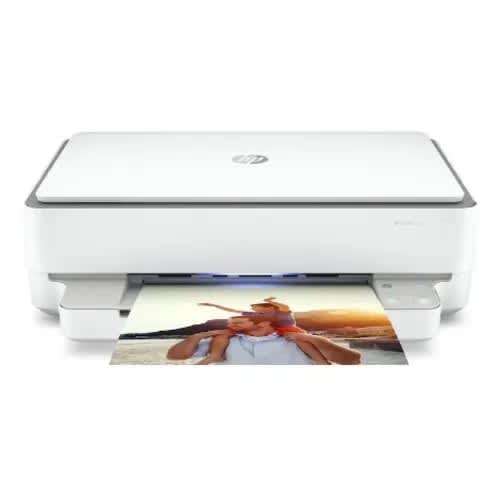
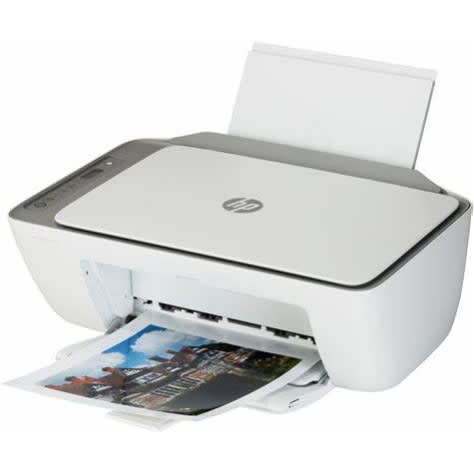
Envy 6032e All-in-one Printer
Copy, scan automatic 2-sided printing
Crisp colour images with every print
Dynamic security enabled printer
Works with your smart phone or tablet
Easy set-up, pair device with your printer and you & rsquo;re ready to go
Get everyone connected. Just like that.
Get started fast with simple setup that guides you through each step to seamlessly connect on any device. Self-healing Wi-Fi & reg; automatically detects and resolves connectivity issues to help reduce interruptions. Get connected with Bluetooth & reg; and start printing fast from your smartphone or tablet & ndash; easy setup. Access and print files on your network with wireless networking.
Print then and there. From anywhere.
Easily print, scan, and copy everyday documents from your smartphone, using HP Smart app. Eliminate steps in repetitive tasks with customisable Shortcuts. Scan to the cloud, email, and more. Organise documents 50% faster with Shortcuts in HP Smart app.
PRODUCT SPECIFICATION
Type
Home printer
Function
- Print- Copy- Scan
Print technology
Inkjet
Display
CP decorative without LCD display
Scanner
Scan resolution
1200 x 1200 dpi
Type of scanner
Colour flatbed scanner
Colour depth
24 bit
Printer
Page format
- A4- A5- A6- B5- Envelope (C6, DL, B5)
Pages per minute (black & white)
Up to 10 ppm (ISO)
Print resolution
- Black: 1200 x 1200 dpi- Colour: 4800 x 1200 dpi
Compatible cartridges
- Black: 3YM61AE HP 305- Tri-colour: 3YM60AE HP 305
Double-sided printing
Automatic
Average compatible cartridge yield
- Black: 120- Tri-colour: 100
Pages per minute (colour)
Up to 7 ppm (ISO)
Monthly duty cycle
Recommended: 100-400 pages per month
Automatic document feeder
No
Paper tray capacity
100 sheets
general
Dimensions
132.1 x 432.5 x 361.1 mm (H x W x D)
Box contents
- HP ENVY 6032e All-in-One Wireless Inkjet Printer with HP+- HP 305 black ink set-up cartridge- HP 305 tri-colour ink set-up cartridge- Power cable- Set-up instructions
Weight
5.22 kg
Manufacturer & rsquo;s guarantee
1 year
System requirements
- Windows 7 & 10- MacOS 10.12 (Sierra) or later
Colour
White & grey
Software included
HP Printer Software
connectivity
Wired connectivity
USB 2.0
Wireless connectivity
- WiFi- Apple AirPrint- Mopria Certified
App available
HP Smart App
000RENG513690
HP
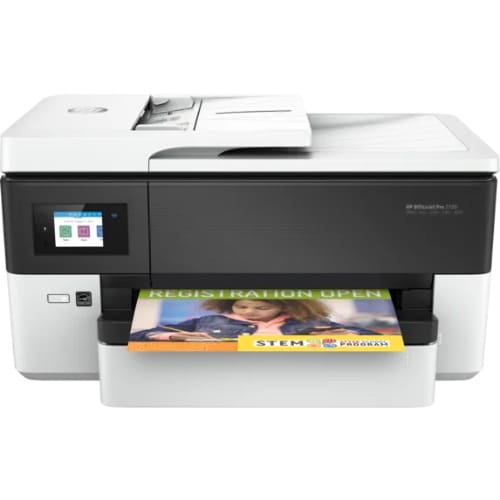
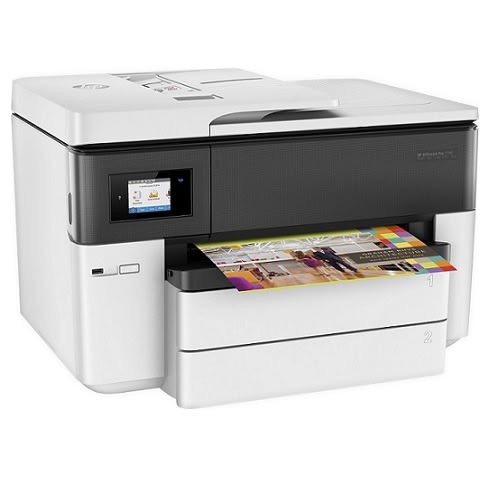
Officejet Pro 7720 Wide Format All-in-one Printer
Functions
Print, copy, scan, fax
Print speed black (ISO)
Up to 22 ppm
Print speed black (draft, A4)
Up to 34 ppm
Print speed black (ISO, A4)
Up to 22 ppm
Print speed color (ISO)
Up to 18 ppm
Print speed color (draft, A4)
Up to 34 ppm
Print Speed Color (ISO)
Up to 18 ppm
First page out black (A4, ready)
As fast as 9 sec
First page out color (A4, ready)
As fast as 10 sec
Duplex printing
Automatic (A4/Letter)
Duty cycle (monthly, letter)
Up to 30,000 pages
Duty cycle (monthly, A4)
Up to 30,000 pages
Recommended monthly page volume
250 to 1,500 pages
Print quality black (best)
Up to 1200 x 1200 rendered dpi
Print quality color (best)
Up to 4800 by 1200 optimized dpi on HP Advance Photo Paper 1200 by 1200 dpi input
Print languages
HP PCL3 GUI
Print technology
HP Thermal Inkjet
Connectivity, standard
1 USB 2.0 with compatibility with USB 3.0 devices; 1 Ethernet; 1 Wireless 802.11b/g/n; 2 RJ-11 modem ports
Connectivity, optional
No
Mobile printing capability
Chrome OS; Apple AirPrint™; Google Cloud Print™; Wi-Fi® Direct Printing; Mopria™ Certified
Network capabilities
Yes, via built-in Ethernet, wireless 802.11b/g/n
Wireless capability
Yes, built-in Wi-Fi 802.11 b/g/n
Minimum System Requirements for Macintosh
OS X v10.12 Sierra, OS X v10.11 El Capitan, OS X v10.10 Yosemite, 1 GB available hard disk space, Internet
Minimum System Requirements
Windows® 10, 8.1, 8, 7: 1 GHz 32-bit (x86) or 64-bit (x64) processor, 2 GB available hard disk space, CD-ROM/DVD drive or Internet connection, USB port, Microsoft® Internet Explorer. Windows Vista (32-bit only): 800 MHz (x86) processor, 2 GB available hard disk space, CD-ROM/DVD drive or Internet connection, USB port, Microsoft® Internet Explorer 8. Windows XP SP3 or higher (32-bit only): any Intel® Pentium® II, Celeron® or 233 MHz compatible processor, 850 MB available hard disk space, CD-ROM/DVD drive or Internet connection, USB port, Internet Explorer 8.
Digital sending standard features
Scan to PC
Display
6.75 cm (2.65 in) LCD (colour) with IR touchscreen function
Maximum Memory
512MB
Memory
512MB
Compatible Operating Systems
Windows 10 (32/64-bit), Windows 8.1 (32/64-bit), Windows 8 (32/64-bit), Windows 7 (32/64-bit), Windows Vista (32/64-bit), Windows XP (32-bit) (Professional and Home Editions); Mac OS X v 10.12, v 10.11, v 10.10, v 10.9 or v 10.8; Linux (For more information, see ; Chrome OS.
Paper handling input, standard
250-sheet input tray
Paper handling output, standard
75-sheet output tray
Paper handling input, optional
No
Finished output handling
Sheetfed
Media types
Plain Paper, HP Photo Papers, HP Matte Brochure or Professional Paper, HP Matte Presentation Paper, HP Glossy Brochure or Professional Paper, other Matte Inkjet Papers, other Glossy Inkjet Papers, Inkjet Hagaki, Plain Paper Thick, Plain Paper Light/Recycled
Media sizes supported
A3; A4; A5; A6; B5 (JIS); Envelope (DL, C5, C6)
Media sizes, custom
76 x 127 to 297 x 420 mm
Borderless printing
Yes (up to A3/11 x 17-in)
Media weight, recommended
60 to 105 g/m⊃2;
File Format Supported
JPEG; PDF; TIFF
Scanner type
Flatbed, ADF
Scan file format
JPEG, TIFF, PDF, BMP, PNG
Scan resolution, optical
Up to 1200 dpi
Scan resolution, hardware
Up to 1200 x 1200 dpi
Scan size (ADF), maximum
216 x 356 mm
Scan size, maximum
216 x 356 mm
Scan speed (normal, A4)
Simplex: Up to 8/8 ipm (Black and White/Colour 200 ppi)
Automatic document feeder capacity
Standard, 35 sheets
Scan technology
CIS
Copy Speed Black (maximum, A4)
Up to 34 cpm
Copy speed black (draft, letter)
Up to 34 cpm
Copy speed black (ISO)
Up to 18 cpm
Copy speed color (ISO)
Up to 13 cpm
Copy speed color (draft, letter)
Up to 34 cpm
Copy Speed Color (maximum, A4)
Up to 34 cpm
Copy speed black (best, A4)
Up to 4 cpm
Copy resolution (black text)
Up to 600 dpi
Copy resolution (color text and graphics)
Up to 600 dpi
Copy resolution (black graphics)
Up to 600 dpi
Copies, maximum
Up to 99 copies
Copy reduce / enlarge settings
25 to 400%
Copier settings
Copies; Size; Quality; Lighter/Darker; Paper size; Resize; Paper Type; Two-sided; ID Copy, Collate; Binding Margin; Enhancement; Crop; Copy preview
Faxing
Yes, colour
Fax Transmission Speed
5 sec per page
Fax Resolution Black (best)
Up to 300 x 300 dpi
Fax Broadcast Locations
Yes (black only)
Fax memory
Up to 100 pages
Fax Speed Dials, Maximum Number
Up to 99 numbers
Power
Input voltage: 100 to 240 VAC (+/- 10%), 50/60 Hz
Operating humidity range
10 to 80% RH
Recommended operating humidity range
20% to 80% RH
Non-Operating Humidity Range
Max 90% RH Non-Operating
Operating temperature range
5 to 40ºC
Operating temperature range
41 to 104ºF
Blue Angel compliant
No; Please refer to the ECI document
Typical electricity consumption (TEC) number
0.398 kWh/Week
Ecolabels
ENERGY STAR® certified
Energy star certified
Yes
Security management
SSL/TLS (HTTPS); IPP over TLS; Pre-Shared Key Authentication for Wireless (PSK); Certificates configuration; Control panel lock; Password protect EWS; Signed firmware; Administrator settings
Minimum dimensions (W x D x H)
584.9 x 444.8 x 306.4 mm (Cleanout + OP tray not extended)
Maximum dimensions (W x D x H)
584.9 x 690.6 x 306.4 mm (Cleanout + OP tray fully extended)
Weight
15.50 kg
What's in the box
HP OfficeJet 7720 Wide Format All-in-One Printer; HP 953 Setup Black OfficeJet Ink Cartridge (~1,000 pages); HP 953 Setup CMY OfficeJet Ink Cartridge (~625 pages); Regulatory flyer; Power cord; Setup poster; For more information about fill and yield, see
Number of print cartridges
4 (1 each black, cyan, magenta, yellow)
Replacement cartridges
HP 953 Black Ink Cartridge (~1,000 pages); HP 953 CMY Ink Cartridge (~700 pages); HP 953XL Black Ink Cartridge (~2,000 pages); HP 953XL CMY Ink Cartridge (~1,600 pages); HP 957XL Black Ink Cartridge (~3,000 pages)
000RENG508820
Canon
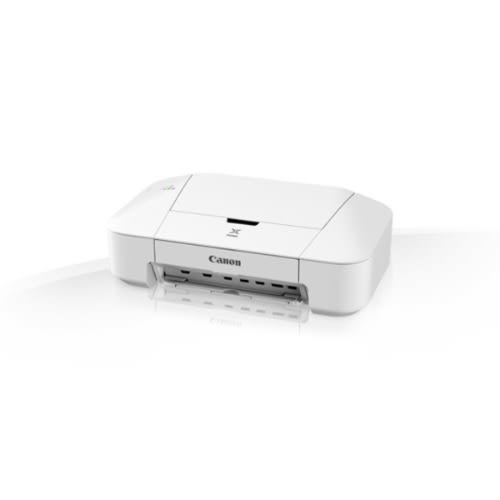
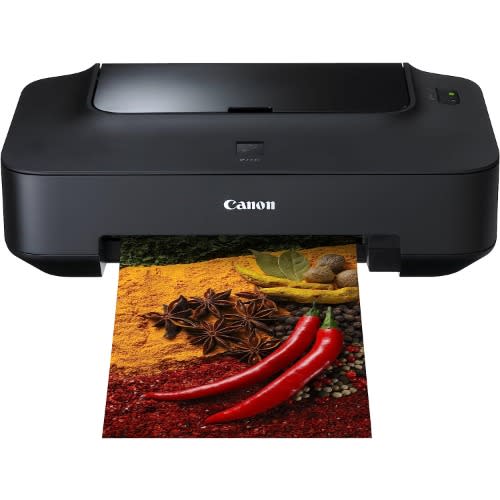
Ip2840 Inkjet Wired Printer
Print Resolution
Up to 4800 & sup1; x 600 dpi
Print Technology
2 FINE Cartridges (BK, CL)
Inkjet system with 2pl (min.) ink droplet size
Mono Print Speed
Approx. 8.0 ipm & sup1;
Colour Print Speed
Approx. 4.0 ipm & sup1;
Borderless Printing
Not available
Two Sided Printing
Manual operation
COMPATIBLE INKSStandard Ink Cartridges
PG-445 (Pigment Black)
CL-446 (Colour)
Optional XL Ink Cartridges
PG-445XL (Pigment Black XL)
CL-446XL (Colour XL)
INK YIELDSBK (Pigment Black)
Standard: 180 document pages
Optional XL: 400 document pages
CL (Colour - CMY)
Standard: 180 document pages
Optional XL: 300 document pages
Testing standards
ISO/IEC 24711 for A4 colour document pages
Values obtained by continuous printing
PAPER SUPPORTPaper Types
Plain Paper
Envelopes (DL, COM10)
Canon Plus Glossy II (PP-201)
Canon Glossy Everyday Use (GP-501)
Maximum Paper Input
Max. 60 sheets of plain paper
Max. 10 sheets of photo paper
Paper Sizes
Plain paper: A4, A5, B5, LTR, LGL
Photo paper: 13x18cm, 10x15cm
Paper Weight
Plain paper: 64 - 105 g/m & sup2;
Canon photo paper up to 275 g/m & sup2; (PP-201)
INTERFACE CONNECTIVITYWired Connections
Hi-Speed USB
Wireless Connections
Not available
SOFTWARESupported Operating Systems
Windows 10 / 8.1 / 8 / 7 / Vista SP1 & SP2 / XP SP3 32-bit
Mac OS X v10.6.8 or later
Supported Mobile Systems
Windows RT
Minimum System Requirements
Windows: Internet Explorer 8, internet connection or CD-ROM
Mac: Safari 5 and internet connection
Display: 1024 x 768 XGA
Software Included
Printer driver
My Image Garden
Quick Menu
Easy-WebPrint EX (plug-in for IE8 or higher)
PHYSICAL FEATURESDimensions (W x D x H)
426 x 235 x 134mm
Weight
Approx. 2.3 kg
Power Source
AC 100-240V, 50/60Hz
Power Consumption
Off: Approx. 0.5 W
Standby (connected to PC via USB): Approx. 0.8 W
Standby (all ports connected): Approx. 0.8 W
Time to enter Standby mode: 2 minutes
Printing: Approx. 8 W & sup1;
OPERATING HUMIDITYRecommended Operating Environment
Temperature: 15-30 & deg;C
Humidity: 10-80%RH (no dew condensation)
000RENG484139
Canon
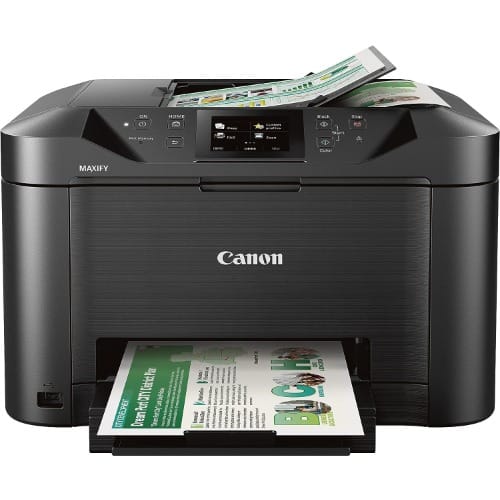
Canon Printer Mb5140
The Canon Printer MB5140 is a multifunction inkjet printer designed for small office and home office use. It offers a range of features to meet various printing needs, making it a versatile and efficient choice for users.
Key Features and Highlights:
Print, Scan, Copy, and Fax: The Canon MB5140 is a 4-in-1 printer that can handle printing, scanning, copying, and faxing tasks, providing all the essential functions in one device.
High-Quality Printing: With a high print resolution of up to 600 x 1200 dpi, the printer delivers sharp text documents and vibrant color images for professional-looking results.
Fast Printing Speed: The MB5140 offers impressive printing speeds, capable of printing up to 24 pages per minute (ppm) for black and white documents and up to 15.5 ppm for color documents.
Duplex Printing: The printer supports automatic duplex printing, allowing you to print on both sides of the paper, saving time and reducing paper consumption.
Large Paper Capacity: It comes with a 250-sheet front-loading paper tray, which means you can print large documents or multiple pages without frequent paper reloading.
Intuitive Control Panel: The printer features a user-friendly control panel with a 3-inch color LCD screen for easy navigation and access to various functions.
Mobile Printing: With support for various mobile printing options, including Apple AirPrint, Google Cloud Print, and Canon PRINT app, you can print from your mobile devices conveniently.
Network Connectivity: The Canon MB5140 offers Ethernet and Wi-Fi connectivity, making it easy to connect and share the printer across multiple devices on the network.
Optional High-Yield Cartridges: You have the option to use high-yield ink cartridges, which can help reduce printing costs and provide more prints before needing replacement.
000RENG467305
HP
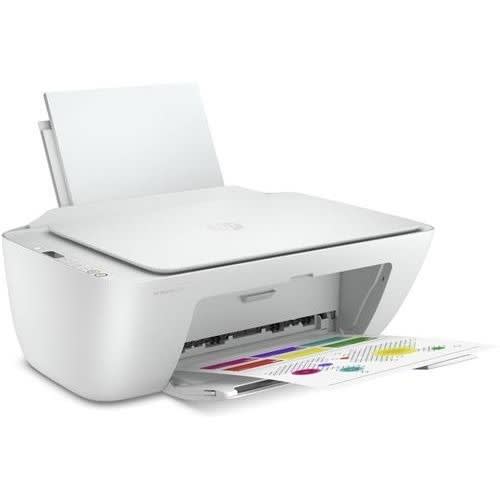
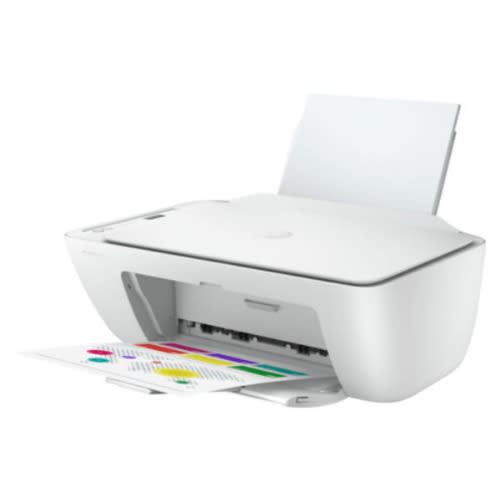
Deskjet 2720 All-in-one Printer
Weight
2.00 kg
Colour
White
Brand
Connectivity
USB + Bluetooth + WiFi
All the basics, now with easy-to-use features. Print, scan, and copy everyday documents, and get worry-free wireless.1 Simple setup with HP Smart app means you & rsquo;re ready on any device.
Dynamic security enabled printer. Intended to be used with cartridges using only HP original electronic circuitry. Cartridges with modified or non-HP electronic circuitry may not work, and those that work today may not work in the future.
FeaturesSimple setup. Simple printing.
Get started fast with simple setup that guides you through each step, using HP Smart app.
Easily handle tasks and get a lot from one device & ndash; print, scan, and copy.
Easily print everyday documents from your smartphone, using HP Smart app.
With HP Smart app, get high-quality scanning and sharing & ndash; plus easily make copies & ndash; from your smartphone.
Worry-free wireless
Get better range and faster, more reliable connections using dual-band Wi-Fi & reg; with self-reset.
Get connected with Bluetooth & reg; and start printing fast from your smartphone or tablet & ndash; easy setup.
Built-in wireless capabilities let you easily access, print, and share resources on a network
Get connected and start printing. Easily connect your printer to your computer with the built-in USB port.
Quality you can count on
Original HP ink cartridges deliver sharp text and vibrant graphics for all your everyday documents and photos.
Print more pages and change cartridges less often with Original HP high-yield cartridges.
000RENG455439
HP
Officejet Pro 7740 Wide Format Printer
Easily print effortlessly with the New all in one HP 7740 wide format office-jet that offers a variety of paper sizes up to 11 by 17 inches A3 and produces professional quality color for up 50% less cost per page that the laser jet printers.
Ideal for home and offices and small businesses that’s needs a professional printer that PRINTS, SCAN, COPY FAX to dazzle clients, win business offers, stay productive and competitive all day.
Easily prints from a varieties of smart phone and tablets devices by connecting your device to the printer directly without accessing a network and get the power of your printer in the palm of your hand with the HP smart app that simply allows you to tap the print button on your Smartphone or tablet to print your document without hassles.
COPY RESOLUTION
(Black text) Up to 600 dpi
(Color text and graphics) Up to 600 dpi
DUPLEX PRINTING
Automatic (A4/Letter)
MOBILE PRINTING CAPABILITY
Apple Air Print™, HP e-Print, Wireless direct printing, Mopria-certified and Google Cloud Print™
Number of print cartridges
4 (1 each black, cyan, magenta, yellow)
Replacement cartridges
HP 952 Black Ink Cartridge (~1000 pages)
HP 952 Cyan (700 pages)
HP 952 Yellow (700pages)
HP Magenta (700 pages)
Please, buy USB cable and phone cable separately as the printer did not come with any of them by default.
000RENG455434
Canon
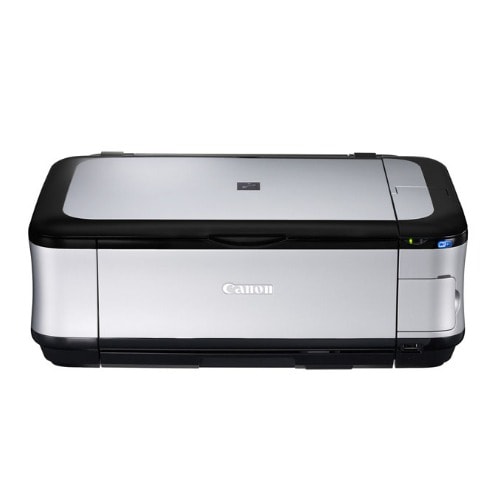
Pixma Mp560 Wireless Inkjet All-in-one Photo Printer
Canon MP560 Specs
Printing Technology
Color Inkjet
Maximum Resolution
Black: 600 x 600dpiColor: 9600 x 2400dpi
Print Speed
4 x 6" borderless photo: approx. 39 secESAT Black: Approx. 9.2 ipm10ESAT Color: Approx. 6.0 ipm10
Depth
Not Specified by Manufacturer
Print Method
InkjetPrint Head Nozzles:Black: 320Color: 2048
Minimum Ink Droplet Size
1, 2, 5pl
Ink Cartridges
CLI-221 Color Dye-based Ink Tanks (individual C,M,Y,K) (420 pages each color)PGI-220 Black Pigment-based Ink Tank Standard Yield (420 pages)
Ink Palette
Cyan, Magenta, Yellow, Black, Pigment Black
Ink Cartridge Configuration
1 x Black1 x Each Color (C,M,Y,G)
Pitch
Minimum: 1/9600"
Input Buffer
Not Specified by Manufacturer
Printer Duty Cycle
Not Specified by Manufacturer
Print Archival Life
300 years when stored in an archival-quality photo album
Printer Language
Not Specified by Manufacturer
Printing
Features: Auto Duplex Print, Auto Photo Fix II, Borderless Printing11Calendar Print, Document Printing, ID Photo Print, Photo Index Sheet, Photo Direct Print (Memory Card/Camera/USB Flash Memory), Photo Printing, Template Print
Paper Capacity
Input Tray: up to 150 sheets
Scanner
Image Sensor
CIS (Contact Image Sensor)
Scanner Type
Flatbed
Optical Resolution
2400 x 4800dpi
Interpolated Resolution
19,200 x 19,200dpi
Color Depth
48-bit internal/24-bit external
Light Source
Not Specified by Manufacturer
Reflective Scan Area
8.5 x 11.7"
Transparency Scan Area
N/A
Scan Modes
Auto Scan Mode, Gutter Shadow Correction, Network Scan, Push Scan, Scan to Memory
Copier
Copy Speed
Color: Approx. 26 sec
Copy Resolution
Not Specified by Manufacturer
Reduction/Enlargement
25 - 400%
Copy Features
4-in-1 / 2-in-1, Auto Exposure / Intensity Copy, Face Brightener / Fading Correction, Fit-to-Page, Gutter Shadow Correction Copy, Image Repeat, Intensity, Manual Color Adjustment, Masking Copy, Multiple Copy: 1-99 Pages, Photo Reprint, Preset Copy Ratios, Trimming Copy, Zoom
Paper Handling
Maximum Paper Width
8.5"
Maximum Printable Area
8.5 x 10"
Paper Sizes
4 X 6" to 8.5 x 10"LegalU.S. #10 envelopes
Borderless Photo Sizes
4 x 6"5 x 7"8.5 x 10"LetterU.S. #10 envelopes
Paper Types
Photo Paper Pro PlatinumPhoto Paper Pro IIPhoto Paper Plus Glossy IIPhoto Paper Plus Semi-glossPhoto Paper GlossyMatte Photo Paper
Maximum Paper Thickness
Not Specified by Manufacturer
Special Media Support
Not Specified by Manufacturer
Connectivity
Computer Interface
USB 2.0Wireless LAN (IEEE802.11b/g,7 also compatible with IEEE802.11n)Bluetooth v2.05 (Optional)Card SlotsHi-Speed USBPictBridge (Cable not included)
Compatible Memory Cards
SD Memory Card, SDHC, MultiMediaCard (v4.1), MultiMediaCard Plus (v4.1), CompactFlash Card, Microdrive, Memory Stick, Memory Stick PRO, Memory Stick Duo and Memory Stick PRO DuoWith the addition of a special adapter sold separately: miniSD Card, miniSDHC, microSD Card, microSDHC, RS-MMC (v4.1), Memory Stick Micro, xD-Picture Card, xD-Picture Card (Type M), and xD-Picture Card (Type H)
Direct Print Capable
Yes
Network Capable
Yes
PostScript Support
Not Specified by Manufacturer
System & Software Requirements
Microsoft Internet Explorer 7 in Windows Vista or XPMac OS X v10.3.9 to v10.5.x (10.6 is available via download)
Physical
Image Preview Display
2.0" LCD
Power Requirements
110-120VAC 50/60HzEnergy Star Compliant
Miscellaneous
Wi-Fi Lamp, 2-Way Paper Feeding, 2.0" LCD, Auto Sheet Feeder, Dual Color Gamut Processing Technology, Easy-Scroll Wheel, Self-Opening Output Tray, Quick Start
Dimensions
17.9 x 14.5 x 6.3" (454.66 x 368.3 x 160.02mm)
Weight
17.8 lb (8.52 kg)
000RENG455428
Canon
Printer Ip2700
The Canon PIXMA iP2700 is a compact and straightforward inkjet printer that provides essential printing capabilities for various documents and photos. It is designed to be a reliable and cost-effective solution for users with basic printing needs.
Highlights:
DIMENSIONS : 49.2 x 30.48 x 18.9 cm
High-Quality Photo Printing: The PIXMA iP2700 can produce high-quality photo prints with resolutions of up to 4800 x 1200 dpi, making it suitable for printing family photos or personal snapshots.
Fast Printing: This printer can deliver standard documents and text at relatively fast speeds, making it efficient for everyday printing tasks.
Borderless Printing: The printer supports borderless photo printing, allowing users to print photos without white borders for a more professional look.
Easy Setup: The PIXMA iP2700 is easy to set up and use, making it a user-friendly option for those who may not be tech-savvy.
Compact Design: The printer's compact size ensures it doesn't take up much space on your desk or workspace, making it a good fit for small offices or home use.
Affordable Ink Cartridges: Replacement ink cartridges for the PIXMA iP2700 are relatively affordable, making it a cost-effective option for users on a budget.
Compatibility: The printer is compatible with both Windows and macOS operating systems, ensuring widespread compatibility with various devices.
Manual Duplex Printing: The printer supports manual duplex printing, which means users can print on both sides of the paper manually, helping to save paper.
000RENG455421
HP
Deskjet 2710 All-in-one Printer With Wireless Printing
From the manufacturer
HP DeskJet 2710 All-in-One Printer
HP DeskJet 2710 All-in-One Printer
HP DeskJet 2710 All-in-One Printer
What's in the box
HP DeskJet 2710 All-in-One printer
HP 305 Setup Black Cartridge
HP 305 Setup Tri-color Cartridge
Regulatory flyer
Setup guide
Reference guide
Power cord
HP DeskJet 2710 All-in-One Printer
Keep it simple
All the basics, now with easy-to-use features. Print, scan, and copy everyday documents, and get hassle-free wireless. Simple setup with HP Smart app means you & rsquo;re ready on any device. Get ink delivered for a lot less & ndash; HP Instant Ink
Print. Copy. Scan
Print speed 7.5/5.5 ppm (black/colour)
Contains more than 20% recycled plastic
60 sheet input tray
Flatbed scanner
HP Instant Ink ready with 2 months trial included
Reliable connectivity with Dual Band Wi-Fi with self-reset + Bluetooth 4.2
Wireless and HP Smart app capable
HP DeskJet 2710 All-in-One Printer
Simple setup. Simple printing.
Get started fast with simple setup that guides you through each step, using HP Smart app.
Easily handle tasks and get a lot from one device & ndash; print, scan, and copy.
Easily print everyday documents from your smartphone, using HP Smart app.
With HP Smart app, get high-quality scanning and sharing & ndash; plus easily make copies & ndash; from your smartphone.
HP DeskJet 2710 All-in-One Printer
Hassle-free wireless
Get better range and faster, more reliable connections using dual-band Wi-Fi with self-reset.
Get connected with Bluetooth and start printing fast from your smartphone or tablet & ndash; easy setup.
Built-in wireless capabilities let you easily access, print, and share resources on a network.
Get connected and start printing. Easily connect your printer to your computer with the built-in USB port
HP DeskJet 2710 All-in-One Printer
Save up to 70% on ink and never run out
With HP Instant Ink, ink is automatically ordered and delivered to your door, and you pay a lot less.
With HP Instant Ink, you can enroll in a plan that enables you to print up to 15 pages per month for free.
Original HP ink cartridges deliver sharp text and vibrant graphics for all your everyday documents and photos
Description
All the basics, now with easy-to-use features. Print, scan, and copy everyday documents, and get worry-free wireless. Simple setup with HP Smart app means you & rsquo;re ready on any device. Get ink delivered for a lot less & ndash; HP Instant Ink.
000RENG455414
HP
2710 Colo Deskjet Printer
HP 2710 Desk Jet All in One Printer helps in saving time and money and it & rsquo;s the most affordable wireless all in one printer with hassle free set up and easy printing from your mobile devices any day any time.
HP 2710 All in one printer from Abidex Computers removes the complication from your everyday printing needs.
Easily print from a variety of smart-phones and tablets.
Get connected and start printing fast with easy setup from your smart-phone or tablet.
Easily manage printing tasks and scan on the go with the HP All-in-One Printer Remote app
Print, copy, and scan while saving money and space with a wireless all-in-one printer.
Output tray minimizes space when closed, reduces jams, and holds 25 sheets when in use.
Put your printer wherever you want with this compact design that is fit for everywhere either at home or in the office and manage your printer effortlessly thanks to an easy to use control panel.
Printer does not come with USB Cable any-longer from Manufacturer as it & rsquo;s a wireless Printer but u can always purchase if you prefer a wired connections.
If you have a USB cable and your system is a Windows 10, you don & rsquo;t need download, just plug your USB cable to your printer, it will download itself and you continue your work.
Note: No USB cable included from Manufacturer, so you will have to buy separately. More-so it & rsquo;s a wireless printer.
Note: No Software included from Manufacture as you can always download online, Use the link in the description or Plug a USB cable to the printer and your device, it will download automatically
Item can come from any country of manufacturer.
Worry-free wireless
Get better range and faster, more reliable connections using dual-band Wi-Fi & reg; with self-reset.
Get connected and start printing fast from your smart-phone or tablet & ndash; easy setup.
Built-in wireless capabilities let you easily access, print, and share resources on a network.
Get connected and start printing. Easily connect your printer to your computer with the built-in USB port
INKJET CARTRIDGES
305b ink Cartridges
305Col Ink Cartridges