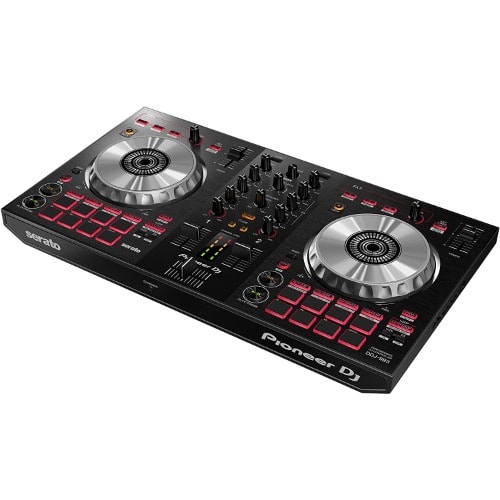
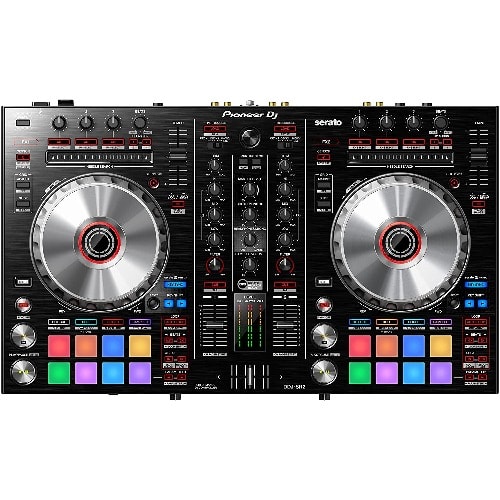
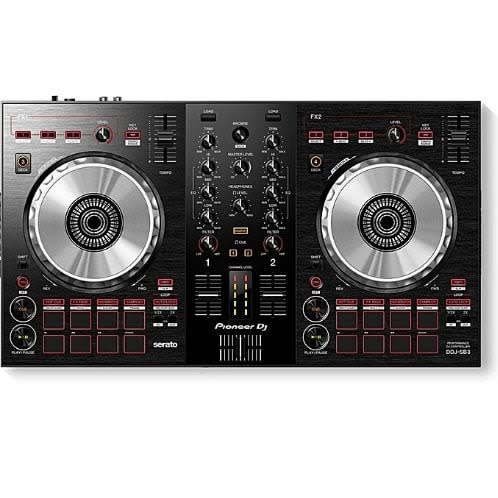
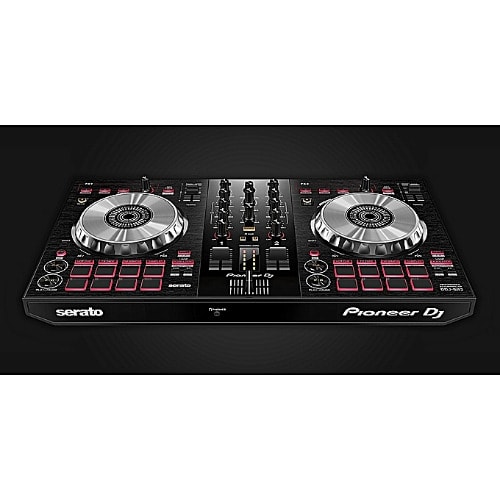
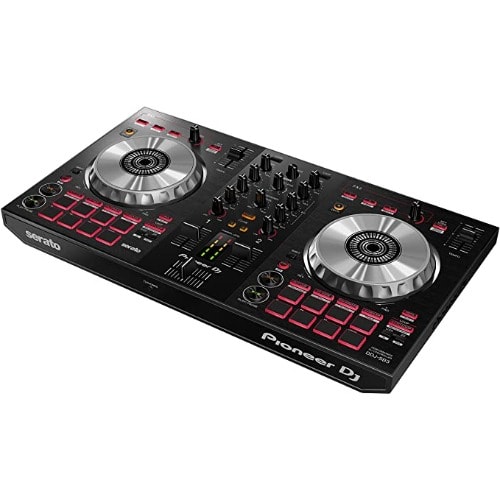
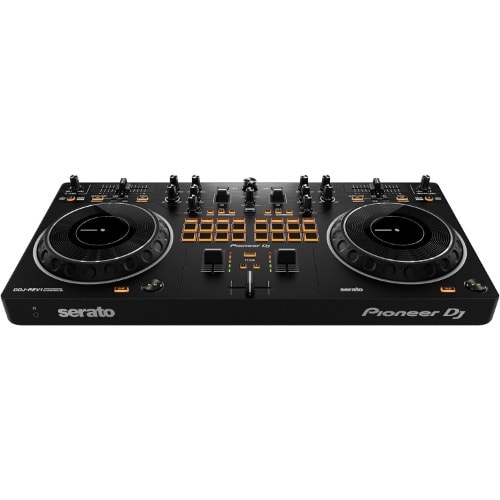
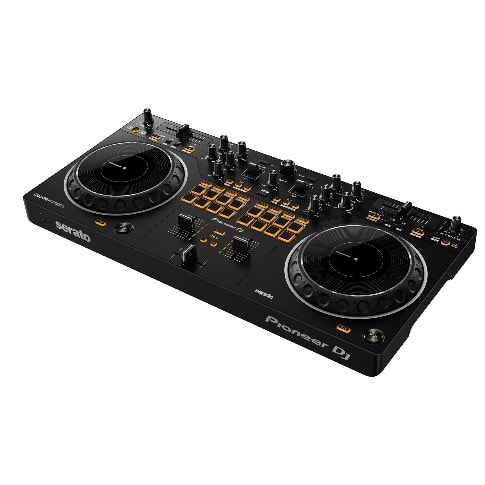
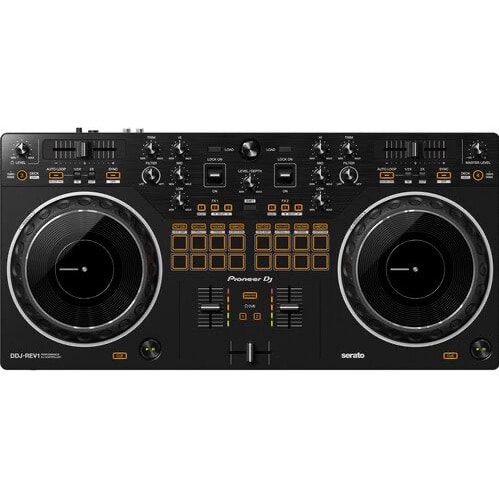
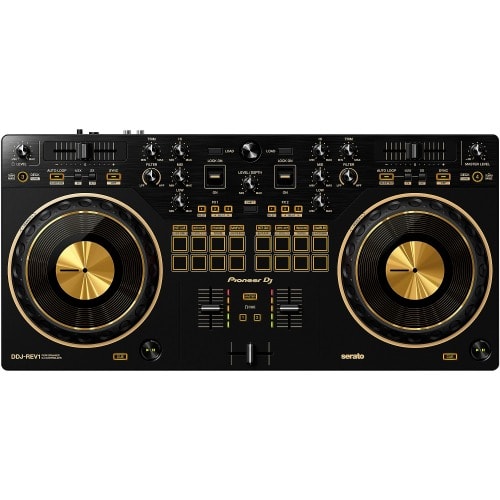
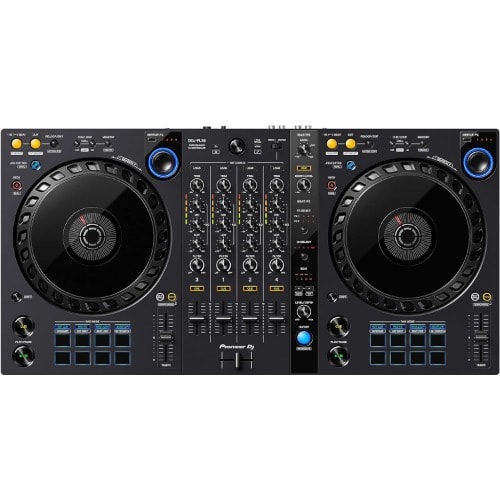
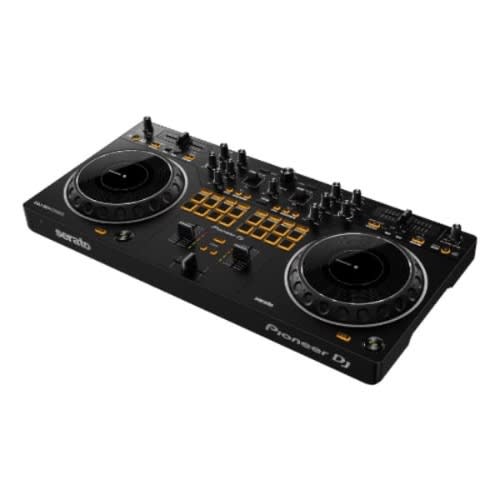
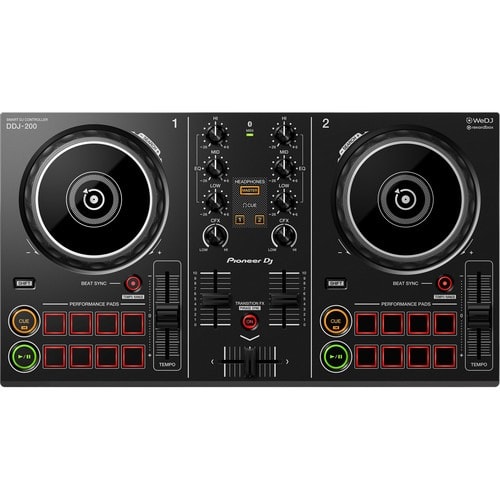
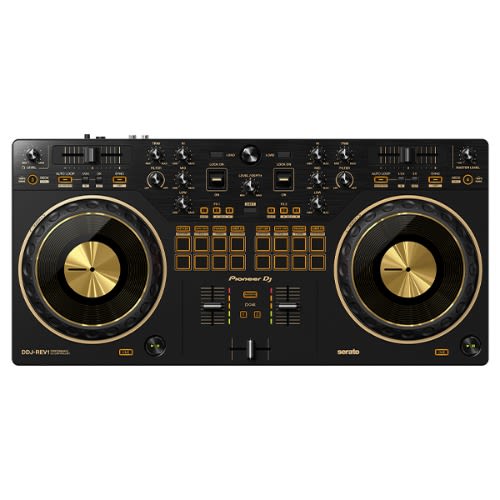
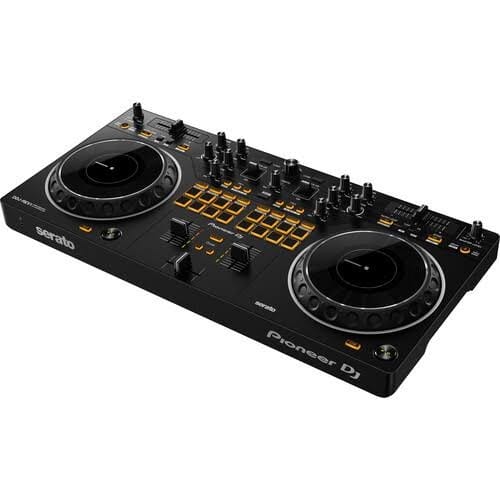
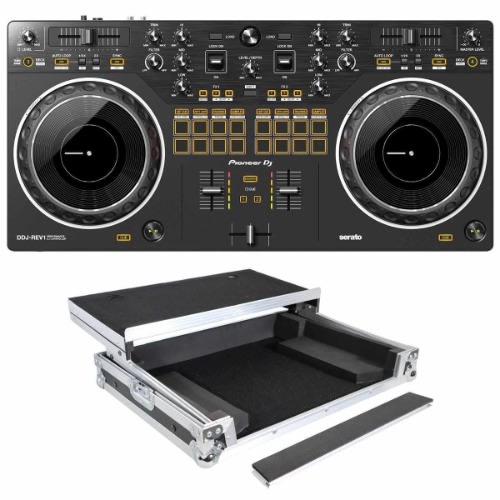
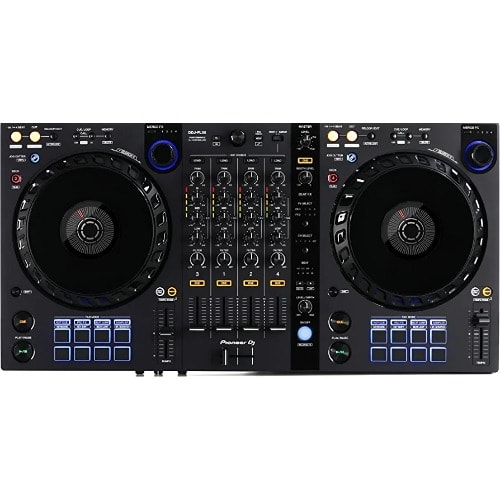
Pioneer DJ DDJ-REV1 2-deck Serato DJ Controller
Weight
2.00 kg
Brand
Join the REVolution
The DDJ-REV1 matches perfectly with the free Serato DJ Lite software, boasting a brand-new battle-style layout that & rsquo;s easy to use and perfect for playing like a pro. The design of this 2-channel DJ controller emulates a professional DJM-S mixer + PLX turntable setup, including specialized features for open-format and scratch DJs.
Brand-new battle-style layout
Get hands-on with an interface designed to emulate 2 x PLX turntables and a DJM-S series mixer & ndash; the kind of setup used by pro battle DJs. There & rsquo;s plenty of space to perform mixing and scratching techniques thanks to the new arrangement of the controls on the DDJ-REV1. The tempo sliders are 60mm & ndash; longer than those on the DDJ-SB3 to give you finer control & ndash; and they run horizontally above the decks while the Performance Pads have been moved into the mixer section so you can intuitively combine effects, trigger samples, and scratch your tracks.
Bigger jog wheels
The bigger the jog wheels, the better for scratching. The jogs on the DDJ-REV1 are the same size as the ones on the DDJ-SR2, a popular controller that & rsquo;s higher up in our range.
Lever FX
Dynamically add texture to the music with Lever FX. Pull the levers down and hold them to apply effects from Serato DJ Lite in short bursts or push them up to lock on effects and free up your hands for scratching or track browsing.
Tracking Scratch: Get a helping hand with scratching
The Tracking Scratch feature silently takes the music back to the cue point the moment you move the jog wheel from backward to forward or lift your hand away & ndash; saving you from closing the fader and finding the right place in the music to start the scratch again. All you need to do is to select the Tracking Scratch Pad mode, press a Performance Pad to choose the Scratch Crossfader Cuts pattern you want to use, then start moving the jog.
Mixed microphone audio: Easily add your voice while you & rsquo;re streaming
For the first time in a Pioneer DJ controller at this level, the output of the master audio is mixed with the sound from the microphone if you have one plugged in. This means you don & rsquo;t need any external equipment such as a soundcard or separate mixer if you want to add speech or vocals to your performance and route it through your computer. All sounds are sent to Serato DJ Lite so you can stream from there.
Serato DJ Lite integration: Enjoy full use of the free software
As soon as you & rsquo;ve downloaded Serato DJ Lite to your PC/Mac for free, you can simply connect the DDJ-REV1 via the supplied USB cable and start DJing. Enjoy tactile control of various features and effects in the software by manipulating the buttons, knobs, faders, and jog wheels on the controller.With the Scratch Bank pad mode, you can instantly load scratch samples from 4 banks that you & rsquo;ve assigned in Serato DJ Lite or Pro by simply tapping the dedicated Scratch Bank button.
The DDJ-REV DJ Controller Series is an ideal solution for open-format and scratch DJs as it emulates a professional DJM-S mixer and PLX turntable setup. For the first time ever on a Pioneer DJ controller, the tempo sliders sit horizontally on the top of the deck sections to mirror PLX turntables in a battle configuration, while the
Performance Pads and Lever FX paddles sit in the mixer section to parallel the DJM-S Series mixer design.
The all-new DDJ-REV1 features a spacious layout to test out new mixing techniques, and scratch-ready jog wheels, which are noticeably larger than jogwheels on Pioneer DJ & rsquo;s previous beginner level controllers. The controller is an ideal kit starter piece for artists considering learning how to battle, scratch and stream their sets.
Artists can begin scratching right away with the controller & rsquo;s Tracking Scratch feature. Tracking Scratch enables artists to automatically return the track to its cue point by moving the jog wheel backward or taking their hand away from the controller & mdash;removing the need for crossfader use or jog wheel wind back. Artists can choose their desired Scratch Crossfader Cuts pattern by pressing the relevant Performance Pad and pushing the jog forward to scratch. In addition, artists can use the controller & rsquo;s Performance Pads to instantly trigger their favorite samples
or tracks loaded on the Serato DJ Lite Scratch Bank & mdash;a feature previously only available in Serato DJ Pro. The controller also features Deck 3/4 Control, allowing artists to play sounds from all four decks in the software.
Pioneer DJ & rsquo;s DDJ-REV1 controller makes it easy for artists to integrate speech and vocals into their sets for social media livestreams. Unlike previous controllers which require an external soundcard or mixer, artists simply plug their microphone into the DDJ-REV1 and the vocal audio goes straight to their laptop and into the stream.
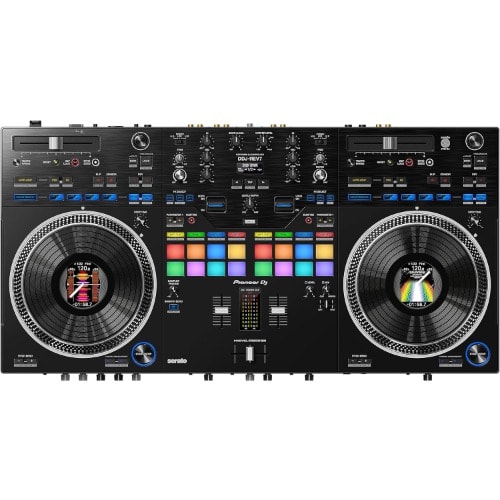
Pioneer DJ DDJ-REV7 2-deck Serato DJ Controller
Brand
Pioneer DJ
Connectivity Technology
Auxiliary
Included Components
Camera Body, dj-controllers
Special Feature
Built In Preamp
Material
Plastic
Item Weight
33.2 Pounds
Style
DDJ-REV7
Color
Black
Model Name
Pioneer DJ
Motor Type
DC Motor
About this item
2-deck DJ Controller f Serato DJ rekdbox with LCD Display-equipped Jog Wheels
16 Perfmance Pads
Magvel Fader Pro
Beat FX
Unlocked for Serato DJ Pro
Battle Style Layout Design
7-inch turntable with the motors of the Pioneer DJ - PLX turntables
On-board jog display with waveforms, track information
INSTANT SCRATCH - With integrated scratch sounds
22 Beat FX (including 3 brand-new ones) for easy and fast mixing
Magvel Fader Pro with adjustable fader curve
2x phono/line inputs (switchable)
1x RCA/Cinch aux input for an additional analogue source
2x microphone input with talkover function
Balanced XLR and jack outputs
Lightweight and portable
Dimensions: Width: 732 mm, Height: 82,4 mm, Depth: 382,2
Weight: 10.7 kg
Colour: Black
Features:
Manufacturer: Pioneer
Software: Serato DJ
Number of decks to control: 2
Number of Pads: 16
Number of Faders: 5
Number of Knobs: 28
Sensitive to Movement: Yes
Integrated Mixer: Yes
Number of Phono Inputs: 2
Number of Microphone Inputs: 2
Symmetrical Outputs: Yes
iOS compatible: No
Colour: Black
USB Cable: Yes
Width (mm): 732
Height (mm): 82.4
Depth (mm): 382.2
Weight (kg): 10.7
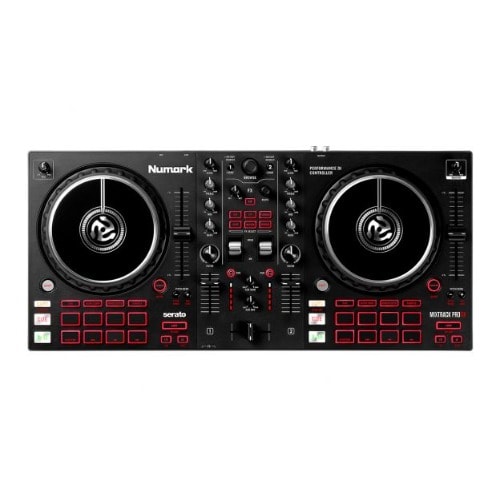
The Numark Mixtrack Pro FX is an all-in-one, 2-deck Serato DJ controller, designed to inspire, develop, and hone your DJ skills, and is well suited for beginners or advanced performers. The Mixtrack Pro FX allows you to not only play and mix music, but remix, mash-up, and transform your tracks in real-time as well.
The controller features two 6" capacitive-touch platters, an integrated 24-bit sound card, six quick-launch FX with dual paddle triggers, 3-band EQ, and dedicated filter knobs for each channel, plus 16 performance pads for hot cues, auto looping, fader cuts, and sampling. The unit features a stereo RCA output, 1/4 and 1/8" headphone outputs, and a 1/4" microphone input. The Mixtrack Pro FX ships with Serato DJ LE and the Prime Loops remix tool kit for adding loops and samples to live sets.
Two-deck control of Serato DJ
Six quick-launch effects with dual paddle triggers
Stream millions of tracks within Serato DJ Lite from leading providers including SoundCloud and TIDAL (subscriptions not included)
6" high-resolution capacitive-touch jog wheels
Dedicated instant loop with multiplier buttons
Full 3-band EQ and filter knobs to create audio sweeps
Eight performance pads per deck to access cues, loops, fader cuts, and samples
24-bit audio output
Microphone input, RCA output and headphone output
Includes Serato DJ Lite download
Two months free access to SoundSwitch lighting software
Includes Prime Loops remix tool kit
Center stage on Mixtrack Pro FX are two all-new premium paddle triggers for effortless command over Serato & rsquo;s built-in software effects; there & rsquo;s even quick access buttons to essential effects including Echo, Reverb, Flanger, Phaser, HPF (High Pass Filter) and LPF (Low Pass Filter) - a sure-fire guarantee that everything you need for creating build-ups, crafting unforgettable transitions and adding your own unique spin to your mix is only a touch away
Your Journey into DJ Starts with Mixtrack Pro FX The Mixtrack Pro FX is a Serato DJ controller designed to inspire, develop and hone your DJ skills. It has everything you need to sound professional from the get-go: large 6-inch jog wheels, a 24-bit digital audio interface for pristine sound quality, 6 dedicated software FX buttons for easy transitions, 16 performance pads for hot cues, auto loop, fader cuts and sampling. Plus, you can even stream the music you love direct from TIDAL or Soundcloud via Serato DJ Lite. Your DJ Journey Starts Here! Mix like a BOSS! Centre stage on Mixtrack Pro FX are two all-new premium paddle triggers for effortless command over Serato & rsquo;s built-in software FX; there & rsquo;s even dedicated buttons for immediate access to FX including Echo, Reverb, Flanger, Phaser. crafting unforgettable transitions and adding your own unique spin to your mix is only a touch away! Bigger is Better! You demand complete control over your mix, period. Mixtrack Pro FX & rsquo;s large 6 & rdquo; capacitive-touch jog wheels emulate an authentic turntable feel for scratching and precise cue placement & ndash; plus, the rugged grooves on the platter & rsquo;s side enable you to nudge your mix perfectly into place. Dedicated Auto Loop Mixtrack Pro FX & rsquo;s Auto Loop makes it simple to mix and blend between songs, increasing or decreasing the loop segment with the on-board Loop Multiplier buttons to make electrifying build-ups. Feature Packed As if all of this wasn & rsquo;t enough, Mixtack Pro FX features everything you need for immediate DJ performance, right out the box! Fusing plug and play high speed USB connectivity, a dedicated mixer section outfitted with a full 3-band EQ, filter knobs, channel faders and a cross fader, plus an onboard microphone input and headphone output, Mixtrack Pro FX covers all your bases, catering for anything your next DJ set demands!
DDJ-REV1 Scratch-style 2-channel DJ controller for Serato DJ Lite - Black
Join the REVolutionThe DDJ-REV1 matches perfectly with the free Serato DJ Lite software, boasting a brand-new battle-style layout that & rsquo;s easy to use and perfect for playing like a pro. The design of this 2-channel DJ controller emulates a professional DJM-S mixer + PLX turntable setup, including specialized features for open-format and scratch DJs.
KEY FEATURES
Brand-new battle-style layoutGet hands-on with an interface designed to emulate 2 x PLX turntables and a DJM-S series mixer & ndash; the kind of setup used by pro battle DJs. There & rsquo;s plenty of space to perform mixing and scratching techniques thanks to the new arrangement of the controls on the DDJ-REV1. The tempo sliders are 60mm & ndash; longer than those on the DDJ-SB3 to give you finer control & ndash; and they run horizontally above the decks while the Performance Pads have been moved into the mixer section so you can intuitively combine effects, trigger samples, and scratch your tracks.
Bigger jog wheelsThe bigger the jog wheels, the better for scratching. The jogs on the DDJ-REV1 are the same size as the ones on the DDJ-SR2, a popular controller that & rsquo;s higher up in our range.
Lever FXDynamically add texture to the music with Lever FX. Pull the levers down and hold them to apply effects from Serato DJ Lite in short bursts or push them up to lock on effects and free up your hands for scratching or track browsing.
Tracking Scratch: Get a helping hand with scratchingThe Tracking Scratch feature silently takes the music back to the cue point the moment you move the jog wheel from backward to forward or lift your hand away & ndash; saving you from closing the fader and finding the right place in the music to start the scratch again. All you need to do is to select the Tracking Scratch Pad mode, press a Performance Pad to choose the Scratch Crossfader Cuts pattern you want to use, then start moving the jog.
Mixed microphone audio: Easily add your voice while you & rsquo;re streamingFor the first time in a Pioneer DJ controller at this level, the output of the master audio is mixed with the sound from the microphone if you have one plugged in. This means you don & rsquo;t need any external equipment such as a soundcard or separate mixer if you want to add speech or vocals to your performance and route it through your computer. All sounds are sent to Serato DJ Lite so you can stream from there.
Serato DJ Lite integration: Enjoy full use of the free softwareAs soon as you & rsquo;ve downloaded Serato DJ Lite to your PC/Mac for free, you can simply connect the DDJ-REV1 via the supplied USB cable and start DJing. Enjoy tactile control of various features and effects in the software by manipulating the buttons, knobs, faders, and jog wheels on the controller.
With the Scratch Bank pad mode, you can instantly load scratch samples from 4 banks that you & rsquo;ve assigned in Serato DJ Lite or Pro by simply tapping the dedicated Scratch Bank button
Artists and DJs looking for a great entry-level Serato DJ controller will be impressed with the Pioneer DDJ-REV1, a 2-channel performance controller that includes a free copy of Serato DJ Lite to get you up and running out of the box. The battle-style controller allows artists of any experience to intuitively mix tracks, combine effects, trigger samples, and scratch tracks.
The 16 performance pads (8 per deck) provide Hot Cue, Auto Loop, Tracking, and Sampler functions, as well as Beat Jump, Roll, Trans, and Scratch Bank modes. The center panel of the DDJ-REV1 is a 2-channel mixer with a built-in soundcard. Each channel features a trim, a 3-band EQ, a two-way Sound Color filter (HP/LP), and a level fader. Beat FX can be triggered by the effects levers, which allow for momentary and locked effect positions. The controller can also control decks 3 and 4 with Serato DJ. The Pioneer DDJ-REV1 is bus powered and ships with a USB cable.
Battle-Style Setup
The DDJ-REV1 provides you with space to perform mixing and scratching techniques with a new control arrangement. Tempo sliders are longer than sliders on the DDJ-SB3-measuring at 60mm, giving you finer control. Sliders run horizontally above the decks while the Performance Pads are in the mixer section, allowing you to intuitively combine effects, trigger samples, and scratch tracks.
Bigger Jog Wheels
Jog wheels on the DDJ-REV1 are the same size as jog wheels on the DDJ-SR2, a popular Pioneer DJ controller.
Lever FX
You can dynamically add texture to their music with Lever FX in the mixer section & mdash;pull down the levers and hold them to apply effects from Serato DJ Lite in short bursts. Alternatively, you can also push the levers up to lock on effects and free your hands for scratching or track browsing.
Tracking Scratch: Get a Helping Hand with Scratching
The DDJ-REV1 helps you have fun scratching but still gives the you control. You will still need to know the basics of scratching, but the Tracking Scratch feature will silently take the music back to the cue point the moment you move the jog wheel backward or lift their hand away, saving them from needing to close the fader and find the right track place to start the scratch again. All you need to do is to select the Tracking Scratch Pad mode, press a Performance Pad to choose your desired Scratch Crossfader Cuts pattern, and move the jog wheel.
Mixed Microphone Audio: Easily Add Voice While Streaming
For the first time in a Pioneer DJ controller at this level, the output of the master audio integrates with the microphone sound, removing the need for external equipment such as a soundcard or separate mixer. All sounds are sent to Serato DJ Lite, so you can stream from there.
Serato DJ Lite Integration: Enjoy Full Use of the Free Software
After downloading Serato DJ Lite to your PC/Mac for free, you can connect the DDJ-REV1 via the supplied USB cable and begin DJing. Enjoy tactile control of various features and effects in the software by manipulating the controller's buttons, knobs, faders, and jog wheels.With Scratch Bank pad mode, youj can instantly load scratch samples from four banks that you've assigned in Serato DJ Lite or Pro by simply tapping the dedicated Scratch Bank button. You can load from a specific start point too, which is handy if you want to use this feature to drop in full tracks during a routine.
Artists and DJs looking for a great entry-level Serato DJ controller will be impressed with the Pioneer DDJ-REV1, a 2-channel performance controller that includes a free copy of Serato DJ Lite to get you up and running out of the box. The battle-style controller allows artists of any experience to intuitively mix tracks, combine effects, trigger samples, and scratch tracks.
The 16 performance pads (8 per deck) provide Hot Cue, Auto Loop, Tracking, and Sampler functions, as well as Beat Jump, Roll, Trans, and Scratch Bank modes. The center panel of the DDJ-REV1 is a 2-channel mixer with a built-in soundcard. Each channel features a trim, a 3-band EQ, a two-way Sound Color filter (HP/LP), and a level fader. Beat FX can be triggered by the effects levers, which allow for momentary and locked effect positions. The controller can also control decks 3 and 4 with Serato DJ. The Pioneer DDJ-REV1 is bus powered and ships with a USB cable.
Battle-Style Setup
The DDJ-REV1 provides you with space to perform mixing and scratching techniques with a new control arrangement. Tempo sliders are longer than sliders on the DDJ-SB3-measuring at 60mm, giving you finer control. Sliders run horizontally above the decks while the Performance Pads are in the mixer section, allowing you to intuitively combine effects, trigger samples, and scratch tracks.
Bigger Jog Wheels
Jog wheels on the DDJ-REV1 are the same size as jog wheels on the DDJ-SR2, a popular Pioneer DJ controller.
Lever FX
You can dynamically add texture to their music with Lever FX in the mixer section & mdash;pull down the levers and hold them to apply effects from Serato DJ Lite in short bursts. Alternatively, you can also push the levers up to lock on effects and free your hands for scratching or track browsing.
Tracking Scratch: Get a Helping Hand with Scratching
The DDJ-REV1 helps you have fun scratching but still gives the you control. You will still need to know the basics of scratching, but the Tracking Scratch feature will silently take the music back to the cue point the moment you move the jog wheel backward or lift their hand away, saving them from needing to close the fader and find the right track place to start the scratch again. All you need to do is to select the Tracking Scratch Pad mode, press a Performance Pad to choose your desired Scratch Crossfader Cuts pattern, and move the jog wheel.
Mixed Microphone Audio: Easily Add Voice While Streaming
For the first time in a Pioneer DJ controller at this level, the output of the master audio integrates with the microphone sound, removing the need for external equipment such as a soundcard or separate mixer. All sounds are sent to Serato DJ Lite, so you can stream from there.
Serato DJ Lite Integration: Enjoy Full Use of the Free Software
After downloading Serato DJ Lite to your PC/Mac for free, you can connect the DDJ-REV1 via the supplied USB cable and begin DJing. Enjoy tactile control of various features and effects in the software by manipulating the controller's buttons, knobs, faders, and jog wheels.With Scratch Bank pad mode, youj can instantly load scratch samples from four banks that you've assigned in Serato DJ Lite or Pro by simply tapping the dedicated Scratch Bank button. You can load from a specific start point too, which is handy if you want to use this feature to drop in full tracks during a routine.
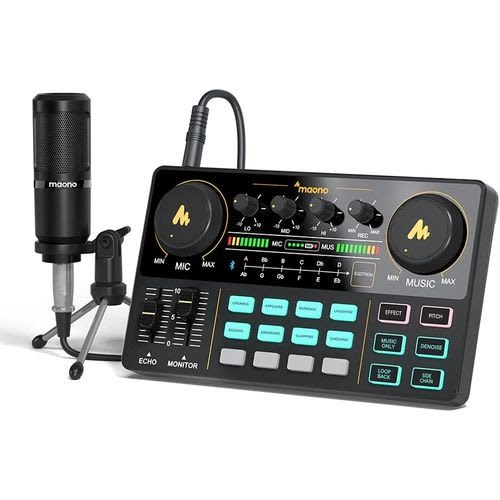
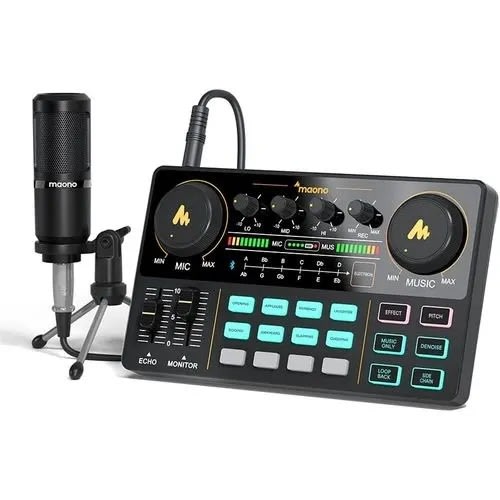
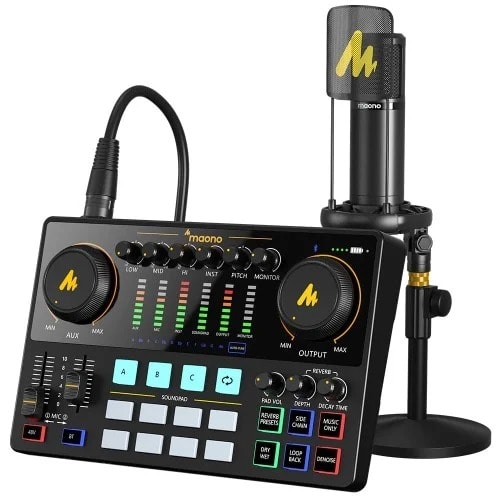
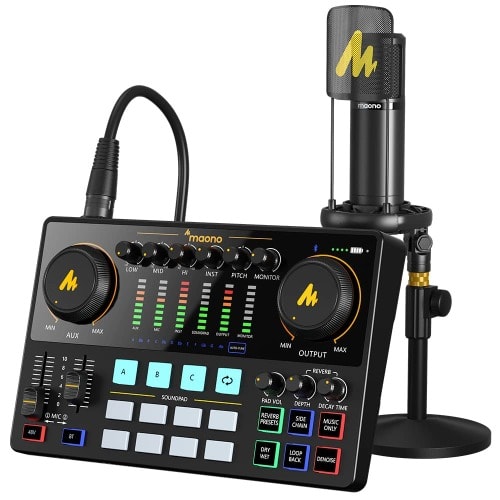
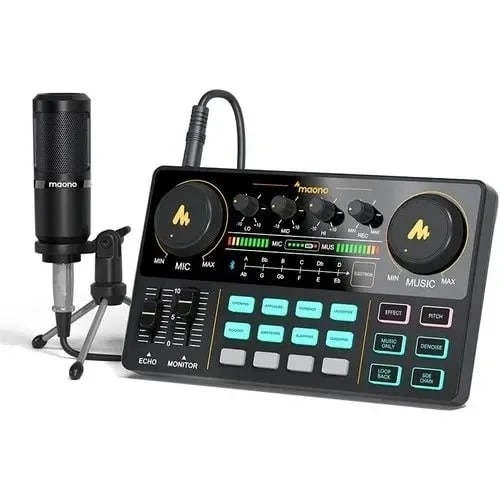
Audio Interface with DJ Mixer and Sound Card, MAONO Maonocaster Lite Portable ALL-IN-ONE Podcast Production Studio with 3.5mm Microphone for Live Streaming, PC, Recording, and Gaming(AU-AM200-S1)
Maonocaster Lite Portable Podcast Studio is exactly what you need when you want to get your podcast, radio shows, or Twitch streams off the ground easily but are not sure what gear to buy. It is so easy and intuitive to use that you can jump headfirst into podcasting within minutes, and focus on providing valued content and interacting with your audiences rather than being distracted by the complicated operations.It offers four channels of audio mixing and easy connections to microphones, smartphones, and other sources; uses advanced engineering that allows the user to control the sound levels and add live vocal and sound effects through a comprehensive set of tools to avoid laborious post-production and editing.About this itemALL IN ONE and EASY TO USE: Works as a USB sound card plus mixing station. Integrating audio mixing equipment into 1 comprehensive solution. It delivers superb sound quality and offers intuitive and full control to optimize vocal and sound effects.
The S1 Bundle comes with a condenser microphone that lets you start podcasting or live to stream easily in no time. Start recording when you plug into the smartphone or PC.SPECIAL EFFECTS: Four user recordable, eight Built-in special audio effects, and various adjustments available for your creation. Fixed audio effects like APPLAUSE, LAUGHTER, CHEERING...Note please record your own audio effects you like to audio interface according to the instructions.BORN FOR LIVE STREAMING: MAONO DJ mixer controller supports up to 2 person, 4 devices and 4 platforms to stream simultaneously.
Highlights of this set, you can change your voice to the male, female, girlish, robot. Two mic inputs, One Accompaniment input, and real-time monitoring, good noise reduction effect after pressing DENOISE button. It is compatible with IOS and Android systems.START YOUR OWN CONCERT: 10-step reverb & 12-step electronic music & 3 modifiable tones (Treble, mid-range, bass) make this audio interface more entertaining and meet more live recording needs.Compatible with most OS: For most Laptops, PC, Windows, MAC OS, smartphones, iPhones, and tablets. But if your phone does not have a 3.5mm jack, you need an OTG adapter (not included).
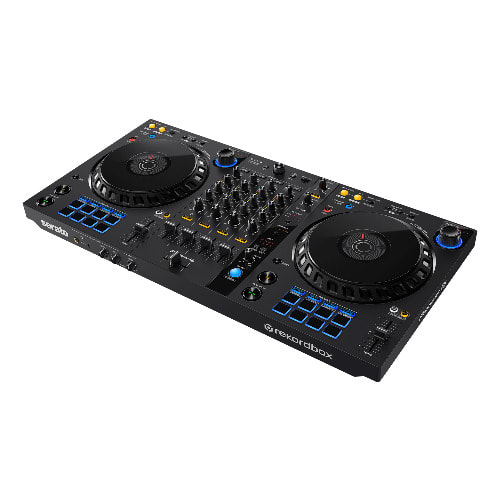
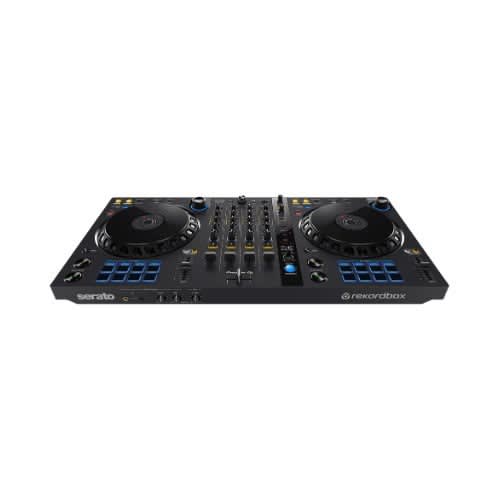
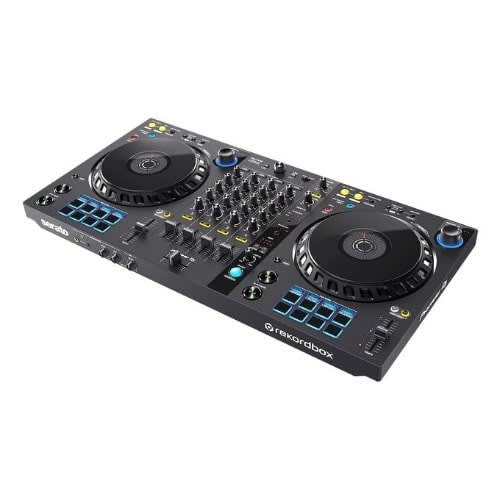
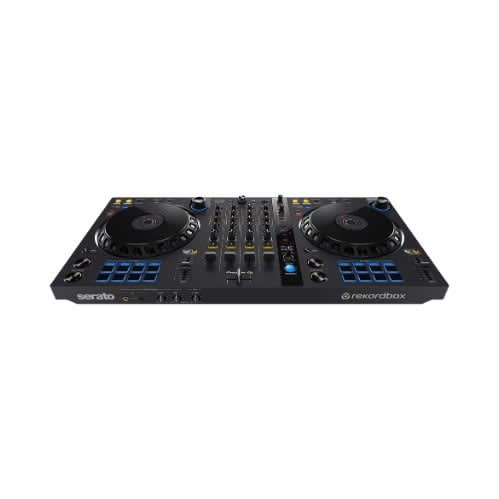
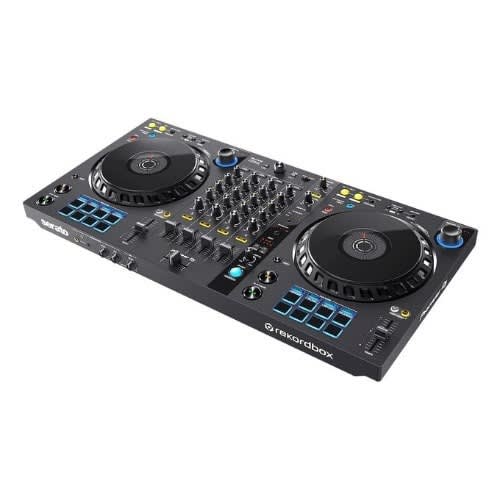
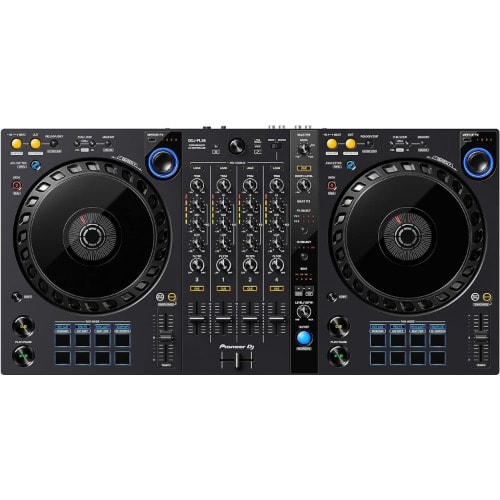
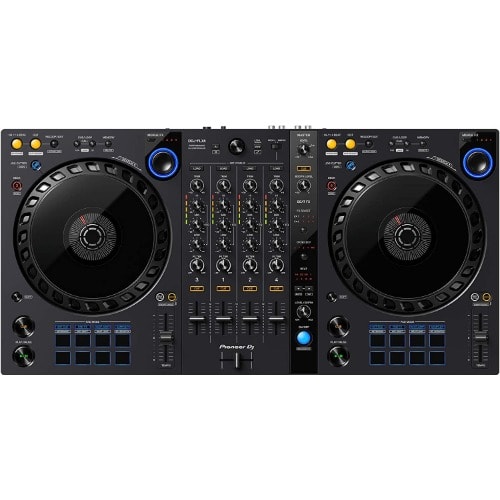
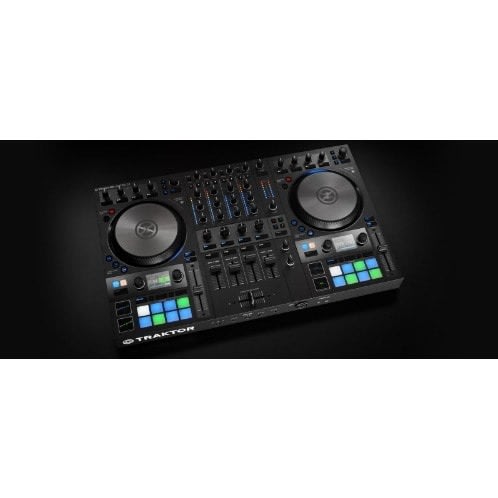
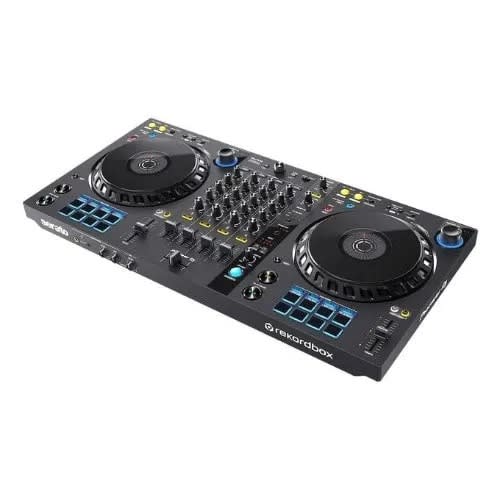
Pioneer Dj Ddj-flx6 4-deck Rekordbox And Serato Dj Controller
DDJ-FLX6
4-channel DJ controller for rekordbox and Serato DJ Pro
Flex Your Boundaries
Captivate your audience with the DDJ-FLX6. Packing a host of brand-new features, this 4-channel unit makes it easy to hype up the audience, mix tracks from totally different musical genres, and spice up your sets with pro-sounding scratch effects.
1. Select a Merge FX preset and press the knob
Choose one of the 4 assigned Merge FX patterns and press the knob to start building the tension.
2. Turn the Merge FX knox
Increase the influence of the effect by simply turning the knob & mdash; depending on the preset pattern you & rsquo;ve chosen, the combination of different effects and samples is triggered at the same time.
3. Press the knob again to release the effect, then play the next track
When you & rsquo;re ready to make a drop and move to your next track, simply press the knob again. The effect is released and, when one is assigned in the preset, the sample plays. The track stops automatically so all you need to do is hit play on the other deck to drop your next track.
4. Customize your Merge FX
In the new Merge FX section in rekordbox (PC/Mac), you can customize each effect type and the samples used in each pattern to create your own variations. Choose from 41 types of effect for each element (Build FX, Build Sample, Release FX, and Drop Sample) and combine them to create more than 9,000 different patterns.
Jog Cutter: Create pro-sounding scratch effects, one-handed
Turn on Jog Cutter and simply move the jog wheel to apply a professional-sounding scratch effect to the last Hot Cue or playback position you used on that deck. There are 10 different scratch patterns and you can switch from one to another by simply moving the playhead position, shown on the jog wheel & rsquo;s display, to point toward the angle for the scratch you want to use.
Full-size jog wheels with track position display
Pitch bending and scratching feels natural thanks to the large jog wheels, which are the same size as those on the flagship CDJ-3000 multi player. Each one features On Jog Display too, so you can keep an eye on the playhead position.
Sample Scratch: Get creative with your favorite sounds
Sample Scratch is a brand-new pad mode in rekordbox which enables you to choose sounds you & rsquo;ve assigned to the sampler and load them onto the decks. So, when you want to create a live remix of a track, or simply add some texture to the music, you can scratch with your favorite sounds.
New aesthetic design
The layout of the controls on the DDJ-FLX6 is similar to that on our club-standard CDJ + DJM setup, so you can perform intuitively. However, this DJ controller introduces a fresh look, with a high-quality dark-gray matte finish and redesigned jog wheels that will make your setup stand out.
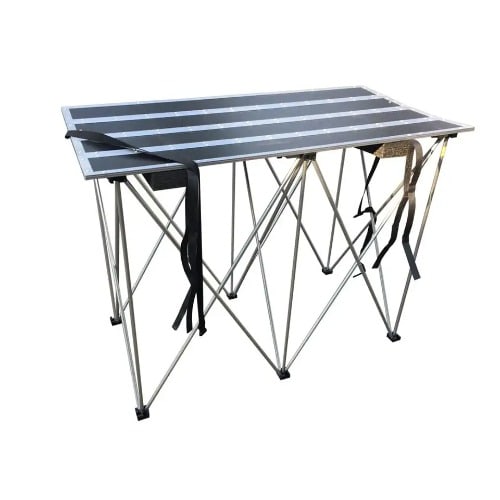
48'' long and 24'' wide
Introducing a smart new accessory every musician needs. The RRSTANDT is a revolutionary new concept in portable tables. Deceptively light and sturdy, the RRSTANDT is constructed out of 3/8 & Prime; plywood and is supported by a lockable, lightweight collapsible riser. When not in use, the risers stow away neatly inside the rolled up table top and the whole product can then be easily carried on your shoulder with the included shoulder strap. No more lugging around heavy tables! Table top measures 48 & Prime; long x 24 & Prime; wide. Supports up to 2,200LBS (1000kg)
300W RMS / 1000W Program / 1400W Peak
Bi-amp Powered Speakers with Intelligent Dynamic Control
Built in crossover (subwoofers)
Durable covering
Pair of Adjustable Professional Speaker Stand Proximity
Acoustic finish
High power handling, high efficiency.
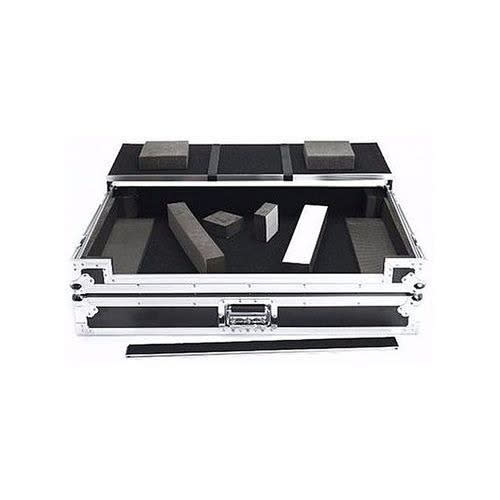
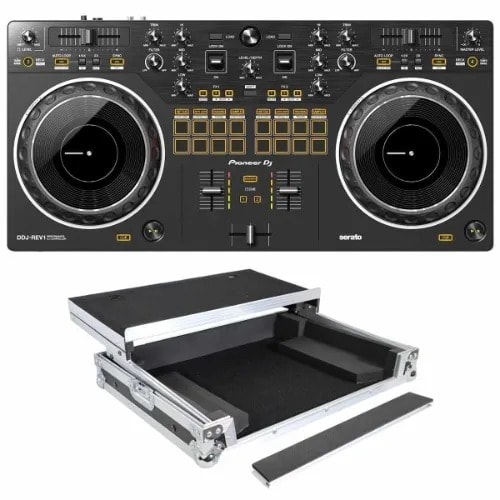
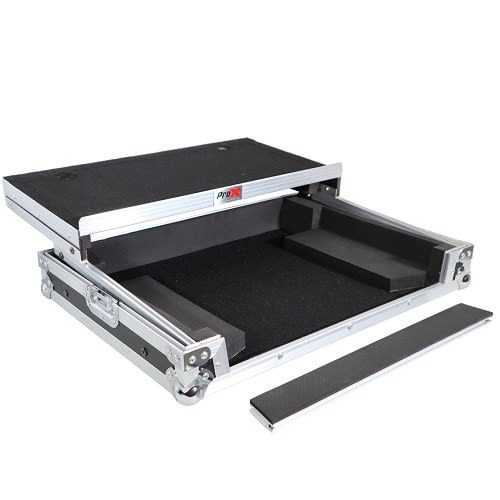
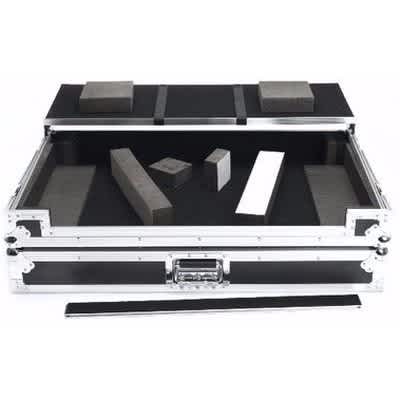
Flight Case For Pioneer Ddj-rev1 Digital Controller W-Sliding Laptop Shelf
DJ FLIGHT CASE WITH LAPTOP TABLE. Crafted from 9 mm vinyl laminated plywood, sturdy aluminium profiles and heavy duty butterfly latches, it provides you with secure transport and workstation in one. Thanks to the integrated gliding laptop platform and the convenient cable access port, the setup is ready for action in no time at all. FEATURES Holds a Pioneer DDJ-REV1and Laptop Incl. gliding laptop platform (removable) Heavy duty construction of 9 mm vinyl laminated plywood Solid aluminium profiles and spring loaded latches Secure stacking due to stackable ball corners Detachable front cover/panel Full padded interior keeps controller well-protected Convenient cable access port 2 fixing straps hold laptop during transportation
Interior Dimensions20.75"L x 9.75"W x 2.00"H
Width:26.00 (in)Height:18.00 (in)Depth:9.00 (in)
Best Quality Product
Superb Quality
Holds a Pioneer DDJ REV1and Laptop
Affordable
Reliable
Highly Recommendable
accessible
Artists and DJs looking for a great entry-level Serato DJ controller will be impressed with the Pioneer DDJ-REV1, a 2-channel performance controller that includes a free copy of Serato DJ Lite to get you up and running out of the box. The battle-style controller allows artists of any experience to intuitively mix tracks, combine effects, trigger samples, and scratch tracks.
The 16 performance pads (8 per deck) provide Hot Cue, Auto Loop, Tracking, and Sampler functions, as well as Beat Jump, Roll, Trans, and Scratch Bank modes. The center panel of the DDJ-REV1 is a 2-channel mixer with a built-in soundcard. Each channel features a trim, a 3-band EQ, a two-way Sound Color filter (HP/LP), and a level fader. Beat FX can be triggered by the effects levers, which allow for momentary and locked effect positions. The controller can also control decks 3 and 4 with Serato DJ. The Pioneer DDJ-REV1 is bus powered and ships with a USB cable.
Battle-Style Setup
The DDJ-REV1 provides you with space to perform mixing and scratching techniques with a new control arrangement. Tempo sliders are longer than sliders on the DDJ-SB3-measuring at 60mm, giving you finer control. Sliders run horizontally above the decks while the Performance Pads are in the mixer section, allowing you to intuitively combine effects, trigger samples, and scratch tracks.
Bigger Jog Wheels
Jog wheels on the DDJ-REV1 are the same size as jog wheels on the DDJ-SR2, a popular Pioneer DJ controller.
Lever FX
You can dynamically add texture to their music with Lever FX in the mixer section & mdash;pull down the levers and hold them to apply effects from Serato DJ Lite in short bursts. Alternatively, you can also push the levers up to lock on effects and free your hands for scratching or track browsing.
Tracking Scratch: Get a Helping Hand with Scratching
The DDJ-REV1 helps you have fun scratching but still gives the you control. You will still need to know the basics of scratching, but the Tracking Scratch feature will silently take the music back to the cue point the moment you move the jog wheel backward or lift their hand away, saving them from needing to close the fader and find the right track place to start the scratch again. All you need to do is to select the Tracking Scratch Pad mode, press a Performance Pad to choose your desired Scratch Crossfader Cuts pattern, and move the jog wheel.
Mixed Microphone Audio: Easily Add Voice While Streaming
For the first time in a Pioneer DJ controller at this level, the output of the master audio integrates with the microphone sound, removing the need for external equipment such as a soundcard or separate mixer. All sounds are sent to Serato DJ Lite, so you can stream from there.
Serato DJ Lite Integration: Enjoy Full Use of the Free Software
After downloading Serato DJ Lite to your PC/Mac for free, you can connect the DDJ-REV1 via the supplied USB cable and begin DJing. Enjoy tactile control of various features and effects in the software by manipulating the controller's buttons, knobs, faders, and jog wheels.With Scratch Bank pad mode, youj can instantly load scratch samples from four banks that you've assigned in Serato DJ Lite or Pro by simply tapping the dedicated Scratch Bank button. You can load from a specific start point too, which is handy if you want to use this feature to drop in full tracks during a routine.
Ddj-flx6 4-deck Rekordbox And Serato Dj Controller
Pioneer DJ DDJ-FLX6 4-deck Rekordbox and Serato DJ ControllerBrand Pioneer DJConnectivity Technology USBNumber of Channels 4Product Dimensions 13.61"D x 26.61"W x 2.7"HItem Weight 3.6 KilogramsAbout this itemBuilt-in USB Audio InterfaceDynamically Switch from One Track to the Next With a Single ActionFull-size Jog Wheels with Track Position DisplayPlug and Play Compatibility with rekordbox and Serato DJ ProWeight 1.00 kgBrand The Pioneer DJ DDJ-FLX6, 4-channel controller, features a host of new functions and reimagined design. The DDJ-FLX6 also unlocks DJ Performance modes in rekordbox and Serato DJ Pro, offering an artist the freedom to choose which software application to run for free.
The DDJ-FLX6 introduces a new Merge FX feature, enabling artists to effortlessly switch genres & mdash; from hip-hop to house, to rock and EDM, and anything in between. The DDJ-FLX6 is designed to help artists perform energetically and intuitively. The full-size jog wheels track position display enables instinctive music manipulation.
With the brand-new Jog Cutter feature, artists can quickly create a variety of slick scratch sounds by moving the jog wheel back and forth without ever touching the crossfader. The DDJ-FLX6 design stands out as Pioneer DJ & rsquo;s first controller featuring a new dark gray matte finish, and a unique jog wheel design to complement the aesthetic.
Flex your boundaries and captivate your audience with the DDJ-FLX6 DJ Controller. Packing a host of brand-new features, this 4-channel unit makes it easy to excite the audience, mix tracks from totally different musical genres, and spice up your sets with pro-sounding scratch effects.
Easily add drama to your performances and mix different styles of music; no matter what the BPM or key of the next track is, you can create an exciting transition whenever you want. Press the knob and turn it as fast or as slowly as possible to start building up the tension in the music.
Key Features
All-new Merge FXAdd drama to your sets and easily mix different styles of music. No matter what the BPM or key of the next track is, you can create an exciting transition whenever you want. Simply press the knob and turn it as fast or as slowly as you like to start building up the tension in the music.
Merge FX preset and press the knobIncrease the influence of the effect by simply turning the knob, depending on the preset pattern you & rsquo;ve chosen, the combination of different effects and samples is triggered at the same time.
When you & rsquo;re ready to make a drop and move to your next track, simply press the knob again. The effect is released and, when one is assigned in the preset, the sample plays. The track stops automatically so all you need to do is hit play on the other deck to drop your next track.
Jog Cutter: Create pro-sounding scratch effects, one-handedTurn on Jog Cutter and simply move the jog wheel to apply a professional-sounding scratch effect to the last Hot Cue or playback position you used on that deck. There are 10 different scratch patterns and you can switch from one to another by simply moving the playhead position, shown on the jog wheel & rsquo;s display, to point toward the angle for the scratch you want to use.
Full-size jog wheels with track position displayPitch bending and scratching feels natural thanks to the large jog wheels, which are the same size as those on the flagship CDJ-3000 multi player. Each one features On Jog Display too, so you can keep an eye on the playhead position.
Sample Scratch: Get creative with your favorite soundsSample Scratch is a brand-new pad mode in rekordbox which enables you to choose sounds you & rsquo;ve assigned to the sampler and load them onto the decks. So, when you want to create a live remix of a track, or simply add some texture to the music, you can scratch with your favorite sounds.
Plug and play compatibility with rekordbox and Serato DJ ProWith a built-in sound card and support for DJ Performance functions in rekordbox (equivalent to the Core plan) and Serato DJ Pro, all you need to do is connect the DDJ-FLX6 via USB cable to a laptop that & rsquo;s running either software application and you can start DJing. You don & rsquo;t need a paid subscription plan for either.
New aesthetic designThe layout of the controls on the DDJ-FLX6 is similar to that on our club-standard CDJ + DJM setup, so you can perform intuitively. However, this DJ controller introduces a fresh look, with a high-quality dark-gray matte finish and redesigned jog wheels that will make your setup stand out.