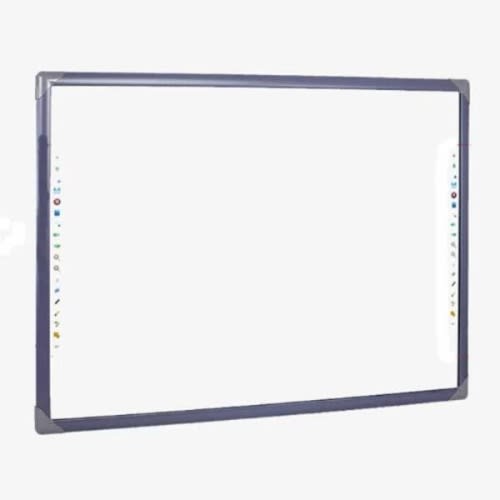



Buy 82" Interactive Whiteboard in Nigeria
You May Also Like
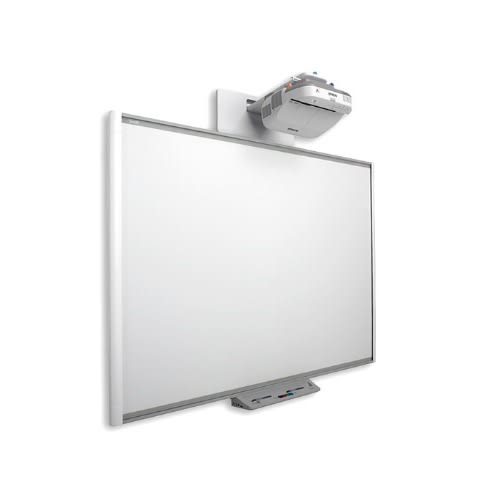
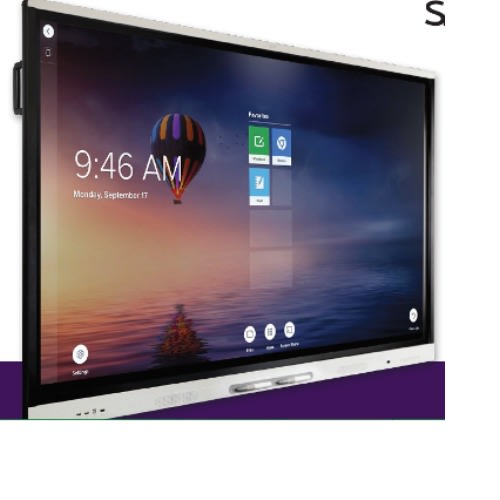
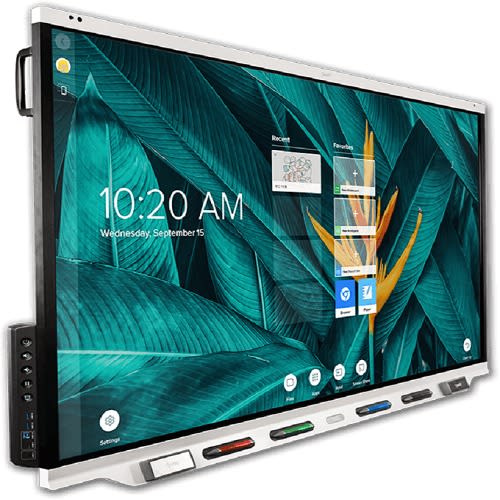
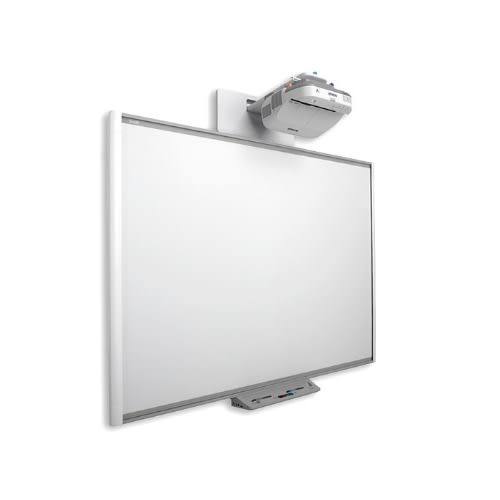
Featured Products
000RENG462634
Rehmie.com.ng
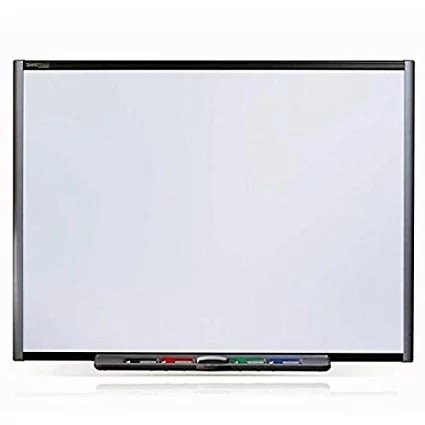
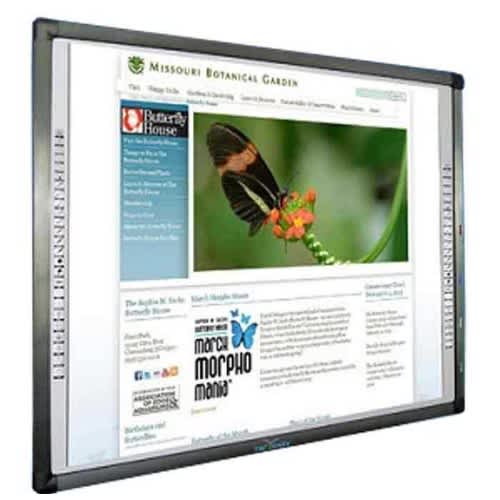
82" Electronic Interactive Whiteboard
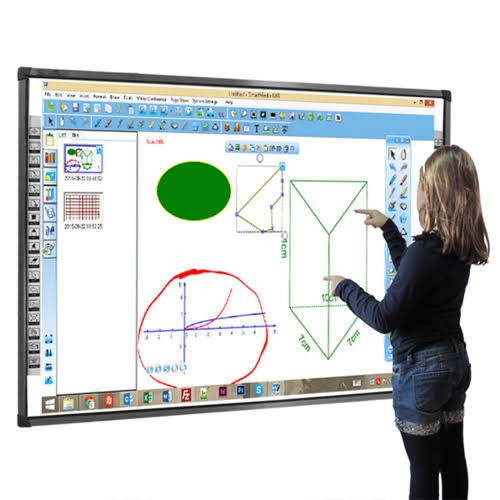
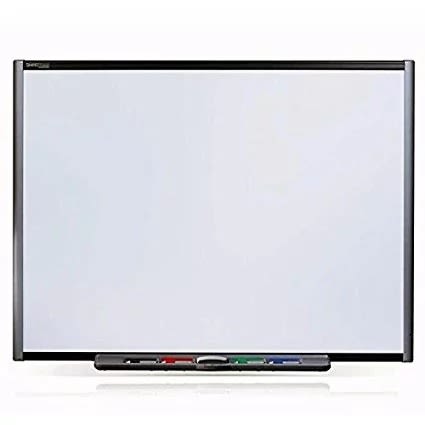
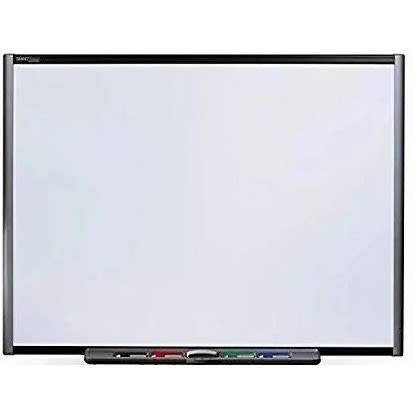
Enliven the teaching process, sustain higher attention rate and achieve increased participation and interaction with this advanced, new technology teaching aid - the interactive whiteboard, also called electronic board.
Interactive whiteboards are an instructional tool, deployed together with a PC and digital projector, such that the computer's screen is projected to the board. But that's not all. Interactive whiteboards are different for regulat projector screens because once set up, things displayed on the board can be manipulated using the finger as a mouse or with a pen, right on the board.
Description
Aspect Ratio
Native 4:3, Support 16:9I/16:9II/Native/Auto
Enliven the teaching process, sustain higher attention rate and achieve increased participation and interaction with this advanced, new technology teaching aid - the interactive whiteboard, also called electronic board.
Interactive whiteboards are an instructional tool, deployed together with a PC and digital projector, such that the computer's screen is projected to the board. But that's not all. Interactive whiteboards are different for regulat projector screens because once set up, things displayed on the board can be manipulated using the finger as a mouse or with a pen, right on the board.
Such displayed items may be dragged, clicked, copied or manipulated in other ways. The instructor or even student is able to handwrite notes on the whiteboard and all can get saved. You can write or draw on its surface, add annotations to an image, chart or other figure, print out and share the material or save it to computer or still, distribute it over a network.
HOW INTERACTIVE WHITEBOARDS (IWB) WORK:
The full setup of an interactive whiteboard presentation system comprises of a desktop or laptop PC, a projector and the interactive whiteboard, all connected. Once properly installed, whatever that is in the PC can be projected to the interactive whiteboard. What's more, the whiteboard also becomes a medium to control and manipulate what is projected from the PC's desktop. You can write to it on the board, highlight or magnify parts and do other things that help focus attention to highpoints you want to drive home. Things done on the board can also be saved to the PC.
What that means is that rather than invite a class of students to surround your laptop to view what you would like to show from it, you project all that stuff to the interactive whiteboard and will have the flexibility to control it, write to it and apply other illustrative manipulations on the large interactive whiteboard. Students can easily also participate and things done can be save or printed or emailed, as found fit. Simply, it's teaching made easy. Take note that office presentations find value in this tool too.
000RENG462661
LG
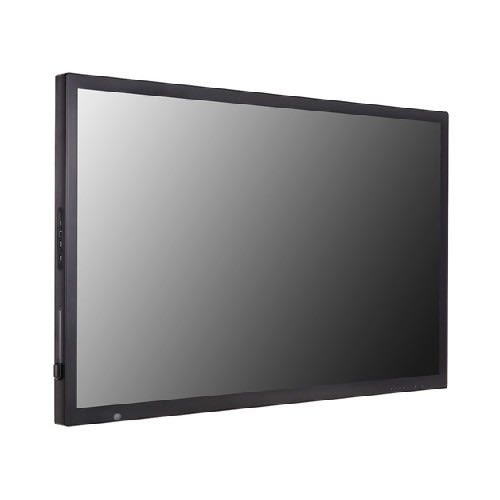
75" Digital Signage Interactive Board
LG US Business is the leading provider of display TV solutions. Our products are built with state-of-the-art technology and innovation tailored to maximize your business' potential.
Raise your sales with LG digital signage and discover our collection of LED backlit displays, DS media players, stretch and touch-screen displays. Our digital signage displays are available in different sizes and specifications to match the requirements of your business. We have a wide variety of business digital signage solutions, such as DS media players, LED backlit displays, stretched displays and touch displays.
DS Media Players: Display HD and ultra-high definition (UHD) content though LG & rsquo;s powerful, cost-effective and reliable Digital Signage (DS) players, which support different a wide range of video and audio formats.
LED Backlit Displays: With superior ultra-HD resolution and user-friendly features, LG & rsquo;s LED backlit displays are perfect for low-light retail shops, restaurants and offices. LG LED backlit displays boast superb and vibrant displays plus state-of-the-art features. Available in a var
PANEL
Screen Size
75 & rdquo;
Brightness*
500 cd/m2
Native Resolution
3840 x 2160 (UHD)
Panel Technology
IPS
Aspect Ratio
16 : 9
Viewing Angle (H x V)
CONNECTIVITY
Input
HDMI (3), DP, DVI-D, RGB, Audio in, USB 3.0, USB 2.0, OPS USB 2.0
Output
Touch USB 2.0 (2)
External Control
RS232C in/out, RJ45 in
AUDIO
Built-in Speaker
20 W (10W & times;2)
STANDARD CERTIFICATIONS
Safety
UL / cUL / CB / TUV / KC
EMC
FCC Class "A" / CE / KCC
MEDIA PLAYER COMPATIBILITY
OPS Type Compatible
Yes
SOFTWARE COMPATIBILITY
Content Management Software
SuperSign Premium
TOUCH
Multi touch point
Max. 40 Points
Protection Glass Thickness
4T (Anti-Glare)
Interface
USB 2.0
Accuracy
2 mm
Touch Type
P-Cap(Ag Metal Mesh)
Available object size for touch
more than & Oslash; 6 mm
ACCESSORIES
Optional
OPS Kit (KT-OPSA), LSW640A/B (Wall Mount)
Basic
Remote Controller (include battery 2ea), Power Cord, QSG, HDMI (3M), Regulation Book, Phone to RS232C Gender, Touch Pen (2ea), Eyebolt (2ea, 86TR3D only), Touch Pen Tip (1ea, TC3D only)
000RENG463720
Rehmie.com.ng
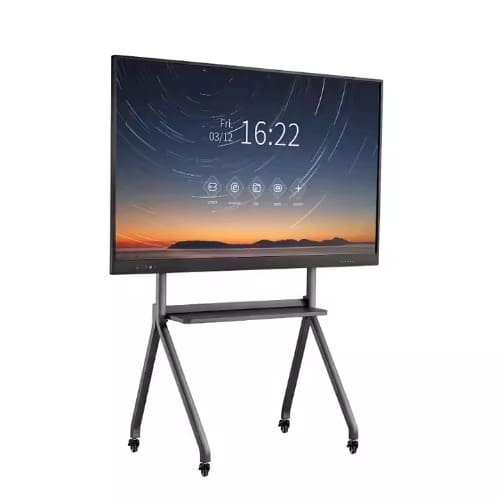
Smaat 82" Multitouch Interactive White Smart Board
With our Smaat interactive whiteboards, you can take your presentation to another level, our Interactive whiteboard technology allows you to teach & present your ideasMore Advantages of SMAAT Interactive Whiteboard:20-touch infrared sensor technology, with finger touch directly for operationMulti-touch, intelligent gesture-recognition like: start software by palm, turn page by hand-waving, moving writing on-page by fingers, fist work as eraser, zoom in or out the pictures;Aluminum NANO surface, write by normal felt pen, both normal brush and even wet cloth can clear well;
Touch recognition - Control the PC by touch from the Interactive whiteboard
Handwriting input - Handwrite on whiteboard without limitation
Real-time record - Records whiteboard content to PC
Edit PC - Edit any file in the PC on the board
Print with Ease - Click the whiteboard to print its content
Autosave - interactive whiteboard content is stored automatically in the PC
Synchronized Sound - Record both content of whiteboard & the accompanying audio (eg teacher's explanations)
Screen annotation - You can annotate the displaying file & draw graphics
Energy saving: Low power consumption ( & lt; 0.5W) and USB power from PC
Network conference - advanced use of the interactive whiteboard via LAN or the internet
NOTE: Stand is not included on the package is just for am illustration purpose
HOW INTERACTIVE WHITEBOARDS (IWB) WORK:
The full setup of an interactive whiteboard presentation system will comprise a desktop or laptop PC, a projector and the interactive whiteboard, all connected. Once properly installed, whatever that is in the PC can be projected to the interactive whiteboard. What's more, the whiteboard also becomes a medium to control and manipulate what is projected from the PC's desktop. You can write to it on the board, highlight or magnify parts and do other things that help focus attention to highpoints you want to drive home. Things done on the board can also be saved to the PC.
What that means is that rather than invite a class of students to surround your laptop to view what you would like to show from it, you project all that stuff to the interactive whiteboard and will have the flexibility to control it, write to it and apply other illustrative manipulations on the large interactive whiteboard. Students can easily also participate and things done can be save or printed or emailed, as found fit. Simply, it's teaching made easy. Take note that office presentations find value in this tool too.
000RENG463727
Rehmie.com.ng
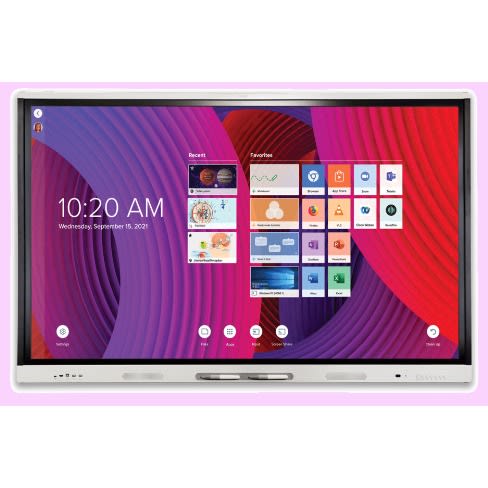
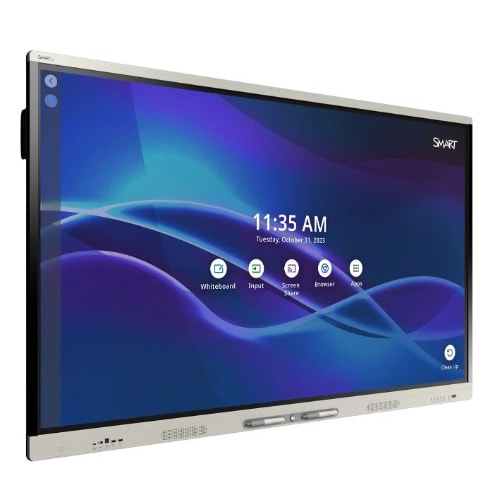
65" Smart Board Interactive Flat Panel Mx Series With IQ
Rason Global Services Nigeria offers you All-In-One SMART board MX065 v5 65 inch interactive display with iq and smart learning suiteall the essentials elevate outcomes by connecting students, lesson content and devices into one exciting learning environment. the 4k ultra hd smart board mx series with iq has more interactive learning essentials & ndash; for less than you think.Also available in 75" and 86" sizes, mx series is an affordable alternative to classroom projectors.smart board mx series the newest smart board, with exclusive iq technology and all the essentials teachers need & ndash; for less than you think. all the essentialselevate outcomes by connecting students, lesson content and devices into one exciting learning environment. the 4k ultra hd smart board mx series with iq has more interactive learning essentials & ndash; for less than you think. featuring iq embedded computing free learning software free learning software exclusive smart ink
iQ makes everything one touch away iQ Android & trade; embedded computing lets teachers switch with a tap, from delivering a lesson to writing on a whiteboard to surfing the internet.
Students stay focused. Teachers save precious time.Radio and Bluetooth restrictions? Learn moreSMART Learning SuiteIncludes free learning softwareTurn static content into interactive lessons with the world & rsquo;s best education software designed to work within the workflows your teachers already use.
SMART Notebook & reg; basic versionBONUS: 1-year subscription to SMART Learning SuitePush updates. Send messages. Run diagnostics.SMART Remote Management lets you efficiently maintain, secure and support all your devices & ndash; including SMART Board displays with iQ. Only with SMART Board MX SeriesRevolutionary features that raise the MX series experience a level above.
WriteThe SMART Board MX series frees student imaginations to run wild. Students and teachers can add notes to, and draw on, virtually everything you can show on the board as easy as paper.
Teacher Teachers see four different answers written at the same time with Pen ID & trade;.Capture screens. Change ink colors. Use presentation tools. Convert writing to text. SMART Ink gives teachers one-touch access to these features and more.Smooth writing experience produces lines with curved edges that look real.
Write 2 penThe SMART Board MX series comes with four pens, so it & rsquo;s easy for students to work side by side on projects.Only with SMART Exclusive to SMART Board displays, SMART Ink & reg; software lets teachers write over videos and websites, and into PDFs and Microsoft Office & reg; files, then save notes right in the file. Even better, Simultaneous Tool Differentiation frees multiple students to write, erase and move notes at the same time.
TouchAn ultra-smooth Silktouch & trade; finish allows teachers to use the board for hours without finger burn.An ultra-smooth Silktouch & trade; finish allows teachers to use the board for hours without finger burn.16 touch points16 simultaneous interaction points let many students do different things at the same time with pens, erasers and fingers.
Fingers select.Pens write. Palms erase. Your SMART Boards automatically know the difference thanks to Object awareness & trade;.
Share Spark classroom discussions.Uncover hidden talents.
Inspire greatness.The SMART Board MX series connects everyone and everything inside an immersive classroom experience.Share any device Android, Apple and Windows device with the board. No apps. No cables. No extra computers. An all-new wireless experience is perfect for BYOD lessons.
Every lesson and presentation looks crystal clear in 4K Ultra HD resolution.iQ technology makes it really easy for students and teachers to share everything with the class.
Easy to afford.Even easier to use.Training, maintenance and energy costs are big expenses. We want to help stretch your technology budget and lower the total cost of ownership over your SMART Board & rsquo;s lifespan.
We pioneered Accelerated Life Testing to ensure less downtime and longer life.SMART Boards are one of the few to earn an ENERGY STAR & reg; certification for energy efficient design.Technology that & rsquo;s easy to use gets used. Intuitive design increases teacher adoption and reduces training time.
Presence detection cameras automatically turn the panel on and off when you walk in or leave the room, saving you energy and extending the life of your display.
Your MX series panel comes with a 3-year warranty and a 1-year warranty on pens. Automatic, over-the-air software and firmware updates with every new release save your IT department tons of time.
Commercial-grade SMART Boards are rated for 50,000 hours and provide years of dependable use. Fully heat-tempered glass is not only the safest option, but it can also stand up to the roughest classroom use.
000RENG490346
Rehmie.com.ng
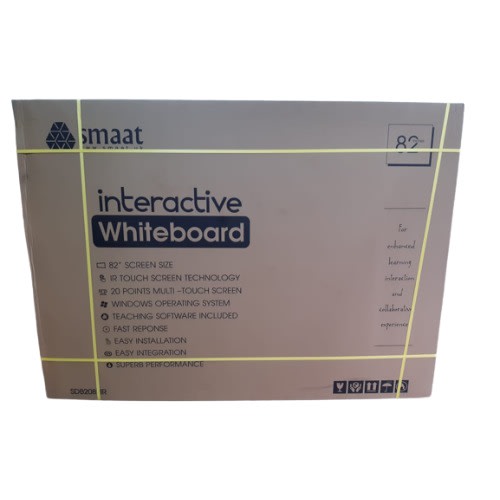
Smaat 82" Interactive Whiteboard
Elevate your presentations with our Smaat interactive whiteboards, designed to revolutionize the way you teach and present your ideas. Our interactive whiteboard technology offers numerous advantages:
20-touch infrared sensor technology: Experience seamless operation with direct finger touch.
Multi-touch functionality with intelligent gesture recognition: Initiate software by palm touch, turn pages with hand waving, and move writing on-page with fingers.
Aluminum NANO surface: Write effortlessly with a normal felt pen, and easily clear with a normal brush or wet cloth.
Touch recognition: Control your PC directly from the interactive whiteboard.
Handwriting input: Write on the whiteboard without limitations.
Real-time record: Capture whiteboard content directly to your PC.
Print with Ease: Quickly print whiteboard content with a single click.
Autosave: Automatically store interactive whiteboard content on your PC.
Synchronized Sound: Record both whiteboard content and accompanying audio for comprehensive presentations.
Screen annotation: Annotate displayed files and draw graphics seamlessly.
Energy saving: Enjoy low power consumption ( & lt; 0.5W) with USB power from the PC.
Network conference: Utilize advanced interactive whiteboard features via LAN or internet connectivity.
Experience the convenience and efficiency of interactive whiteboards. With our Smaat interactive whiteboards, you can transform your teaching and presentations effortlessly.
HOW INTERACTIVE WHITEBOARDS (IWB) WORK:The full setup of an interactive whiteboard presentation system will comprise a desktop or laptop PC, a projector, and the interactive whiteboard, all connected. Once properly installed, whatever is on the PC can be projected onto the interactive whiteboard. The whiteboard then becomes a medium to control and manipulate the projected content. Write, highlight, or magnify parts to focus attention on key points. Additionally, actions performed on the board can be saved to the PC.
Interactive whiteboards eliminate the need for students to crowd around a laptop during presentations. Instead, project content onto the interactive whiteboard and maintain flexibility to control, write, and apply illustrative manipulations. With easy participation and the ability to save, print, or email content, teaching and office presentations become effortless.
000RENG490353
Rehmie.com.ng
82" Electronic Interactive Whiteboard
Enliven the teaching process, sustain higher attention rate and achieve increased participation and interaction with this advanced, new technology teaching aid - the interactive whiteboard, also called electronic board.
Interactive whiteboards are an instructional tool, deployed together with a PC and digital projector, such that the computer's screen is projected to the board. But that's not all. Interactive whiteboards are different for regulat projector screens because once set up, things displayed on the board can be manipulated using the finger as a mouse or with a pen, right on the board.
Such displayed items may be dragged, clicked, copied or manipulated in other ways. The instructor or even student is able to handwrite notes on the whiteboard and all can get saved. You can write or draw on its surface, add annotations to an image, chart or other figure, print out and share the material or save it to computer or still, distribute it over a network.
HOW INTERACTIVE WHITEBOARDS (IWB) WORK:
The full setup of an interactive whiteboard presentation system will comprise a desktop or laptop PC, a projector and the interactive whiteboard, all connected. Once properly installed, whatever that is in the PC can be projected to the interactive whiteboard. What's more, the whiteboard also becomes a medium to control and manipulate what is projected from the PC's desktop. You can write to it on the board, highlight or magnify parts and do other things that help focus attention to highpoints you want to drive home. Things done on the board can also be saved to the PC.
What that means is that rather than invite a class of students to surround your laptop to view what you would like to show from it, you project all that stuff to the interactive whiteboard and will have the flexibility to control it, write to it and apply other illustrative manipulations on the large interactive whiteboard. Students can easily also participate and things done can be save or printed or emailed, as found fit. Simply, it's teaching made easy. Take note that office presentations find value in this tool too.
000RENG490593
Rehmie.com.ng
82" Multitouch Smart Interactive Whiteboard
With our Smaat interactive whiteboards, you can take your presentation to another level, our Interactive whiteboard technology allows you to teach & present your ideasMore Advantages of SMAAT Interactive Whiteboard:20-touch infrared sensor technology, with finger touch directly for operationMulti-touch, intelligent gesture-recognition like: start software by palm, turn page by hand-waving, moving writing on-page by fingers, fist work as eraser, zoom in or out the pictures;Aluminum NANO surface, write by normal felt pen, both normal brush and even wet cloth can clear well;
Touch recognition - Control the PC by touch from the Interactive whiteboard Handwriting input - Handwrite on whiteboard without limitationReal-time record - Records whiteboard content to PCEdit PC - Edit any file in the PC on the boardPrint with Ease - Click the whiteboard to print its contentAutosave - interactive whiteboard content is stored automatically in the PCSynchronized Sound - Record both content of whiteboard & the accompanying audio (eg teacher's explanations)Screen annotation - You can annotate the displaying file & draw graphicsEnergy saving: Low power consumption ( & lt; 0.5W) and USB power from PCNetwork conference - advanced use of the interactive whiteboard via LAN or the internet
NOTE: Stand is not included on the package is just for am illustration purpose
HOW INTERACTIVE WHITEBOARDS (IWB) WORK:
The full setup of an interactive whiteboard presentation system will comprise a desktop or laptop PC, a projector and the interactive whiteboard, all connected. Once properly installed, whatever that is in the PC can be projected to the interactive whiteboard. What's more, the whiteboard also becomes a medium to control and manipulate what is projected from the PC's desktop. You can write to it on the board, highlight or magnify parts and do other things that help focus attention to highpoints you want to drive home. Things done on the board can also be saved to the PC.
What that means is that rather than invite a class of students to surround your laptop to view what you would like to show from it, you project all that stuff to the interactive whiteboard and will have the flexibility to control it, write to it and apply other illustrative manipulations on the large interactive whiteboard. Students can easily also participate and things done can be save or printed or emailed, as found fit. Simply, it's teaching made easy. Take note that office presentations find value in this tool too.
000RENG491126
LG
Digital Signage 75” Interactive Board
LG US Business is the leading provider of display TV solutions. Our products are built with state-of-the-art technology and innovation tailored to maximize your business' potential.
Raise your sales with LG digital signage and discover our collection of LED backlit displays, DS media players, stretch and touch-screen displays. Our digital signage displays are available in different sizes and specifications to match the requirements of your business. We have a wide variety of business digital signage solutions, such as DS media players, LED backlit displays, stretched displays and touch displays.
DS Media Players: Display HD and ultra-high definition (UHD) content though LG & rsquo;s powerful, cost-effective and reliable Digital Signage (DS) players, which support different a wide range of video and audio formats.
LED Backlit Displays: With superior ultra-HD resolution and user-friendly features, LG & rsquo;s LED backlit displays are perfect for low-light retail shops, restaurants and offices. LG LED backlit displays boast superb and vibrant displays plus state-of-the-art features. Available in a var
PANEL
Screen Size
75 & rdquo;
Brightness*
500 cd/m2
Native Resolution
3840 x 2160 (UHD)
Panel Technology
IPS
Aspect Ratio
16 : 9
Viewing Angle (H x V)
CONNECTIVITY
Input
HDMI (3), DP, DVI-D, RGB, Audio in, USB 3.0, USB 2.0, OPS USB 2.0
Output
Touch USB 2.0 (2)
External Control
RS232C in/out, RJ45 in
AUDIO
Built-in Speaker
20 W (10W & times;2)
STANDARD CERTIFICATIONS
Safety
UL / cUL / CB / TUV / KC
EMC
FCC Class "A" / CE / KCC
MEDIA PLAYER COMPATIBILITY
OPS Type Compatible
Yes
SOFTWARE COMPATIBILITY
Content Management Software
SuperSign Premium
TOUCH
Multi touch point
Max. 40 Points
Protection Glass Thickness
4T (Anti-Glare)
Interface
USB 2.0
Accuracy
2 mm
Touch Type
P-Cap(Ag Metal Mesh)
Available object size for touch
more than & Oslash; 6 mm
ACCESSORIES
Optional
OPS Kit (KT-OPSA), LSW640A/B (Wall Mount)
Basic
Remote Controller (include battery 2ea), Power Cord, QSG, HDMI (3M), Regulation Book, Phone to RS232C Gender, Touch Pen (2ea), Eyebolt (2ea, 86TR3D only), Touch Pen Tip (1ea, TC3D only)
000RENG514095
Rehmie.com.ng
Riotouch Smart Interactive White Board - 82"
Riotouch 82-Inch Smart Interactive Board
This advanced interactive board offers a large, high-definition display and intuitive touch technology for a dynamic user experience.
Key Features
Infrared Touch Technology: Provides precise and responsive touch interaction.
24-Point Multitouch Screen: Supports up to 24 simultaneous touch points for dynamic collaboration.
Gesture Control: Enables intuitive gesture-based commands.
PowerPoint Annotation & Recall: Easily annotate and recall slides during presentations.
Fast & Accurate Tracking: Tracks at twice the speed of writing for smooth interaction.
Flexible Input Methods: Compatible with pen, finger, teaching pointer, or any opaque object.
Durable Quality: Built for long-lasting service with an estimated lifetime of at least 7 years.
Built-In Speed Function Button: Enhances usability with quick access to essential functions.
Ultra Slim Design: Easy to fit into various setups with a sleek, space-saving profile.
Cross-Platform Support: Compatible with Windows, Linux, and macOS.
Hotkey Controls: Provides quick access to frequently used functions.
Free Whiteboard Software: Includes powerful software for an enhanced interactive experience.
USB Power Supply: Simple and convenient power connection.
Accessories Included: Comes with wall mount brackets, installation guide, software CD, and user manual.
Installation Notes:
Typically mounted on a wall or floor stand (stand is not provided). If you want a stand, comes with an extra cost.
A projector is required for the board to function effectively (not included with the sale).
000RENG514517
Rehmie.com.ng
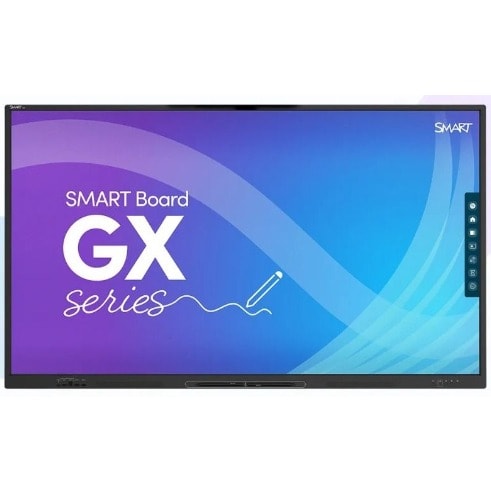
75" Smart Board Gx175 Interactive Display With OS
Rason Global Services Nigeria offers you All-In-One SMART board GX175 v3 75 inch interactive display with iq and smart learning suiteall the essentials elevate outcomes by connecting students, lesson content and devices into one exciting learning environment. the 4k ultra hd smart board gx series with iq has more interactive learning essentials & ndash; for less than you think.Also available in 65" and 86" sizes, mx series is an affordable alternative to classroom projectors.smart board gx series the newest smart board, with exclusive iq technology and all the essentials teachers need & ndash; for less than you think. all the essentialselevate outcomes by connecting students, lesson content and devices into one exciting learning environment. the 4k ultra hd smart board gx series with iq has more interactive learning essentials & ndash; for less than you think. featuring iq embedded computing free learning software free learning software exclusive smart ink
iQ makes everything one touch away iQ Android & trade; embedded computing lets teachers switch with a tap, from delivering a lesson to writing on a whiteboard to surfing the internet.
Students stay focused. Teachers save precious time.Radio and Bluetooth restrictions? Learn moreSMART Learning SuiteIncludes free learning softwareTurn static content into interactive lessons with the world & rsquo;s best education software designed to work within the workflows your teachers already use.
SMART Notebook & reg; basic versionPush updates. Send messages. Run diagnostics.SMART Remote Management lets you efficiently maintain, secure and support all your devices & ndash; including SMART Board displays with iQ. Only with SMART Board GX SeriesRevolutionary features that raise the GX series experience a level above.
WriteThe SMART Board GX series frees student imaginations to run wild. Students and teachers can add notes to, and draw on, virtually everything you can show on the board as easy as paper.
Teacher Teachers see four different answers written at the same time with Pen ID & trade;.Capture screens. Change ink colors. Use presentation tools. Convert writing to text. SMART Ink gives teachers one-touch access to these features and more.Smooth writing experience produces lines with curved edges that look real.
Write 2 penThe SMART Board GX series comes with four pens, so it & rsquo;s easy for students to work side by side on projects.Only with SMART Exclusive to SMART Board displays, SMART Ink & reg; software lets teachers write over videos and websites, and into PDFs and Microsoft Office & reg; files, then save notes right in the file. Even better, Simultaneous Tool Differentiation frees multiple students to write, erase and move notes at the same time.
TouchAn ultra-smooth Silktouch & trade; finish allows teachers to use the board for hours without finger burn.An ultra-smooth Silktouch & trade; finish allows teachers to use the board for hours without finger burn.16 touch points16 simultaneous interaction points let many students do different things at the same time with pens, erasers and fingers.
Fingers select.Pens write. Palms erase. Your SMART Boards automatically know the difference thanks to Object awareness & trade;.
Share Spark classroom discussions.Uncover hidden talents.
Inspire greatness.The SMART Board GX series connects everyone and everything inside an immersive classroom experience.Share any device Android, Apple and Windows device with the board. No apps. No cables. No extra computers. An all-new wireless experience is perfect for BYOD lessons.
Every lesson and presentation looks crystal clear in 4K Ultra HD resolution.iQ technology makes it really easy for students and teachers to share everything with the class.
Easy to afford.Even easier to use.Training, maintenance and energy costs are big expenses. We want to help stretch your technology budget and lower the total cost of ownership over your SMART Board & rsquo;s lifespan.
We pioneered Accelerated Life Testing to ensure less downtime and longer life.SMART Boards are one of the few to earn an ENERGY STAR & reg; certification for energy efficient design.Technology that & rsquo;s easy to use gets used. Intuitive design increases teacher adoption and reduces training time.
Presence detection cameras automatically turn the panel on and off when you walk in or leave the room, saving you energy and extending the life of your display.
Your MX series panel comes with a 3-year warranty and a 1-year warranty on pens. Automatic, over-the-air software and firmware updates with every new release save your IT department tons of time.
Commercial-grade SMART Boards are rated for 50,000 hours and provide years of dependable use. Fully heat-tempered glass is not only the safest option, but it can also stand up to the roughest classroom use.
000RENG550716
Rehmie.com.ng
82" Interactive Whiteboard
Touch Technology: Infrared Touch
Infrared Multitouch Interactive Whiteboard
Offers Gesture control
Finger touch enabled: 10 Point Finger Touch
Powerpoint annotation & recall
Fast & accurate - tracks at twice the speed you can write
Input Method: Finger, pen, teaching pointer, any other opaque object
Durable Quality to Provide Longlife Service
Manufacturer's Estimated Life Time at least 7-year
Built-in Function buttons for speed
Ultra slim, easy fitting design
Support Linux & Mac Os & Win multi-touch
Provides hotkey Controls
Comes with Powerful white board software free with writing board
Power Supply USB
Accessories: Wall mount brackets, Installation guide, Software CD, User manual
Typically mounted to a wall or on a floor stand (stand not provided)
000RENG568963
Rehmie.com.ng
82" Interactive Whiteboard
Enliven the teaching process, sustain higher attention rate and achieve increased participation and interaction with this advanced, new technology teaching aid - the interactive whiteboard, also called electronic board.
Interactive whiteboards are an instructional tool, deployed together with a PC and digital projector, such that the computer's screen is projected to the board. But that's not all. Interactive whiteboards are different for regulat projector screens because once set up, things displayed on the board can be manipulated using the finger as a mouse or with a pen, right on the board.
Description
Aspect Ratio
Native 4:3, Support 16:9I/16:9II/Native/Auto
Enliven the teaching process, sustain higher attention rate and achieve increased participation and interaction with this advanced, new technology teaching aid - the interactive whiteboard, also called electronic board.
Interactive whiteboards are an instructional tool, deployed together with a PC and digital projector, such that the computer's screen is projected to the board. But that's not all. Interactive whiteboards are different for regulat projector screens because once set up, things displayed on the board can be manipulated using the finger as a mouse or with a pen, right on the board.
Such displayed items may be dragged, clicked, copied or manipulated in other ways. The instructor or even student is able to handwrite notes on the whiteboard and all can get saved. You can write or draw on its surface, add annotations to an image, chart or other figure, print out and share the material or save it to computer or still, distribute it over a network.
HOW INTERACTIVE WHITEBOARDS (IWB) WORK:
The full setup of an interactive whiteboard presentation system comprises of a desktop or laptop PC, a projector and the interactive whiteboard, all connected. Once properly installed, whatever that is in the PC can be projected to the interactive whiteboard. What's more, the whiteboard also becomes a medium to control and manipulate what is projected from the PC's desktop. You can write to it on the board, highlight or magnify parts and do other things that help focus attention to highpoints you want to drive home. Things done on the board can also be saved to the PC.
What that means is that rather than invite a class of students to surround your laptop to view what you would like to show from it, you project all that stuff to the interactive whiteboard and will have the flexibility to control it, write to it and apply other illustrative manipulations on the large interactive whiteboard. Students can easily also participate and things done can be save or printed or emailed, as found fit. Simply, it's teaching made easy. Take note that office presentations find value in this tool too.