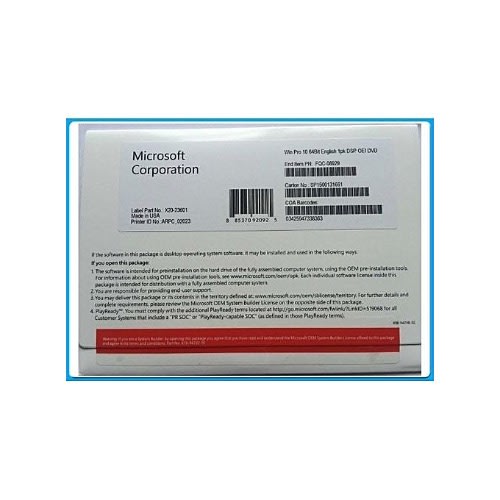
Windows 8.1 Professional 32 Bit English International -oem -1 Pack Dvd Fqc-06987
Microsoft FQC-06987 - OEM - Windows 8.1 Professional 32 bit English International 1 Pack DVDThe Start menu is back and better than ever so you can expand and customize it.Fast and responsive. Technologies like InstantGo let you boot up and resume quickly.Cortana, the personal assistant, learns about you over time on most devices.Touch, type, or pen. Depending on your device, choose what works best for what you're doing.
Windows 8.1 comes with apps (Photos, Maps, Music, Video, and more) that work across your devices.Rule the web with Microsoft Edge - the first browser that lets you take notes, write, doodle, and highlight directly on webpagesJoin your business or school domain for easy access to network files, servers, and printers.Enhanced security with BitLocker data encryption and protection.Login with Remote Desktop and create virtual machines with Hyper-V.System RequirementsProcessor: 1 Gigahertz (GHz) or faster processor or SoCRAM: 1 Gigabyte (GB) for 32-bit Hard Disk Space: 16 GB for 32-bit OSGraphics card: DirectX 9 or later
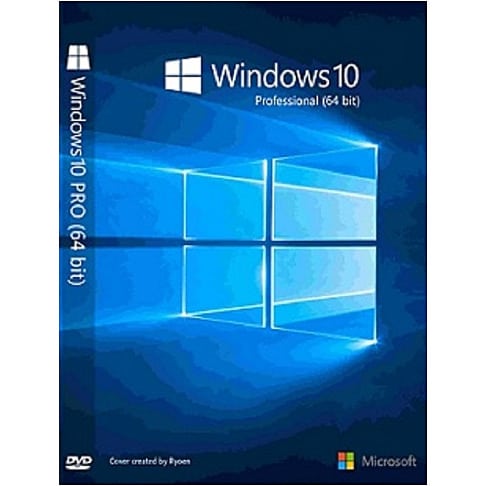
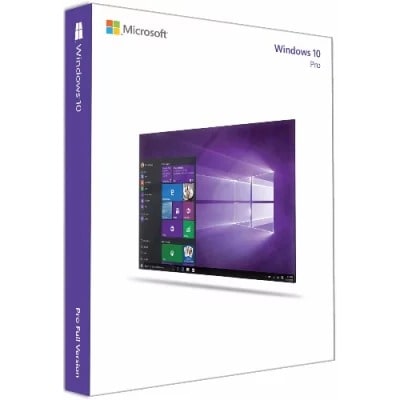
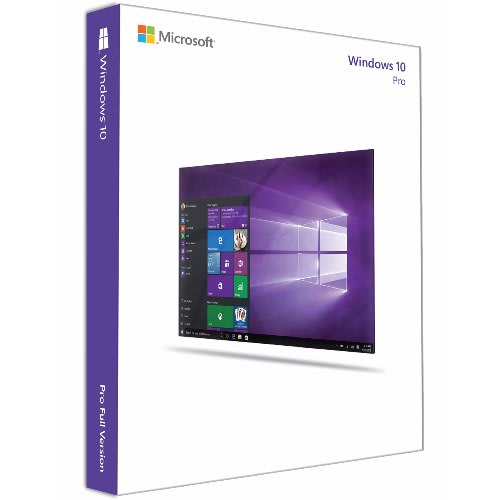
Windows 10 is so familiar and easy to use, you'll feel like an expert. The Start Menu is back in an expanded form, plus your pinned apps and favorites are brought over so they're ready and waiting for you. It starts up and resumes fast, has more built-in security to help keep you safe, and is designed to work with software and hardware you already have. Windows 10 Pro is a desktop edition for PCs, tablets and 2-in-1s. Building upon both the familiar and innovative features of Windows 10 Home, it has many extra features to meet the diverse needs of small businesses. Windows 10 Pro helps to effectively and efficiently manage their devices and apps, protect their sensitive business data, support remote and mobile productivity scenarios and take advantage of cloud technologies. Windows 10 Pro devices are a great choice for organizations supporting Choose Your Own Device (CYOD) programs and prosumer customers. Windows 10 Pro also lets customers take advantage of the new Windows Update for Business, which will reduce management costs, provide controls over update deployment, offer quicker access to security updates and provide access to the latest innovation from Microsoft on an ongoing basis.
With Windows 10 Pro, you've got a great business partner. Get faster start-ups, a familiar yet expanded Start menu, and great new ways to get stuff done, plus innovative features like an all-new browser built for online action and Cortana, the more personal digital assistant. Windows 10 Pro offers all the great features of Windows 10 Home, plus important business functionality for encryption, remote log-in, creating virtual machines, and more.Product Features:Familiar and easy to use.The familiar Start menu is back and better than ever, to give you quick access to your most important things. And Windows works with more hardware and software, including what you already have.
Fast and smooth.Windows 10 starts fast, resumes fast and runs apps so smoothly even older machines feel young again. And the new Battery Saver feature helps you work and play longer than before.Peace of mind.Windows 10 has more security features than ever and, with automatic updates, it helps you stay current on the latest and greatest features and security.Windows 10 compatibility.Windows 10 is designed to be compatible with programs that run on Windows 7 or Windows 8/8.1. And your docs and files are preserved so you don't need to worry about things getting lost.Your own digital assistant.Cortana is your truly personal digital assistant who works across all your Windows 10 devices to help you get things done.A warm welcome.With Windows Hello, your device greets you by name and lets you log in with just a look or a touch - it's faster and more secure and there's no need to type in a password.
All-new browser.Edge is an all-new browser that makes the web work the way you do. You can even write or type on webpages and easily share the markups with others.More multi-doing.Get great new ways to stay organized and be productive. You can easily snap up to four apps on one screen and create virtual desktops when you need more space.Great for Office.Windows 10 is the perfect partner for running the world's greatest productivity suite including Word, Excel, PowerPoint and Outlook. Ms Office sold separately.Right for businessJoin your Domain.You can connect to your business or school Domain or Azure Active Directory to use network files, servers, printers, and more.Enhanced encryption.Get additional security with BitLocker to help protect your data with encryption and security management.Remote log-in.Windows 10 enables you to log in with Remote Desktop to sign in and use your Pro PC while at home or on the road.
Virtual machines.Create and run virtual machines with Hyper-V so you can run more than one operating system at the same time on the same PC.Your apps in the Store.Windows 10 lets you create your own private app section in the Windows Store for convenient access to company applications.
Window Server 2016 Standard Activation Key-16 Core
Delivery is made physically through our agents.
DESCRIPTIONWHAT IS WINDOWS SERVER 2016 STANDARD 16 COREMicrosoft Windows Server 2016 Standard 16 Core Edition is a functional server operating system for users that need a robust system, the standard Windows Server 2016 is adapted to the Azure cloud to apply new security to your company & rsquo;s applications and infrastructure. This system allows you to enhance security and reduce risk through multiple layers of security built into the operating system. This version allows you to save money with network and storage technologies.
PRODUCT DETAILSOn purchasing this product you will get 1 Windows Server 2016 Standard Edition 16 Core activation license key for 1 User
ManufacturerMicrosoft
Licensing TypeRetail
Devices Supported1 Device
Users Supported1 User
Licensing TermLifetime / 1 Time
LanguageAll Languages
Platform SupportedWindows
Delivery MethodDigital Instant Delivery
FEATURES AND BENEFITSBuilt-In ContainersDevelop and manage with agility thanks to Windows Server and Hyper-V containers
Cost-Efficient StorageBuild highly available, scalable software-defined storage and reduce costs
New Deployment OptionsIncrease availability and reduce resource usage with the lightweight Nano Server
Added Layers of SecurityEnhance security and reduce risk with multiple layers of built-in protection
Innovative NetworkingSoftware-defined networking to automate with cloud-like efficiency
WHY SHOULD YOU BUY WINDOWS SERVER 2016 STANDARD EDITION 16 CORE LICENSE KEYEnhance Security with Windows Server 2016Rely on new layers of protection built into the operating system to further safeguard against security breaches. Help block malicious attacks and enhance the security of your virtual machines, applications, and data.
Protect Administrator CredentialsHelp guard administrator credentials from Pass-the-Hash attacks by using Credential Guard and Remote Credential Guard. Limit administrator privileges with Just-In-Time Administration and Just Enough Administration.
Virtualize without compromising securityUse Shielded Virtual Machines to help protect your virtual machines from a compromised fabric as well as improve your compliance. Shielded Virtual Machines are encrypted using BitLocker and will run on healthy hosts.
Protect the applications that run on your operating system, anywhere it's deployedEnhance the protection of your applications on-premises or running in the cloud. Help ensure only trusted software runs on the server with Device Guard. Help protect against memory corruption attacks with Control Flow Guard. Help protect against known malware with Windows Defender optimized for server roles.
Increase application isolationHelp protect container-based applications with Hyper-V containers. Use the distributed firewall, a software-defined networking capability, to control internal and external network traffic to virtual machines.
Detect security threats quicklyHelp detect suspicious behavior in the kernel or other sensitive processes with advanced auditing capabilities. Plus, use Microsoft Operations Management Suite Insights & Analytics tools to set up alerts and reporting.
Innovate faster when you build apps on Windows ServerTransform the way you develop, deploy, and run your applications with a modern DevOps environment. Bring agility, scale, and security benefits to existing applications, while building next-generation applications optimized for the cloud
Run current applications on a secure, software-defined fabricRun your existing apps on Windows Server 2016 without modifying them. Take advantage of enhanced security and efficiency features on the fabric.
Move existing apps to containersMove your traditional applications into a modern DevOps environment with little or no code changes. Enable & ldquo;write-once, run anywhere & rdquo; apps to deploy on-premises, to any cloud, or in a hybrid architecture with containers. It & rsquo;s consistency across dev, test, and production.
PLS READ!!! IMPORTANT INFORMATION ABOUT THIS PRODUCT:
This Microsoft product contains the original licence key from Microsoft.It can be verified on Microsoft website by simply logging in and entering your key where required.
Licence Type: Retail
Licence Details: Retail Key is the licence key from Windows's fully packaged product (FPP) (commonly referred to as "boxed copies" from a retail store) or purchase Windows online from Microsoft Store.
Validity: Lifetime
No of Users: 1 User
Product Pack: Licence Key Only
Windows Installer: Download from Microsoft website
Delivery Mode: Physical Shipping
Operating System: Windows
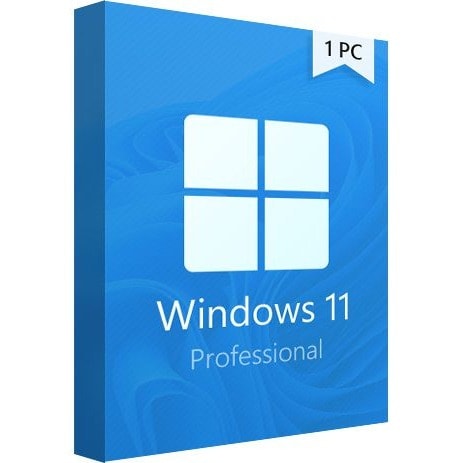
OVERVIEW OF WINDOWS 11 PRO
Windows 11 has a completely new design. Microsoft clearly needs a good reason to reverse its past claims and still ditch Windows 10 by introducing a new operating system number. And a completely new design is great for that.
The main part of this announcement is a significant user interface change. As we know, a significant portion of the UX changes will be borrowed from the Windows 10X shell, and Windows 10X is not coming to market.
Right angles will disappear, they will be replaced by fillets. In truth, insiders and concept designers disagree on this point & ndash; some are confident that Microsoft will not change its traditions and will keep right angles, while others are convinced that in 2021 Microsoft will follow the fashion for fillets.
There will be a translucent background with blur everywhere. There is disagreement on the web about the island style of displaying windows, the design of the corners and the levitation effect of the menu, but almost everyone is unanimous about the transparency of the windows. The vast majority of leaks and design renders show transparency and blur in all windows, be it at least the Start menu or Explorer.
What are the new features in Windows 11?
Interface: Windows 11 is already distinguished from Windows 10 by a completely revised graphical interface with a new start placed by default in the center of the taskbar, but which can be moved. There are also new icons, new themes but also new sounds during events in the system such as the one that indicates the start of the computer or when a device is connected.
New settings panel: Microsoft did not expand on this but a screenshot shows that the design of the settings has also evolved, to discover in the recap of the conference.
Widgets panel: they will not be placed on the desktop & ldquo;Vista & rdquo; but are entitled to their separate panel while transparency which opens with a click
Window reorganization system: to organize your desktop more easily, Windows 11 offers layout diagrams when hovering over the resize button
Teams integration: the business communication solution is installed by default in Windows 11 to chat, make voice and video calls easily
An optimized tablet mode: the life of touch lovers will be easier with an optimized mode, we can in particular use the same gestures as on the trackpad directly on the screen
New Microsoft Store: a design revised for him too but it is above all the gesture towards the developers that is important, Microsoft will not take any commission. Another major novelty, Android applications will be able to take place there.
Gaming: The Xbox Game Pass gaming app is coming to Windows 11 along with other optimizations for gamers like Auto HDR and & ldquo;Direct Storage & rdquo;
A faster system: Microsoft explained that it optimized Windows 11 to be lighter and faster, less power consuming, and improved the Windows Update system
Technical Details and System Requirements
Processor:1 GHz or faster with 2 or more cores on a compatible 64-bit processor. (Microsoft provides a list of compatible processors on its website).
RAM:4 gigabytes or more
Storage:64 GB or larger storage device (such as a hard drive or SSD)
System Firmware:UEFI and Secure Boot capable
TPM:Trusted Platform Module 2.0 (common on motherboards manufactured after 2016)
Graphics Card:Compatible with DirectX 12 or later with WDDM 2.0 driver
Display:An HD display at least 720p (1280 & times;720) resolution larger than 9 & Prime; diagonal, 8-bits per color channel
PLS READ!!! IMPORTANT INFORMATION ABOUT THIS PRODUCT:
This Microsoft product contains the original licence key from Microsoft.It can be verified on Microsoft website by simply logging in and entering your key where required.
Licence Type: Retail
Licence Details: Retail Key is the licence key from Windows's fully packaged product (FPP) (commonly referred to as "boxed copies" from a retail store) or purchase Windows online from Microsoft Store.
Validity: Lifetime
No of Users: 5 User
Product Pack: Licence Key plus Installer
Windows Installer: Flashdrive
Delivery Mode: Physical Shipping
Operating System: Windows
OVERVIEW OF WINDOWS 11 PRO
Windows 11 has a completely new design. Microsoft clearly needs a good reason to reverse its past claims and still ditch Windows 10 by introducing a new operating system number. And a completely new design is great for that.
The main part of this announcement is a significant user interface change. As we know, a significant portion of the UX changes will be borrowed from the Windows 10X shell, and Windows 10X is not coming to market.
Right angles will disappear, they will be replaced by fillets. In truth, insiders and concept designers disagree on this point & ndash; some are confident that Microsoft will not change its traditions and will keep right angles, while others are convinced that in 2021 Microsoft will follow the fashion for fillets.
There will be a translucent background with blur everywhere. There is disagreement on the web about the island style of displaying windows, the design of the corners and the levitation effect of the menu, but almost everyone is unanimous about the transparency of the windows. The vast majority of leaks and design renders show transparency and blur in all windows, be it at least the Start menu or Explorer.
What are the new features in Windows 11?
Interface: Windows 11 is already distinguished from Windows 10 by a completely revised graphical interface with a new start placed by default in the center of the taskbar, but which can be moved. There are also new icons, new themes but also new sounds during events in the system such as the one that indicates the start of the computer or when a device is connected.
New settings panel: Microsoft did not expand on this but a screenshot shows that the design of the settings has also evolved, to discover in the recap of the conference.
Widgets panel: they will not be placed on the desktop & ldquo;Vista & rdquo; but are entitled to their separate panel while transparency which opens with a click
Window reorganization system: to organize your desktop more easily, Windows 11 offers layout diagrams when hovering over the resize button
Teams integration: the business communication solution is installed by default in Windows 11 to chat, make voice and video calls easily
An optimized tablet mode: the life of touch lovers will be easier with an optimized mode, we can in particular use the same gestures as on the trackpad directly on the screen
New Microsoft Store: a design revised for him too but it is above all the gesture towards the developers that is important, Microsoft will not take any commission. Another major novelty, Android applications will be able to take place there.
Gaming: The Xbox Game Pass gaming app is coming to Windows 11 along with other optimizations for gamers like Auto HDR and & ldquo;Direct Storage & rdquo;
A faster system: Microsoft explained that it optimized Windows 11 to be lighter and faster, less power consuming, and improved the Windows Update system
Technical Details and System Requirements
Processor:1 GHz or faster with 2 or more cores on a compatible 64-bit processor. (Microsoft provides a list of compatible processors on its website).
RAM:4 gigabytes or more
Storage:64 GB or larger storage device (such as a hard drive or SSD)
System Firmware:UEFI and Secure Boot capable
TPM:Trusted Platform Module 2.0 (common on motherboards manufactured after 2016)
Graphics Card:Compatible with DirectX 12 or later with WDDM 2.0 driver
Display:An HD display at least 720p (1280 & times;720) resolution larger than 9 & Prime; diagonal, 8-bits per color channel
50 Premium Accounting Software Lifetime Activation Key - 1 User
Delivery is made physically through our agents.
DescriptionSage 50 Premium Accounting 2023 US-Edition.Get powerful tools to be more efficient and productive with Sage 50 Premium Accounting software.Accounting Tools To Get the Job Done - invoice customers, monitor cash flow, control job revenue and expenses, manage inventory, set module-level security, and moreGreater Insight For Strategic Planning - Sage 50 Business Intelligence Reporting uses real-time data from your Sage software and Microsoft & reg; Excel & reg; to give you vital insights into your companyHave Peace of mind knowing your Sage 50 Premium Accounting software is always current and supported!A Sage Business Care Plan is included with all Sage 50 2022 software. You have the option to select whether you wish to OWN (Perpetual License) or RENT (Subscription) your software .
Business Care Includes:The latest version of Sage 50 Premium Accounting with updates for as long as you're enrolled.Access to technical support analysts by phone, email, and online chat for your Sage 50 solution.The advice you need, with access to Sage Small Business Webcast Series.
BestWhat Sage 50 (Peachtree) Premium 2023 OffersAccounting ToolsSage 50 Premium Accounting is easy to use and comes with module-level security and automatic accounting checks that give you confidence in the integrity of your information. Plus, it & rsquo;s installed on computers that you control locally.
Invoice customers by mail or emailMonitor cash flow to meet current and upcoming paymentsManage inventory using a variety of methodsControl job revenue and expenses at the phase and cost code levelGet module-level security and options for usersPowerful Inventory Management
With Sage 50 Premium, you can quickly close a deal because you know what you have on hand or save money because you don & rsquo;t over order. If inventory is part of your business, you can count on Sage Premium Accounting to have your back.
Track inventory on user-defined attributes (color, size, style)Set different price levels or offer quantity discountsAutomatically replenish inventory at user-defined levelsUse serialized inventory to track warranty claims and recallsSage 50 Business Intelligence
Get the vital information you need to stay in control and plan ahead. Sage 50 Business Intelligence Reporting lets you generate customized reports in the tool you already use & mdash; Microsoft Excel.
Built-in templates for sales, purchasing, inventory, and financial reportingConsolidate information from multiple Sage 50 companies or other databasesReports are always up to date with the latest data & mdash; no export or manipulation required.
Why Buy Sage 50 Premium Accounting?When you choose Sage 50 Premium Accounting, you'll save time and money and achieve more every day.Know exactly where your business stands with a customized view of key business metrics such as account balances, quarterly revenue, outstanding receivables, or whatever is most important to you.Save money, become more profitable, and even increase customer satisfaction with tools that help you gain control over inventory, job costs, estimates, and invoicing.Make better, more timely decisions using the customizable reports in Sage 50 Intelligence Reporting and your real-time Sage 50 data.
Delivery is made physically through our agents.
DescriptionSage 50 Premium Accounting 2023 US-Edition.Get powerful tools to be more efficient and productive with Sage 50 Premium Accounting software.Accounting Tools To Get the Job Done - invoice customers, monitor cash flow, control job revenue and expenses, manage inventory, set module-level security, and moreGreater Insight For Strategic Planning - Sage 50 Business Intelligence Reporting uses real-time data from your Sage software and Microsoft & reg; Excel & reg; to give you vital insights into your companyHave Peace of mind knowing your Sage 50 Premium Accounting software is always current and supported!A Sage Business Care Plan is included with all Sage 50 2022 software. You have the option to select whether you wish to OWN (Perpetual License) or RENT (Subscription) your software .
Business Care Includes:The latest version of Sage 50 Premium Accounting with updates for as long as you're enrolled.Access to technical support analysts by phone, email, and online chat for your Sage 50 solution.The advice you need, with access to Sage Small Business Webcast Series.
BestWhat Sage 50 (Peachtree) Premium 2023 OffersAccounting ToolsSage 50 Premium Accounting is easy to use and comes with module-level security and automatic accounting checks that give you confidence in the integrity of your information. Plus, it & rsquo;s installed on computers that you control locally.
Invoice customers by mail or emailMonitor cash flow to meet current and upcoming paymentsManage inventory using a variety of methodsControl job revenue and expenses at the phase and cost code levelGet module-level security and options for usersPowerful Inventory Management
With Sage 50 Premium, you can quickly close a deal because you know what you have on hand or save money because you don & rsquo;t over order. If inventory is part of your business, you can count on Sage Premium Accounting to have your back.
Track inventory on user-defined attributes (color, size, style)Set different price levels or offer quantity discountsAutomatically replenish inventory at user-defined levelsUse serialized inventory to track warranty claims and recallsSage 50 Business Intelligence
Get the vital information you need to stay in control and plan ahead. Sage 50 Business Intelligence Reporting lets you generate customized reports in the tool you already use & mdash; Microsoft Excel.
Built-in templates for sales, purchasing, inventory, and financial reportingConsolidate information from multiple Sage 50 companies or other databasesReports are always up to date with the latest data & mdash; no export or manipulation required.
Why Buy Sage 50 Premium Accounting?When you choose Sage 50 Premium Accounting, you'll save time and money and achieve more every day.Know exactly where your business stands with a customized view of key business metrics such as account balances, quarterly revenue, outstanding receivables, or whatever is most important to you.Save money, become more profitable, and even increase customer satisfaction with tools that help you gain control over inventory, job costs, estimates, and invoicing.Make better, more timely decisions using the customizable reports in Sage 50 Intelligence Reporting and your real-time Sage 50 data.
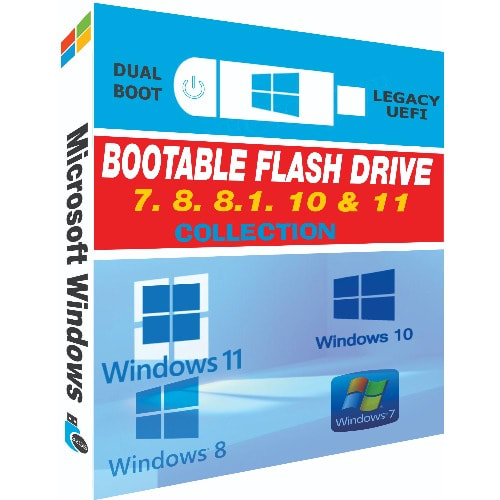
All-in-One Bootable Windows - Sent via USB Pendrive.
This is the complete edition of all Microsoft Windows since 2009 to 2022
WINDOWS 11 2021 NEW- Windows 11 Home (64bit)- Windows 11 Home N (64bit)- Windows 11 Single Language (64bit)- Windows 11 Education (64bit)- Windows 11 Education N (64bit)- Windows 11 Pro (64bit)- Windows 11 Pro N (64bit)- Windows 11 Pro Education (64bit)- Windows 11 Pro Education N (64bit)- Windows 11 Pro for Workstations (64bit)- Windows 11 Pro N for Workstations (64bit)WINDOWS 10 2021- MULTI LANGUAGE- Pro STD (64bit)- Pro DLA (64bit)- Pro OEM (64bit) WINDOWS 10 2016 MULTI LANGUAGE- Windows 10 Pro VL (32bit & 64bit)- Windows 10 Education VL (32bit & 64bit)- Windows 10 Enterprise VL (32bit & 64bit) WINDOWS 8.1 MULTI LANGUAGE- Windows 8.1 Professional (32bit & 64bit)- Windows 8.1 with Media Center (32bit & 64bit)- Windows 8.1 Enterprise (32bit & 64bit) WINDOWS 8 OPERATING SYSTEM- Windows 8 (32bit & 64bit)- Windows 8N (32bit & 64bit)- Windows 8 Pro (32bit & 64bit)- Windows 8 VL (32bit & 64bit)- Windows 8 Pro N (32bit & 64bit)- Windows 8 Pro with Media Center (32bit & 64bit)- Windows 8 Enterprise (32bit & 64bit)- Windows 8 Enterprise N (32bit & 64bit) WINDOWS 7 SERVICE PACK 1 MULTI LANGUAGE (Winsetup)- Home Premium (32bit & 64bit)- Professional (32bit & 64bit)- Ultimate (32bit & 64bit)- Enterprise (32bit & 64bit)
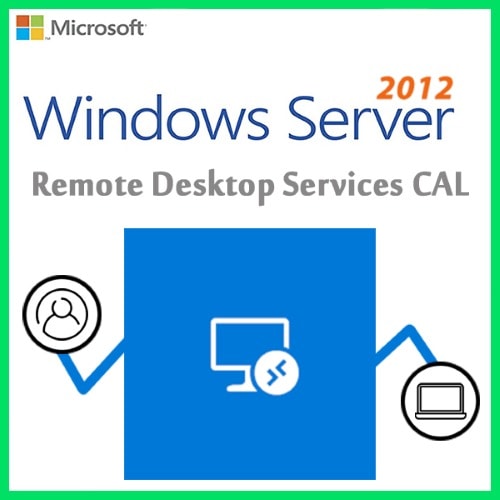
Windows Server 2012 Remote Desktop Services 50 Device Connections
Mode of Delivery: Physical Shipping
WHAT IS REMOTE DESKTOP SERVICES FOR WINDOWS SERVER
Windows Server Remote Desktop Services CAL is part of the flexible licensing system for Windows Server. It will give customers the opportunity to leverage fantastic enhancements that make it the optimal version of RDS, to date, with several areas of innovation to improve the administrative and client experiences.
What is Remote Desktop Services?
RDS stands for "remote desktop services" and refers to the functionality enabling users to work with graphic desktop and Windows applications via remote access. Desktop networks can be managed centrally using the appropriate client access licences (CALs). In addition, any potential Windows Server 2019 Core licenses already in existence can be used in combination with the 2022 device licenses. This gives the IT department in a company more time to transition to the latest version of the server operating system. The "Express Updates" function will also help save time installing updates in future.
Do I need a Client Access License?
A client access license (CAL) is needed for each user and device that connects to a Remote Desktop Session host. An RDS licensing server is needed to install, issue, and track RDS CALs. When a user or a device connects to an RD Session Host server, the RD Session Host server determines if an RDS CAL is needed.
THE DIFFERENCE BETWEEN USER CAL AND DEVICE CAL
License your deployments with Device or User Client Access Licenses
Each user or device accessing a licensed Windows Server requires a Windows Server CAL or a Windows Server and a Remote Desktop Services (RDS) CAL.
Remote Desktop Services User CALs
Remote Desktop Services User CALs
It allows a user to establish a Remote Desktop session on a Remote Desktop session host server. Regardless of the number of devices that the user uses to log in.
Remote Desktop Services Device CALsL
Remote Desktop Services Device CALs
It allows a specific device to establish a Remote Desktop session on a Remote Desktop session host server. Regardless of the number of users connecting from of this device.
FEATURES AND BENEFITS
Simplify IT management
Microsoft has time and again heard from customers that license management should focus on simplification to scale deployments. Therefore, it has focused on improving management of Remote Desktop (RD) Licensing servers and entitlement through Active Directory (AD).
Now, you will be able to leverage high availability RD Licensing servers with forward-compatibility for future versions of Windows Server to enable easier management of licenses from a variety of RDS releases.
It has become easier to manage licenses for your employees by bringing the ability for the RD Licensing servers to update RDS user Client Access Licenses (CALs) into AD objects without accessing AD directly.
Lastly, perfmon (Performance Counters) APIs have been added to provide partners an easy way to access data to build monitoring dashboards and deliver a consistent user experience.
User experience
Microsoft has also invested in providing an enhanced user experience where end users will be able to leverage desktops and apps through RDS 2022 to maximize productivity.
Modern notifications for RemoteApp in the Action Center to improve productivity with applications like Microsoft Outlook.
They have improved upon innovations in Discrete Device Assignment in RDS 2019 to bring better security, virtual machine (VM) isolation, and performance for your graphic-intensive workloads. These improvements in GPU virtualization technologies will result in reduced network traffic and smooth video playback.
In addition to the GPU virtualization technology, they added high-level redirection of built-in or attached video cameras to deliver optimized video stream at higher frame rates in new and legacy remote applications and desktops. Users can now have a better experience with video-intensive interactions.
Reduced CPU usage on the client and server and bandwidth with better image quality to bring a faster end-to-end web client experience.
Security
One of Microsoft primary goals as the Remote Desktop Services product team is to help improve your security posture for your desktop and app virtualization environments. They have improved security through several enhancements.
With Windows Admin Center integration, it is easy to consolidate all local and remote server management into a single pane.
Several Windows Defender optimizations for multi-session to give you more confidence. In bringing a secure, scalable and cost-effective desktop experience to end users.
Web client support for Single Sign-on (SSO) to deliver a streamlined authentication experience for users connecting via the web client.
A few additional features include easy-to-configure DTLS-based encryption, all of which, work toward providing a trusted end-to-end RDS deployment.
Windows Server 2012 R2 Remote Desktop Services - 50 User Connections
Mode of Delivery: Physical Shipping
OS: WindowsLicense Type: RetailCal: 50 User Client Access LicenseValidity: Lifetime
Windows Server 2022 Remote Desktop Services CAL is part of the flexible licensing system for Windows Server 2022. It will give customers the opportunity to leverage fantastic enhancements that make it the optimal version of RDS, to date, with several areas of innovation to improve the administrative and client experiences.
What is Remote Desktop Services?
RDS stands for "remote desktop services" and refers to the functionality enabling users to work with graphic desktop and Windows applications via remote access. Desktop networks can be managed centrally using the appropriate client access licences (CALs). In addition, any potential Windows Server 2019 Core licenses already in existence can be used in combination with the 2022 device licenses. This gives the IT department in a company more time to transition to the latest version of the server operating system. The "Express Updates" function will also help save time installing updates in future.
Do I need a Client Access License?
A client access license (CAL) is needed for each user and device that connects to a Remote Desktop Session host. An RDS licensing server is needed to install, issue, and track RDS CALs. When a user or a device connects to an RD Session Host server, the RD Session Host server determines if an RDS CAL is needed.
THE DIFFERENCE BETWEEN USER CAL AND DEVICE CAL
License your deployments with Device or User Client Access Licenses
Each user or device accessing a licensed Windows Server requires a Windows Server CAL or a Windows Server and a Remote Desktop Services (RDS) CAL.
Remote Desktop Services User CALs
Remote Desktop Services User CALs
It allows a user to establish a Remote Desktop session on a Remote Desktop session host server. Regardless of the number of devices that the user uses to log in.
Remote Desktop Services Device CALsL
Remote Desktop Services Device CALs
It allows a specific device to establish a Remote Desktop session on a Remote Desktop session host server. Regardless of the number of users connecting from of this device.
FEATURES AND BENEFITS
Simplify IT management
Microsoft has time and again heard from customers that license management should focus on simplification to scale deployments. Therefore, it has focused on improving management of Remote Desktop (RD) Licensing servers and entitlement through Active Directory (AD).
Now, you will be able to leverage high availability RD Licensing servers with forward-compatibility for future versions of Windows Server to enable easier management of licenses from a variety of RDS releases.
It has become easier to manage licenses for your employees by bringing the ability for the RD Licensing servers to update RDS user Client Access Licenses (CALs) into AD objects without accessing AD directly.
Lastly, perfmon (Performance Counters) APIs have been added to provide partners an easy way to access data to build monitoring dashboards and deliver a consistent user experience.
User experience
Microsoft has also invested in providing an enhanced user experience where end users will be able to leverage desktops and apps through RDS 2022 to maximize productivity.
Modern notifications for RemoteApp in the Action Center to improve productivity with applications like Microsoft Outlook.
They have improved upon innovations in Discrete Device Assignment in RDS 2019 to bring better security, virtual machine (VM) isolation, and performance for your graphic-intensive workloads. These improvements in GPU virtualization technologies will result in reduced network traffic and smooth video playback.
In addition to the GPU virtualization technology, they added high-level redirection of built-in or attached video cameras to deliver optimized video stream at higher frame rates in new and legacy remote applications and desktops. Users can now have a better experience with video-intensive interactions.
Reduced CPU usage on the client and server and bandwidth with better image quality to bring a faster end-to-end web client experience.
Security
One of Microsoft primary goals as the Remote Desktop Services product team is to help improve your security posture for your desktop and app virtualization environments. They have improved security through several enhancements.
With Windows Admin Center integration, it is easy to consolidate all local and remote server management into a single pane.
Several Windows Defender optimizations for multi-session to give you more confidence. In bringing a secure, scalable and cost-effective desktop experience to end users.
Web client support for Single Sign-on (SSO) to deliver a streamlined authentication experience for users connecting via the web client.
A few additional features include easy-to-configure DTLS-based encryption, all of which, work toward providing a trusted end-to-end RDS deployment.
Windows Server 2012 R2 Remote Desktop Services - 50 Device Connections
Mode of Delivery: Physical Shipping
OS: WindowsLicense Type: RetailCal: 50 Device Client Access LicenseValidity: Lifetime
WHAT IS REMOTE DESKTOP SERVICES FOR WINDOWS SERVER
Windows Server 2022 Remote Desktop Services CAL is part of the flexible licensing system for Windows Server 2022. It will give customers the opportunity to leverage fantastic enhancements that make it the optimal version of RDS, to date, with several areas of innovation to improve the administrative and client experiences.
This Version " RDS 2022" brought innovation centered around three areas: Simplify IT management, User experience, and Improved security.
What is Remote Desktop Services?
RDS stands for "remote desktop services" and refers to the functionality enabling users to work with graphic desktop and Windows applications via remote access. Desktop networks can be managed centrally using the appropriate client access licences (CALs). In addition, any potential Windows Server 2019 Core licenses already in existence can be used in combination with the 2022 device licenses. This gives the IT department in a company more time to transition to the latest version of the server operating system. The "Express Updates" function will also help save time installing updates in future.
Do I need a Client Access License?
A client access license (CAL) is needed for each user and device that connects to a Remote Desktop Session host. An RDS licensing server is needed to install, issue, and track RDS CALs. When a user or a device connects to an RD Session Host server, the RD Session Host server determines if an RDS CAL is needed.
THE DIFFERENCE BETWEEN USER CAL AND DEVICE CAL
License your deployments with Device or User Client Access Licenses
Each user or device accessing a licensed Windows Server requires a Windows Server CAL or a Windows Server and a Remote Desktop Services (RDS) CAL.
Remote Desktop Services User CALs
Remote Desktop Services User CALs
It allows a user to establish a Remote Desktop session on a Remote Desktop session host server. Regardless of the number of devices that the user uses to log in.
Remote Desktop Services Device CALsL
Remote Desktop Services Device CALs
It allows a specific device to establish a Remote Desktop session on a Remote Desktop session host server. Regardless of the number of users connecting from of this device.
FEATURES AND BENEFITS
Simplify IT management
Microsoft has time and again heard from customers that license management should focus on simplification to scale deployments. Therefore, it has focused on improving management of Remote Desktop (RD) Licensing servers and entitlement through Active Directory (AD).
Now, you will be able to leverage high availability RD Licensing servers with forward-compatibility for future versions of Windows Server to enable easier management of licenses from a variety of RDS releases.
It has become easier to manage licenses for your employees by bringing the ability for the RD Licensing servers to update RDS user Client Access Licenses (CALs) into AD objects without accessing AD directly.
Lastly, perfmon (Performance Counters) APIs have been added to provide partners an easy way to access data to build monitoring dashboards and deliver a consistent user experience.
User experience
Microsoft has also invested in providing an enhanced user experience where end users will be able to leverage desktops and apps through RDS 2022 to maximize productivity.
Modern notifications for RemoteApp in the Action Center to improve productivity with applications like Microsoft Outlook.
They have improved upon innovations in Discrete Device Assignment in RDS 2019 to bring better security, virtual machine (VM) isolation, and performance for your graphic-intensive workloads. These improvements in GPU virtualization technologies will result in reduced network traffic and smooth video playback.
In addition to the GPU virtualization technology, they added high-level redirection of built-in or attached video cameras to deliver optimized video stream at higher frame rates in new and legacy remote applications and desktops. Users can now have a better experience with video-intensive interactions.
Reduced CPU usage on the client and server and bandwidth with better image quality to bring a faster end-to-end web client experience.
Security
One of Microsoft primary goals as the Remote Desktop Services product team is to help improve your security posture for your desktop and app virtualization environments. They have improved security through several enhancements.
With Windows Admin Center integration, it is easy to consolidate all local and remote server management into a single pane.
Several Windows Defender optimizations for multi-session to give you more confidence. In bringing a secure, scalable and cost-effective desktop experience to end users.
Web client support for Single Sign-on (SSO) to deliver a streamlined authentication experience for users connecting via the web client.
A few additional features include easy-to-configure DTLS-based encryption, all of which, work toward providing a trusted end-to-end RDS deployment.