Thunderbolt3 - USB-C - TOTH MMEL2ZM/A
Colour
White
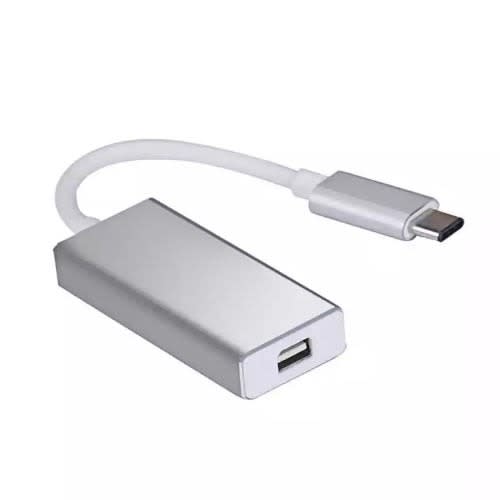
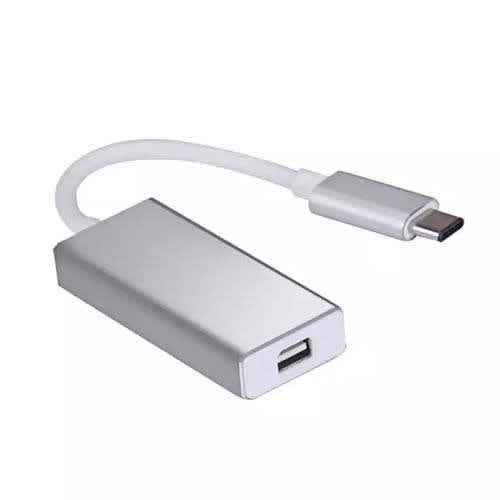
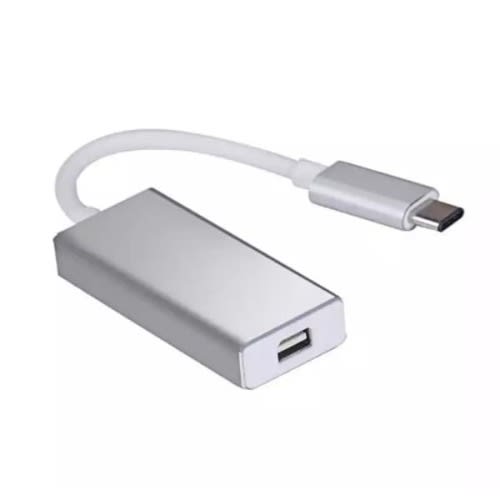
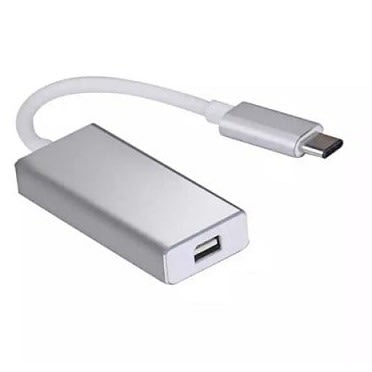
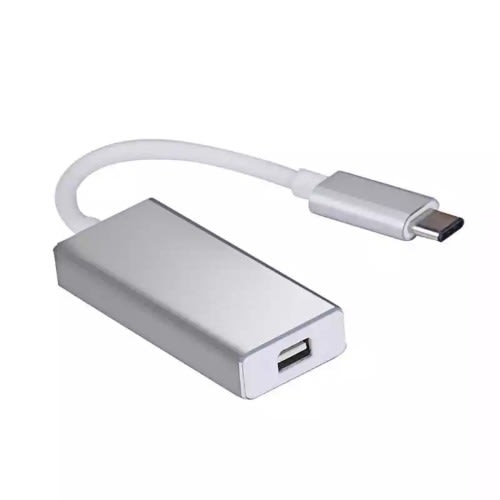
THUNNDRBOLT3(USB-C)TOTH MMEL2ZM/A The Thunderbolt 3 (USB-C) to Thunderbolt 2 Adapter lets you connect Thunderbolt and Thunderbolt 2 devices & mdash; such as external hard drives and Thunderbolt docks & mdash; to any of the Thunderbolt 3 (USB-C) ports on your MacBook Pro.
As a bidirectional adapter, it can also connect new Thunderbolt 3 devices to a Mac with a Thunderbolt or Thunderbolt 2 port and macOS Sierra.
In addition, it can be used to connect Thunderbolt-enabled displays & mdash; such as the Apple Thunderbolt Display and LG Thunderbolt 2 displays & mdash; to any of the Thunderbolt 3 (USB-C) ports on your MacBook Pro. However, using this adapter with an Apple Thunderbolt Display requires a power source, because the display does not provide power through the adapter.
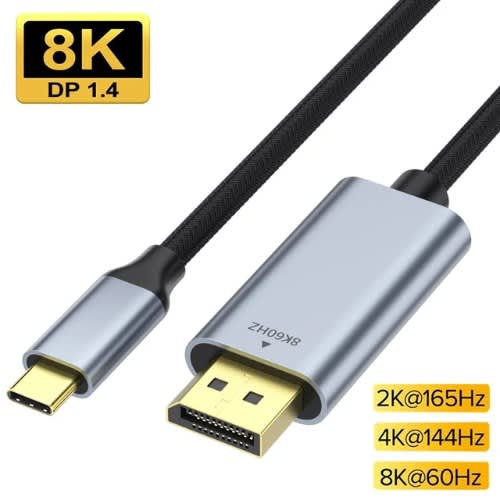
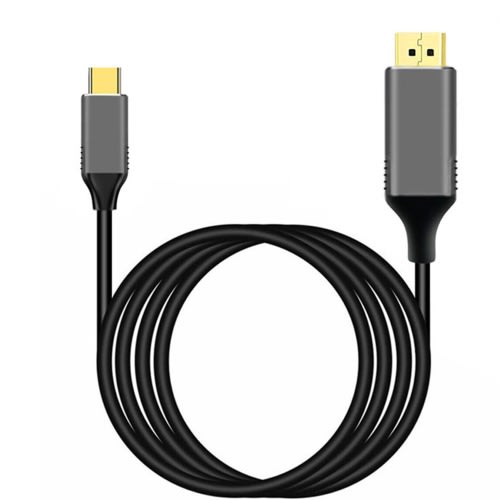
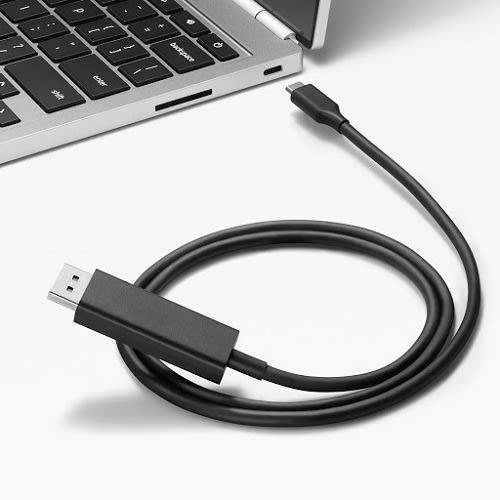
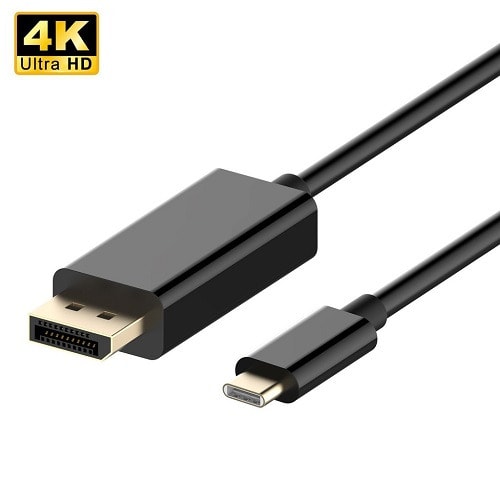
Usb C Type C To Display Port Dp Cable, Thunderbolt To Dp Display Port, Usb C Type C To Dp
USB C Type C to Display Port DP Cable, Thunderbolt to DP Display Port, USB Type C to Display Port [Thunderbolt 3]
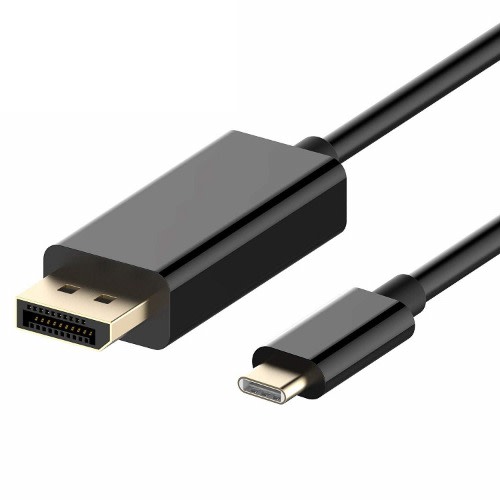
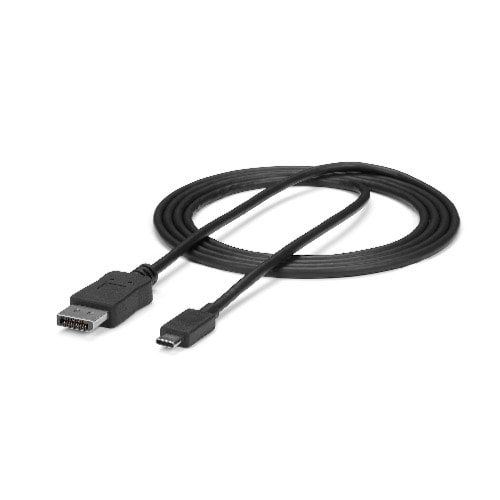
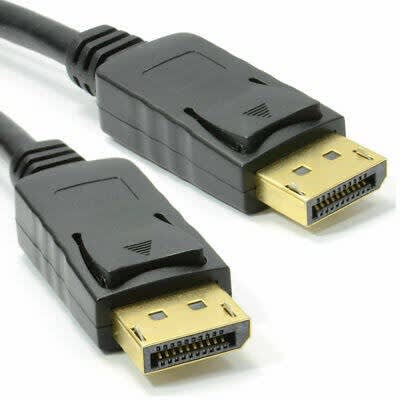
6ft/1.8m USB C to DisplayPort 1.2 Cable 4K 60Hz - USB-C to DisplayPort Adapter Cable HBR2 - USB Type-C DP Alt Mode to DP Monitor Video Cable - Works w/ Thunderbolt 3 - BlackUSB Type-C & trade; Video Adapter Cable | Thunderbolt & trade; 3 Compatible
ApplicationsConnect USB-C or Thunderbolt 3 devices to DP displaysIdeal for home office or hot desk environmentsExperience enhanced imaging with support for 4K 60Hz
INTEGRATED VIDEO ADAPTER CABLE: USB C to DisplayPort 1.2 cable (male/male) reduces clutter, minimizes signal loss/failure points & has slim host & display connectors that fit in tight spaces
EASY TO USE: DisplayPort over USB-C converter cable w/ driverless setup works w/ any USB Type-C/Thunderbolt 3 (DP Alt Mode) device; compatible w/ macOS, iPadOS, Windows 10, Chrome OS, Android & Linux
HIGH PERFORMANCE: Black 6'/1.8m USB-C DP Alt Mode to DisplayPort 1.2 (21.6Gbps) Cable supports 4K 60Hz UHD (3840x2160), HBR2, 5.1ch Audio, HDCP 2.2/1.4 | 1080p & Thunderbolt 3 Compatible
Note: comes in bulk package
& middot; Provides up to 100 watts of power delivery & middot; Transfer data at up to 40 Gbps via Thunderbolt 3 or up to 10Gbps via USB 3.1 Gen 2 & middot; Supports DisplayPort video output (HBR3) & middot; Connect to Thunderbolt 3 & ndash; or USB-C & ndash;enabled devices and displays & middot; Daisy-chain up to six Thunderbolt 3 devices & middot; Provides up to 100 watts of power delivery & middot; Transfer data at up to 40 Gbps via Thunderbolt 3 or up to 10Gbps via USB 3.1 Gen 2 & middot; Supports DisplayPort video output (HBR3) & middot; Connect to Thunderbolt 3 & ndash; or USB-C & ndash;enabled devices and displays & middot; Daisy-chain up to six Thunderbolt 3 devices & middot; Provides up to 100 watts of power delivery & middot; Transfer data at up to 40 Gbps via Thunderbolt 3 or up to 10Gbps via USB 3.1 Gen 2 & middot; Supports DisplayPort video output (HBR3) & middot; Connect to Thunderbolt 3 & ndash; or USB-C & ndash;enabled devices and displays & middot; Daisy-chain up to six Thunderbolt 3 devices & middot; Provides up to 100 watts of power delivery & middot; Transfer data at up to 40 Gbps via Thunderbolt 3 or up to 10Gbps via USB 3.1 Gen 2 & middot; Supports DisplayPort video output (HBR3) & middot; Connect to Thunderbolt 3 & ndash; or USB-C & ndash;enabled devices and displays & middot; Daisy-chain up to six Thunderbolt 3 devices & middot; Provides up to 100 watts of power delivery & middot; Transfer data at up to 40 Gbps via Thunderbolt 3 or up to 10Gbps via USB 3.1 Gen 2 & middot; Supports DisplayPort video output (HBR3) & middot; Connect to Thunderbolt 3 & ndash; or USB-C & ndash;enabled devices and displays & middot; Daisy-chain up to six Thunderbolt 3 devices & middot; Provides up to 100 watts of power delivery & middot; Transfer data at up to 40 Gbps via Thunderbolt 3 or up to 10Gbps via USB 3.1 Gen 2 & middot; Supports DisplayPort video output (HBR3) & middot; Connect to Thunderbolt 3 & ndash; or USB-C & ndash;enabled devices and displays & middot; Daisy-chain up to six Thunderbolt 3 devices
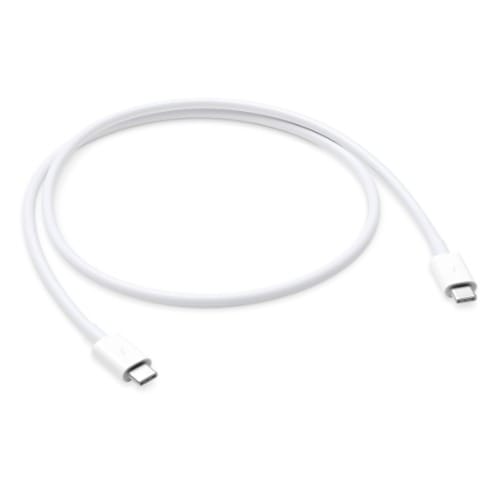
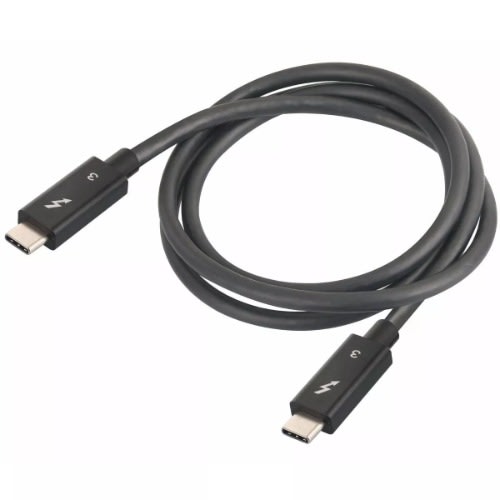
Thunderbolt 3 Cable (USB-C To USB-C) Type C To Type C
Thunderbolt 3 to Thunderbolt 3 Cable for Apple iMac MacBook Microsoft etc
Thunderbolt 3 Cable (USB-C to USB-C)
Thunderbolt 3 Cable (USB-C to USB-C), 40Gbps Data Transfer/ 100W 5A Charging/ 5K@60Hz Type-C Compatible with USB 3.1 Gen 1 and 2, MacBook, Dell, Alienware 17, Chromebook,Hub More HP 0.7M.
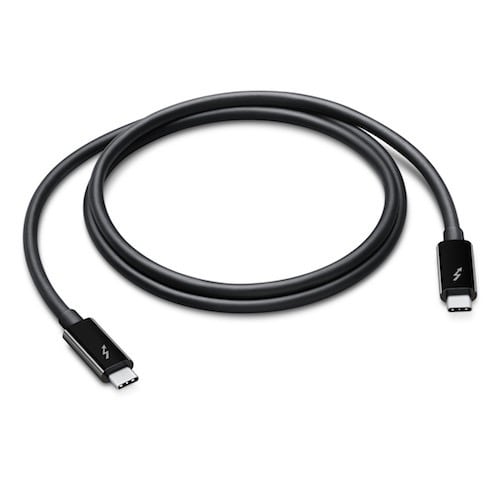
Thunderbolt 3 Cable 0.45 m (1.5 ft)4K video supportHigh bit depth audioPower delivery up to 100W - ChargingDeliver up to 40Gbps to or from a Thunderbolt 3 enabled portRobust design
Thunderbolt 3 Cable supports single 5K @ 60 Hz or dual 4K @ 60 Hz videoThunderbolt 3 USB-C Cable can deliver power in both directions, up to 100W (5A/ 20V) of power delivery,100 W to bus-powered devicesThunderbolt 3 cable can up to 40 Gbps. That & rsquo;s 4x of USB Type C Gen 2 and 8x faster than Type C 3.0. Please NOTE that the data transfer speed will still depend on what port you are using. USB 3.1 Gen 2(10 Gbps) USB3.1 gen 1/ 3.0(5 Gbps)Thunderbolt USB-C 3 cable compatible with all Thunderbolt 3 devices and backward compatible with USB 3.1 Gen 1 and 2, Compatible with all Thunderbolt 3 & USB C gadget like Ethernet adapter, USB hub, Docking Station,eGPU, PCI-E, Razer Core and Windows DELL XPS15, Pixelbook, Macbook pro
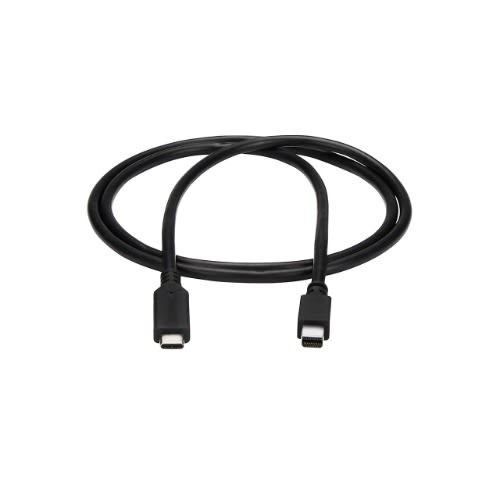
This USB-C to Mini DisplayPort cable lets you connect your Thunderbolt 3 or USB Type-C enabled device to a Mini DP monitor with just one cable, for a convenient, clutter-free connection.Astonishing Picture QualityHarness the video capabilities that are built into your USB-C connection. The USB Type-C to Mini DisplayPort cable delivers the astonishing quality of Ultra HD to your 4K display, at resolutions up to 3840 x 2160. Plus, the adapter is backward compatible with 1080p displays, which makes it a great accessory for home, office or other work environments.Clutter-Free InstallationAt 1 m (3.3 ft.) in length, this Mini DP cable delivers a compact connection that eliminates excess adapters and cabling, ensuring a tidy, professional installation. For longer installations, we also offer a 6 ft. (1.8 m) USB-C to mDP cable, enabling you to choose the right cable length for your custom installation needs.Hassle-Free SetupFor easy operation and installation, this USB 3.1 Type-C to Mini DP adapter cable supports plug-and-play installation on both Windows and Mac computers.
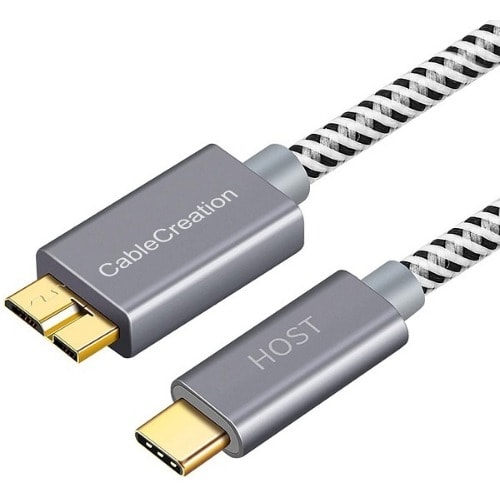
.Premium Quality Micro B to USB C cable: Connects a computer/PC/laptop with a USB Type C port to an External Hard Drive, Smartphone or Tablet for data & charging. This USB 3 to USB C cable is equipped with gold-plated connectors, aluminum alloy shells, and cotton braided jacket, makes the cable nice looking and more durable than other cables..10Gbps Super Speed: This USB3.1 Type C to Micro B cable supports ultra-fast data transfer rate up to 10Gbps for transferring files from Solide State Drives (SSD) (Please Note: when working with the traditional hard drives the data speed is about 5Gbps !!! ) or sync data from your smartphone, which is 20x faster than the USB 2.0 version, 2X faster than USB3.0 version..USB C Compatibility List: USB-C (Type C) is the Host side, compatible with Macbook Pro (2016~2020) , iMac 2017, iMac Pro, Macbook Air (2018~2020), iPad Pro (11inch, 12.9inch), XPS 13, XPS 15, Chromebook Pixel, HP Pavilion X2, Yoga 910, OnePlus 6 6T 5 5T 3, P20/ P20 Pro/ P30/ P30 Pro and other Host based devices with USB Type C port..Micro B Compatibility List: Micro USB 3.0 B male is Target(Device) side, compatible with USB 3.0 Micro-B port devices such as Samsung Galaxy S5, Galaxy Note 3, Galaxy Note Pro 12.2, and Portable USB 3.0 External Hard Drives including Toshiba Canvio, Seagate FreeAgent, and Western Digital (WD) My Passport and Elements hard drives..What You'll Get: 1x 1ft USB C hard drive cable. CableCreation.
USB4.0 Thunderbolt 3 8K@60Hz Cable 40Gbps Data Cable PD 100W 5A Fast Charging USB Type C to Type C Cable Forbook Pro 0.5/1m
Q: What protocols do the USB 4 cable be compatible with?
A: Be compatible with Thunderbolt 3, Thunderbolt 2, USB3.2/3.1/3.0.
Q: How to achieve 40Gbps transmiion speed?
A: Only the host, the cable, and connected devices all support thunder protocol then the 40Gbps theoretical speed is achieved.
Q:Do all Type-C devices are supported?
A:Only displays and computers with USB-C port and Thunderbolt 3 port are supported.
Q:How to achieve 8K/60Hz resolution?
A:The host and the display as well as the video need to support 8K resolution as well.
hunderbolt 3 Cable 0.45 m (1.5 ft)4K video supportHigh bit depth audioPower delivery up to 100W - ChargingDeliver up to 40Gbps to or from a Thunderbolt 3 enabled portRobust design
Thunderbolt 3 Cable supports single 5K @ 60 Hz or dual 4K @ 60 Hz videoThunderbolt 3 USB-C Cable can deliver power in both directions, up to 100W (5A/ 20V) of power delivery,100 W to bus-powered devicesThunderbolt 3 cable can up to 40 Gbps. That & rsquo;s 4x of USB Type C Gen 2 and 8x faster than Type C 3.0. Please NOTE that the data transfer speed will still depend on what port you are using. USB 3.1 Gen 2(10 Gbps) USB3.1 gen 1/ 3.0(5 Gbps)Thunderbolt USB-C 3 cable compatible with all Thunderbolt 3 devices and backward compatible with USB 3.1 Gen 1 and 2, Compatible with all Thunderbolt 3 & USB C gadget like Ethernet adapter, USB hub, Docking Station,eGPU, PCI-E, Razer Core and Windows DELL XPS15, Pixelbook, Macbook pro
Usb 4 Cable Usb-c To Usb-c Cable (thunderbolt 4 And Thunderbolt 3 Compatible)
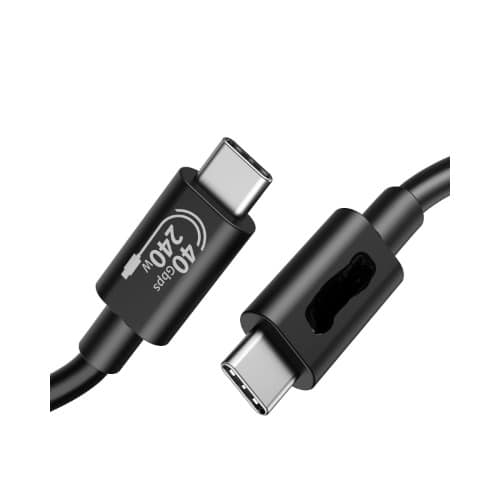
USB C Cable(3.3FT, 240W), USB 4 Data Cable, 40Gbps, 8K HD Display, Thunderbolt 4/3 Compatible, for iPhone 16, MacBook, Hub, Docking and More
USB 4 Cable USB-C to USB-C Cable (Thunderbolt 4 and Thunderbolt 3 Compatible)
Move Files Fast - 40GbpsHD Display - 8k/4kHuge Range of Power - 240W
Move Files Fast: Transfer music, movies, or entire seasons of TV shows in seconds at 40 Gbps.
HD Display: Connect your laptop to an external monitor to mirror or extend your screen in up to 8K@60Hz or 4K@144Hz.
Huge Range of Power: Supports a maximum 240W charge when paired up with a compatible charger. Charge virtually any USB-C device from phones and accessories to laptops.
usb c,usb type c cable,thunderbolt, usb 4, thunderbolt 4 , thunderbolt 3, usb c to dp,usb c to display port, type c to dp, type c to display port, thunderbolt to Display port,thunderbolt to DP,rehmie.com.ng,jiji, thunderbolt to hdmi, usb c to dvi, type c to dvi, dvi cable, adapter, usb c to vga, type c to vga, usb c display adapter,type c charger,lightning, lightning cable,usb c to lightning cale types of usb ports,type c,type c cable,usb c port,usb type c adapter,usb type c port,usb type c charger,usb c to hdmi,usb c adapter,usb c cable,usb connector types,type c port,types of charging ports,type c adapter,usb c charger,type c charging port,mhl adapter usb c,type c to hdmi usb,anker usb c adapter,type c adapter plug,usb c 3.1 cable,hdmi to usb type c cable,usb c network adapter,usb c to hdmi price
usb c, usb 4, usb c to usb c, type c to type c, thunderbolt,hdmi,vga,displayport,thunderbolt,displayport,hdmi adapter,thunderbolt 3,thunderbolt 4,displayport to hdmi,rehmie.com.ng,jiji,vga to hdmi converter,usb to hdmi adapter,hdmi to vga converter,hdmi converter,av to hdmi converter,usb to hdmi cable,vga to hdmi cable,hdmi to usb converter,microsoft basic display adapter,usb to hdmi converter,vga to av converter
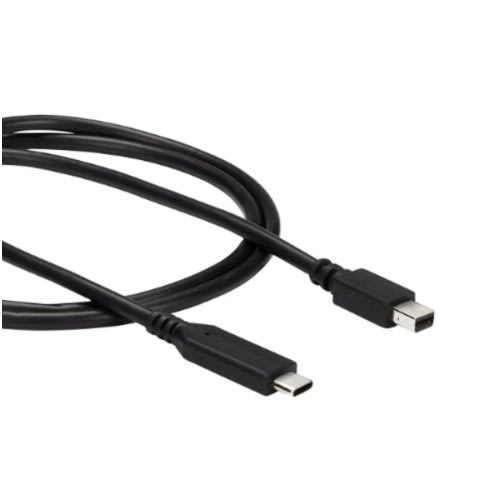
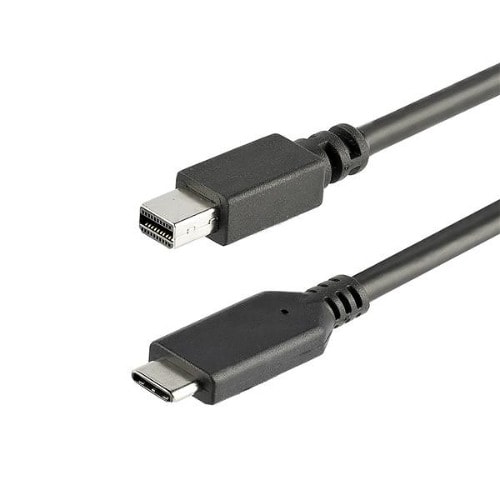
Thunderbolt USB C To Thunderbolt 2 Mini Displayport Cable Type C To Mini Display - 4k
1 m (3.3 ft.) Thunderbolt 3 USB-C to Mini DisplayPort Cable Type C to Mini Display - 4K 60Hz - BlackMini DP Adapter Cable | Thunderbolt & trade; 3 Compatible | USB 3.1 Type-C & trade;
Reduce clutter with a USB-C to mDP adapter and cable in oneGet astonishing picture quality with support for UHD video resolutions up to 4K 60HzMake the perfect connection with a Mini DisplayPort cable that works with any USB Type-C enabled deviceHassle-free connectivity with the reversible USB-C connectorCompatible with Thunderbolt 3 and USB 3.1 Type-C ports that support DP Alt Mode
NOTE: USB-C to mDP video cable; This is not a Thunderbolt (TB) 3 cable, it is not reversible or compatible with TB 1 or 2 peripherals like monitors, audio interfaces, etc; Cable will not work for Apple's Targeted Display Mode for using iMacs as Monitors.
This USB-C to Mini DisplayPort cable lets you connect your Thunderbolt 3 or USB Type-C enabled device to a Mini DP monitor with just one cable, for a convenient, clutter-free connection.
Astonishing Picture QualityHarness the video capabilities that are built into your USB-C connection. The USB Type-C to Mini DisplayPort cable delivers the astonishing quality of Ultra HD to your 4K display, at resolutions up to 3840 x 2160. Plus, the adapter is backward compatible with 1080p displays, which makes it a great accessory for home, office or other work environments.
Clutter-Free InstallationAt 1 m (3.3 ft.) in length, this Mini DP cable delivers a compact connection that eliminates excess adapters and cabling, ensuring a tidy, professional installation. For longer installations, we also offer a 6 ft. (1.8 m) USB-C to mDP cable, enabling you to choose the right cable length for your custom installation needs.
Hassle-Free SetupFor easy operation and installation, this USB 3.1 Type-C to Mini DP adapter cable supports plug-and-play installation on both Windows and Mac computers.
usb c,usb type c cable,thunderbolt, thunderbolt to hdmi,type c charger,lightning, lightning cable,usb c to lightning cale types of usb ports,type c,type c cable,usb c port,usb type c adapter,usb type c port,usb type c charger,usb c to hdmi,usb c adapter,usb c,usb type c cable,thunderbolt, thunderbolt to hdmi,type c charger,lightning, lightning cable,usb c to lightning ,usb c cable,usb connector types,type c port,types of charging ports,type c adapter,usb c charger,type c charging port,mhl adapter usb c,type c to hdmi usb,anker usb c adapter,type c adapter plug,usb c 3.1 cable,hdmi to usb type c cable,usb c network adapter,usb c to hdmi price, iPhone 11, USB C to Lightning [Apple MFi Certified] Powerline II Cable for iPhone 13/13 Pro / 13 Pro Max iPhone 12/12 Pro / 12 Pro Max iPhone 11/11 Pro / 11 Pro Max / X / XS / XR / XS Max / 8/8 Plus
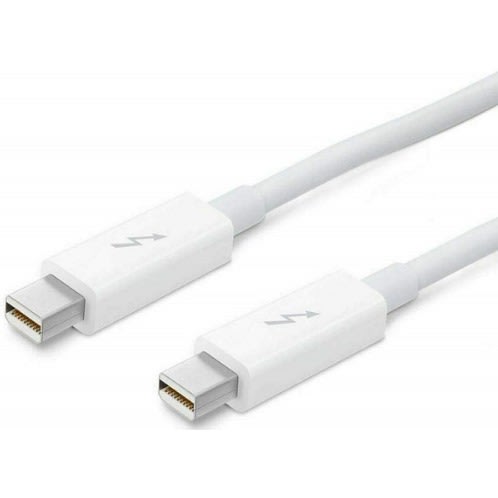
Thunderbolt 2 technology can bond the two channels for a superfast 20Gb/s.Thunderbolt technology supports fast data transfers with two independent channels of 10Gb/s each.Use this cable to connect Thunderbolt-enabled devices to the Thunderbolt or Thunderbolt 2 port on your Mac.The Thunderbolt Cable lets you connect two Thunderbolt-equipped Mac computers in target disk mode, network two Mac computers with OS X Mavericks, or use your iMac as a display for a MacBook Pro or MacBook Air.Notes: This is a thunderbolt 2 cable(not compatible with Thunderbolt 3 and mini DP).
Weight
0.10 kg
Colour
White
& middot; Provides up to 100 watts of power delivery & middot; Transfer data at up to 40 Gbps via Thunderbolt 3 or up to 10Gbps via USB 3.1 Gen 2 & middot; Supports DisplayPort video output (HBR3) & middot; Connect to Thunderbolt 3 & ndash; or USB-C & ndash;enabled devices and displays & middot; Daisy-chain up to six Thunderbolt 3 devices & middot; Provides up to 100 watts of power delivery & middot; Transfer data at up to 40 Gbps via Thunderbolt 3 or up to 10Gbps via USB 3.1 Gen 2 & middot; Supports DisplayPort video output (HBR3) & middot; Connect to Thunderbolt 3 & ndash; or USB-C & ndash;enabled devices and displays & middot; Daisy-chain up to six Thunderbolt 3 devices & middot; Provides up to 100 watts of power delivery & middot; Transfer data at up to 40 Gbps via Thunderbolt 3 or up to 10Gbps via USB 3.1 Gen 2 & middot; Supports DisplayPort video output (HBR3) & middot; Connect to Thunderbolt 3 & ndash; or USB-C & ndash;enabled devices and displays & middot; Daisy-chain up to six Thunderbolt 3 devices & middot; Provides up to 100 watts of power delivery & middot; Transfer data at up to 40 Gbps via Thunderbolt 3 or up to 10Gbps via USB 3.1 Gen 2 & middot; Supports DisplayPort video output (HBR3) & middot; Connect to Thunderbolt 3 & ndash; or USB-C & ndash;enabled devices and displays & middot; Daisy-chain up to six Thunderbolt 3 devices & middot; Provides up to 100 watts of power delivery & middot; Transfer data at up to 40 Gbps via Thunderbolt 3 or up to 10Gbps via USB 3.1 Gen 2 & middot; Supports DisplayPort video output (HBR3) & middot; Connect to Thunderbolt 3 & ndash; or USB-C & ndash;enabled devices and displays & middot; Daisy-chain up to six Thunderbolt 3 devices & middot; Provides up to 100 watts of power delivery & middot; Transfer data at up to 40 Gbps via Thunderbolt 3 or up to 10Gbps via USB 3.1 Gen 2 & middot; Supports DisplayPort video output (HBR3) & middot; Connect to Thunderbolt 3 & ndash; or USB-C & ndash;enabled devices and displays & middot; Daisy-chain up to six Thunderbolt 3 devices
Thunderbolt 3 - usb-c To Thunderbolt 2 Adapter Converter
As a bidirectional adapter, it can also connect new Thunderbolt 3 devices to a Mac with a Thunderbolt or Thunderbolt 2 port and macOS Sierra.
In addition, it can be used to connect Thunderbolt-enabled displays & mdash; such as the Apple Thunderbolt Display anbolt 3 (USB-C) ports on your MacBook Pro
The Thunderbolt 3 (USB-C) to Thunderbolt 2 Adapter lets you connect Thunderbolt and Thunderbolt 2 devices & mdash; such as external hard drives and Thunderbolt docks & mdash; to any of the Thunderbolt 3 (USB-C) ports on your MacBook Pro.
As a bidirectional adapter, it can also connect new Thunderbolt 3 devices to a Mac with a Thunderbolt or Thunderbolt 2 port and macOS Sierra.
In addition, it can be used to connect Thunderbolt-enabled displays & mdash; such as the Apple Thunderbolt Display and LG Thunderbolt 2 displays & mdash; to any of the Thunderbolt 3 (USB-C) ports on your MacBook Pro. However, using this adapter with an Apple Thunderbolt Display requires a power source, because the display does not provide power through the adapter.
. However, using this adapter with an Apple Thunderbolt Display requires a power source, because the display does not provide power through the adapter.