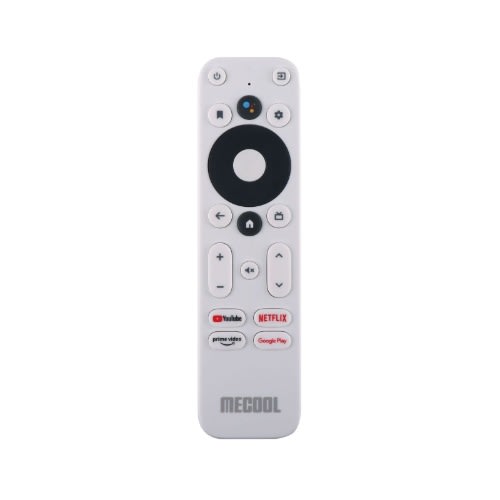
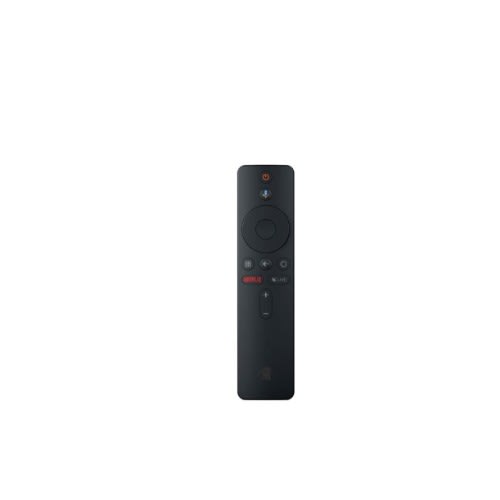
Mecool Km2 Smart Tv Box Remote/mecool Tv Stick Streaming Stick/onn 025c008 Android Tv
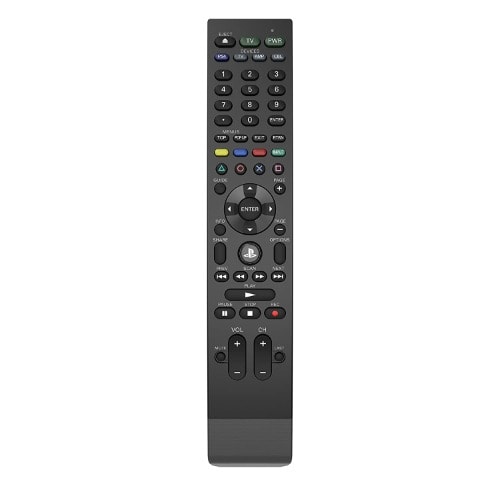
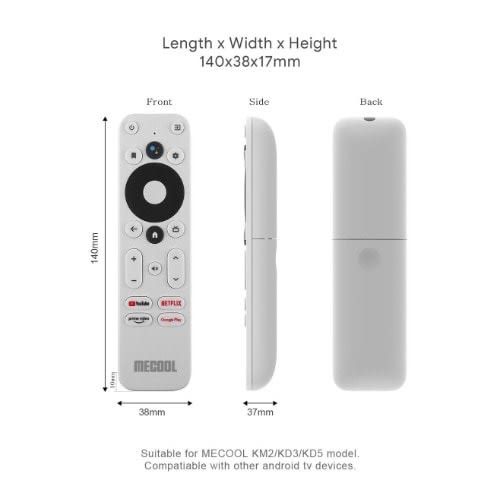
Wide Compatibility: The ONN 025C008 is compatible with popular streaming devices such as the ONN 1000024646 Android TV 2K FHD Streaming Stick, ONN 100026240 Android TV 4K UHD Streaming Device, MECOOL MK2 Smart TV box, and MECOOL TV Streaming Stick. Experience seamless control and effortless navigation across your favorite streaming platforms.User-Friendly Design: The ONN 025C008 Replacement Remote Control offers a user-friendly layout and intuitive buttons, ensuring smooth operation and easy navigation. Whether you're adjusting settings, browsing through menus or controlling remote control unit only. It was originally supplied with streaming media player models such as the ONN 1000024646 Android TV 2K FHD Streamng playback, this remote puts the control in your hands.
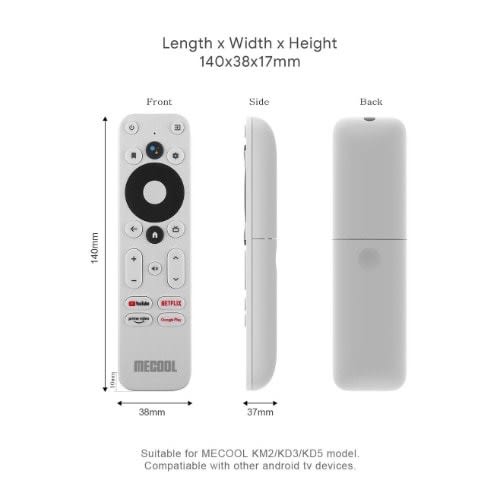
Product Description: The ONN 025C008 Replacement Remote Control includes theing Stick and ONN 100026240 Android TV 4K UHD Streaming Device. Additionally, it is also compatible with the MECOOL KM2 Smart TV Box Remote and MECOOL TV Stick Streaming Stick.
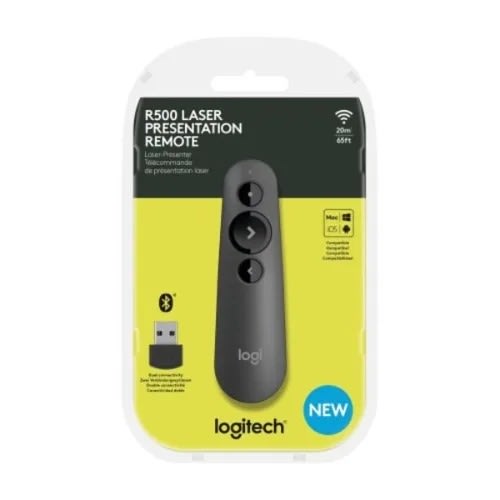
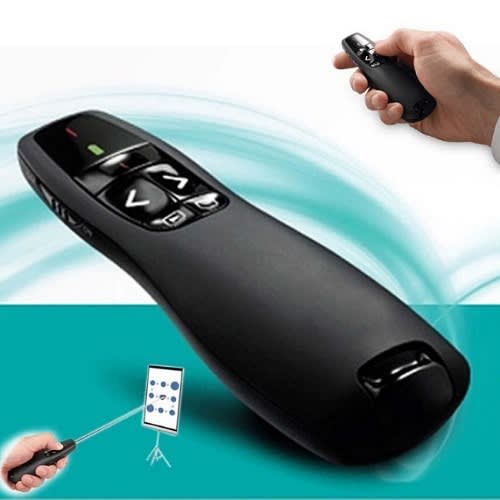
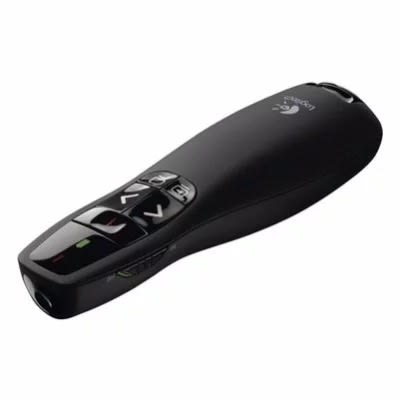
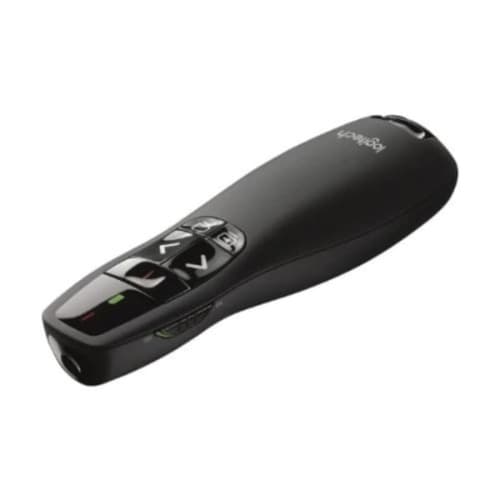
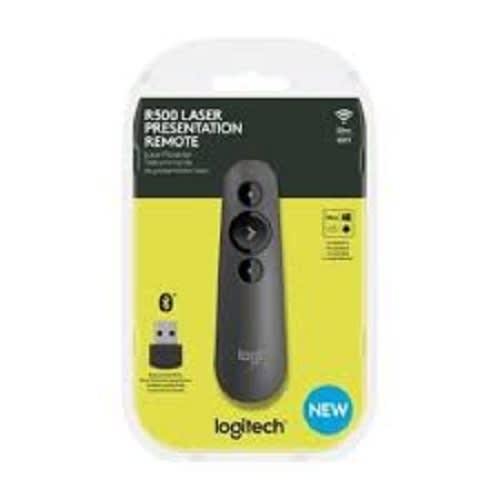
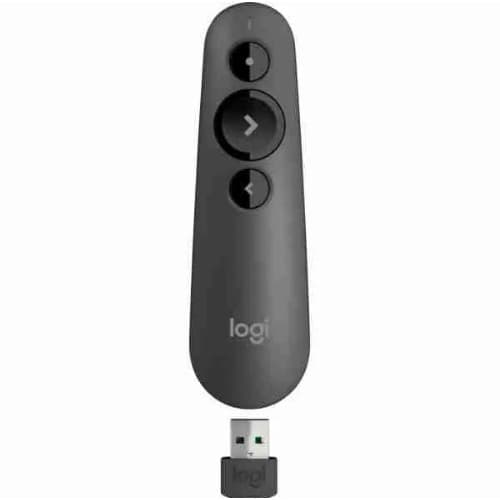
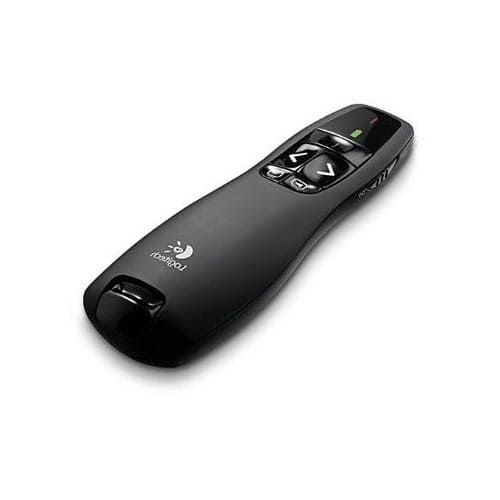
PRESENT EFFORTLESSLYDeliver impactful presentations with the R500s Laser Presentation Remote. Move freely and navigate slides from up to 20 meters away & ndash; and point out precise areas of focus with the red laser pointer. The R500s is optimized to work with Windows & reg;, macOS and leading presentation software.
SIMPLY PRESENTThe R500s is a simple, reliable, and hassle-free presentation remote & ndash; so you can focus on crushing your delivery.
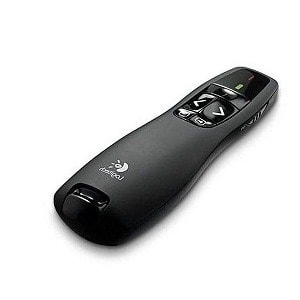
INTUITIVE SLIDE NAVIGATIONThe R500 & rsquo;s unmistakable three-button design means you can navigate your presentation slides with ease and confidence without having to look down to orient your fingers.
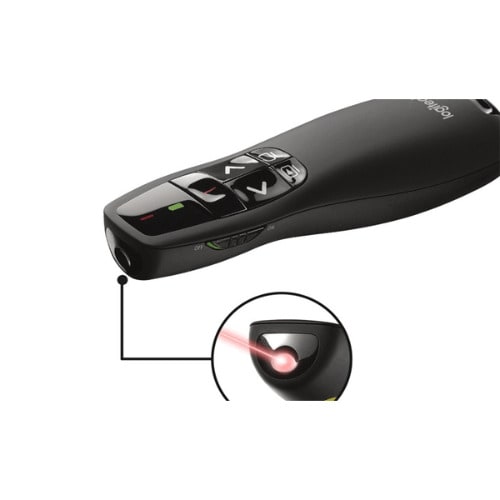
RED LASER POINTERPoint out precise areas of focus in your presentation with an easy-to-use and bright red laser pointer. If you present on TV & LCD screens1Class 2 laser product tested to limit the power of emission to 1mW continuous wave. Laser light is reflected on LCD and plasma screens, making it less visible. and need a digital pointer, try theLOGITECH PRESENTATION APP
Customize button functions, monitor battery life, and set an on-screen timer from the Logitech Presentation App. Never worry about your computer going to sleep, the app keeps it awake while you present2Only available when installing software on Mac and PC. Requires to install Logitech Presentation software, available for download at logitech.com/r500sw (Only compatible with Windows 7 or later / macOS X 10.12 or later).
20-METER OPERATING RANGEConnect your R500s to your computer via a USB receiver or Bluetooth & reg; low energy technology. Then move and present freely from as far as 20 meters away (May vary based on environmental and computing conditions).
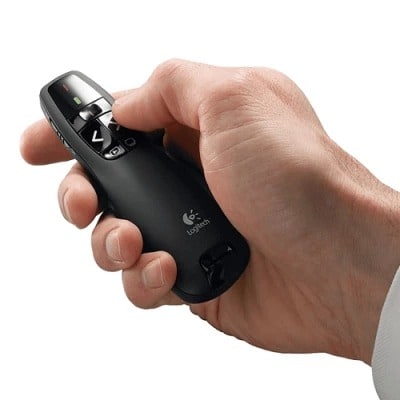
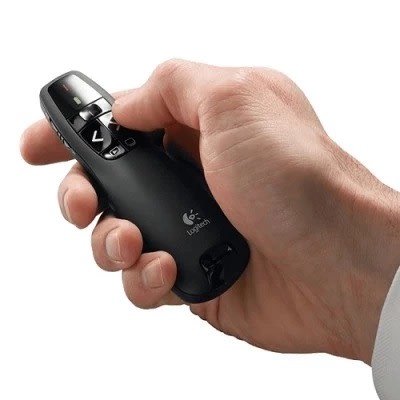
DESIGNED FOR A SECURE GRIPThe R500s Laser Presentation Remote has been designed to fit snugly into the palm of your hand, and its soft rubber surface and textured buttons allow for a confident grip while presenting.
Weight
0.20 kg
Aspect Ratio
Aspect Ratio: 4:3 (SVGA)
Speed R400 Wireless presenter (Black)
The ideal companion for effective presentations
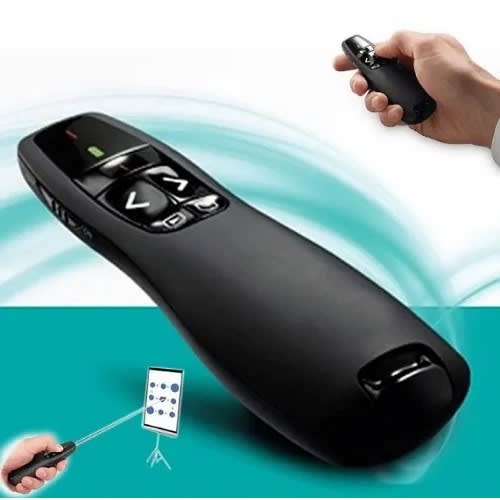
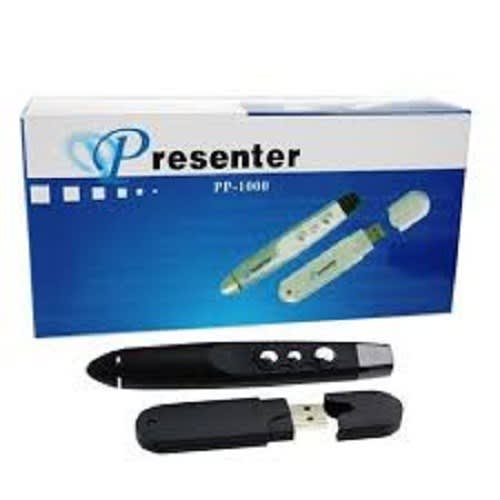
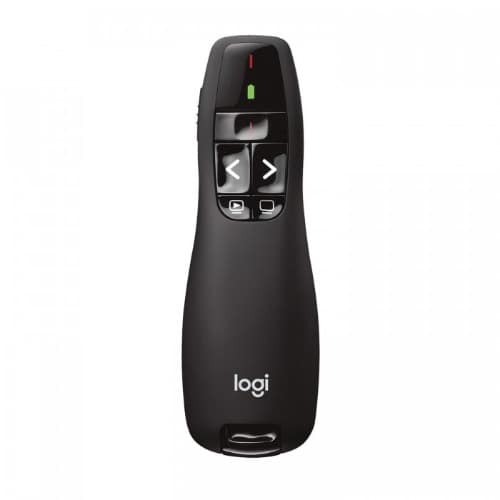
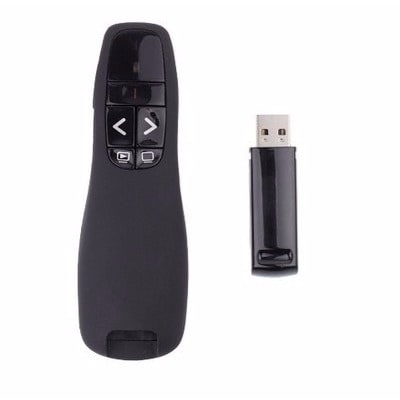
The Speed Wireless presenter R400 is an effective accessory that enhances your presentations. It comes with a red laser pointer that enables you to attract attention to the specific area and has a powerful battery. The enhanced signal strength makes it ideal for usage while the compact and sturdy design easily fits in your hand and is convenient to carry.
Effective features for seamless performance
This wireless presenter is armed with powerful connectors that catch signals with ease. This device has a signal range of up to 15 meters hence you can easily move around and not worry about the signal strength. Focusing on a certain area of the slide becomes with the red laser pointer. This pointer is sharp and enhances offers more accuracy. This bright light glows effectively even during extremely dark conditions.
ergonomic structure for better gripping
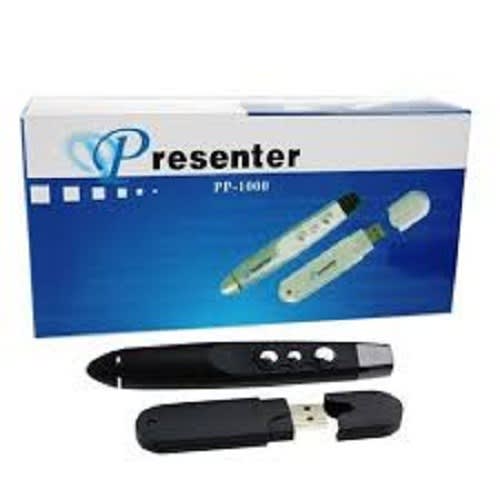
This wireless comes with a compact body that easily fits in your hand and is lightweight hence can be easily used. The ergonomic structure provides better griping and lets you operate it without any trouble. At the top are two buttons that enable you to switch slides effectively. The two dedicated buttons let you go forward as well as backward. At the side is the on and off key. By simply sliding the button you can switch this device off or switch it on.
Plug and play feature
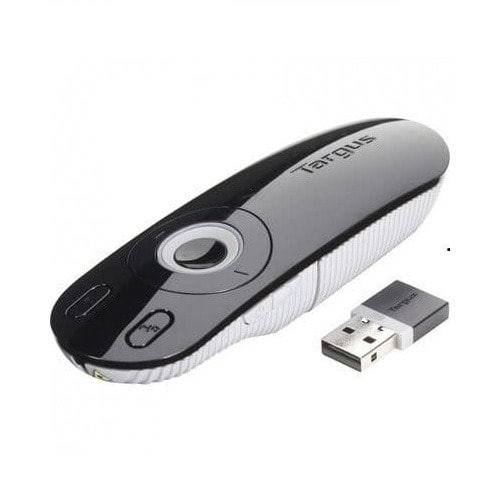
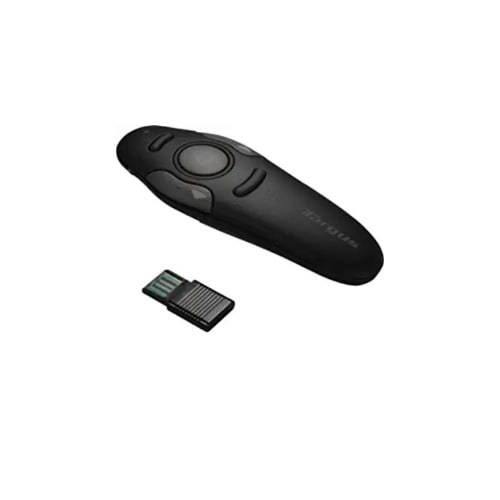
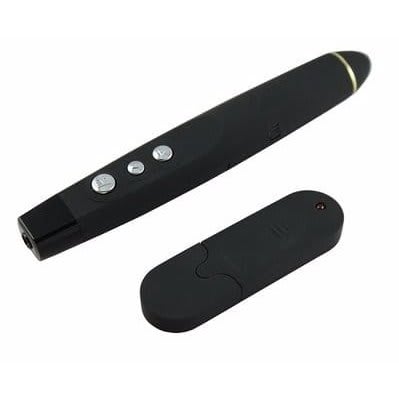
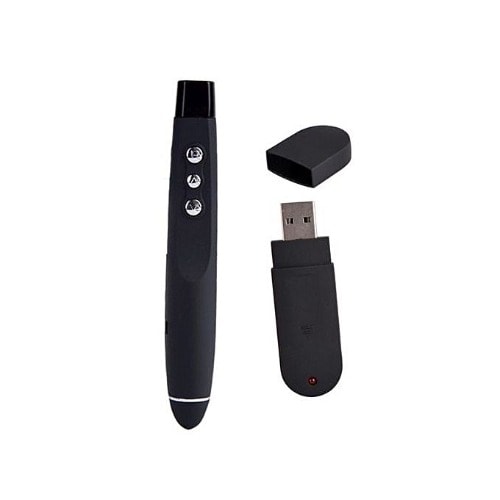
Installing this wireless presenter does not involve any hassles as it comes with simple set up. For using this presenter, you simply have to insert the receiver into the USB port and you are done! The receiver has effective compatibility features and can be easily connected with any device. The simple structure offers ease of access.
Weight
0.10 kg
Brand
Warranty Period
3 Months
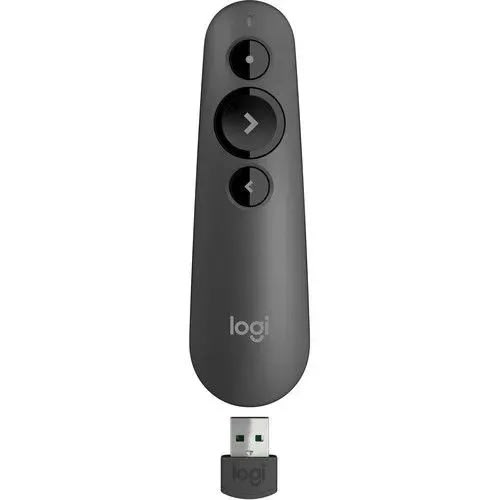
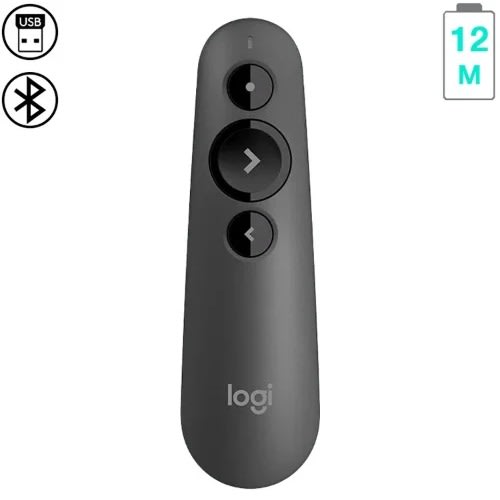
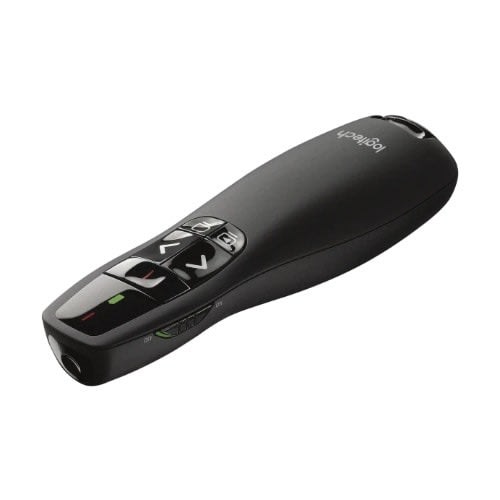
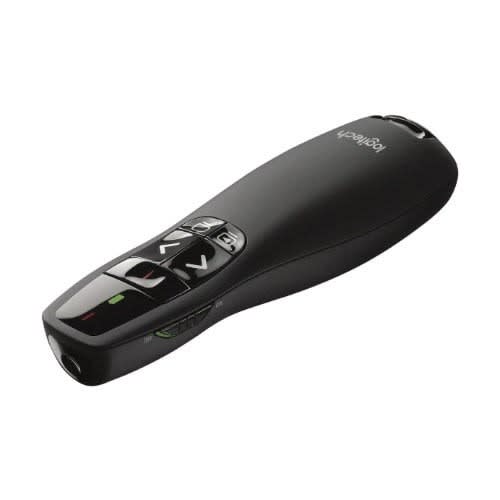
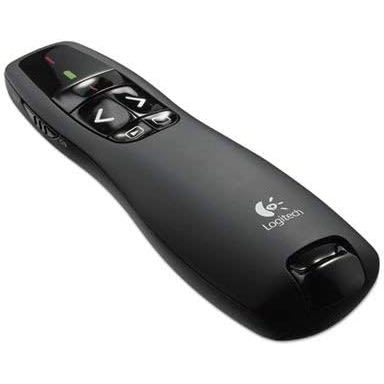
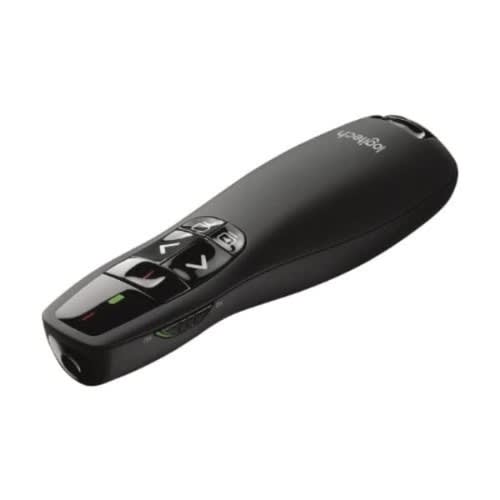
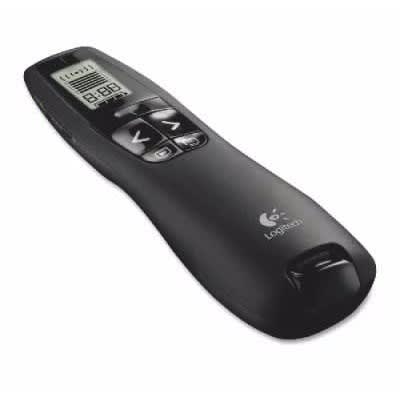
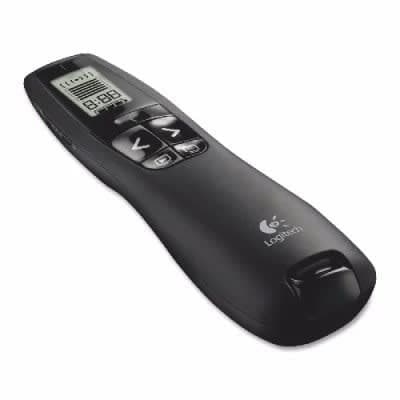
Logitech R500 Laser Presentation Remote
PRESENT EFFORTLESSLYDeliver impactful presentations with the R500s Laser Presentation Remote. Move freely and navigate slides from up to 20 meters away & ndash; and point out precise areas of focus with the red laser pointer. The R500s is optimized to work with Windows & reg;, macOS and leading presentation software.
SIMPLY PRESENTThe R500s is a simple, reliable, and hassle-free presentation remote & ndash; so you can focus on crushing your delivery.
INTUITIVE SLIDE NAVIGATIONThe R500 & rsquo;s unmistakable three-button design means you can navigate your presentation slides with ease and confidence without having to look down to orient your fingers.
RED LASER POINTERPoint out precise areas of focus in your presentation with an easy-to-use and bright red laser pointer. If you present on TV & LCD screens1Class 2 laser product tested to limit the power of emission to 1mW continuous wave. Laser light is reflected on LCD and plasma screens, making it less visible. and need a digital pointer, try theLOGITECH PRESENTATION APP
Customize button functions, monitor battery life, and set an on-screen timer from the Logitech Presentation App. Never worry about your computer going to sleep, the app keeps it awake while you present2Only available when installing software on Mac and PC. Requires to install Logitech Presentation software, available for download at logitech.com/r500sw (Only compatible with Windows 7 or later / macOS X 10.12 or later).
20-METER OPERATING RANGEConnect your R500s to your computer via a USB receiver or Bluetooth & reg; low energy technology. Then move and present freely from as far as 20 meters away (May vary based on environmental and computing conditions).
DESIGNED FOR A SECURE GRIPThe R500s Laser Presentation Remote has been designed to fit snugly into the palm of your hand, and its soft rubber surface and textured buttons allow for a confident grip while presenting.
Weight
0.20 kg
Warranty Period
3 Months
Brand
Aspect Ratio
Native 4:3, Support 16:9I/16:9II/Native/Auto
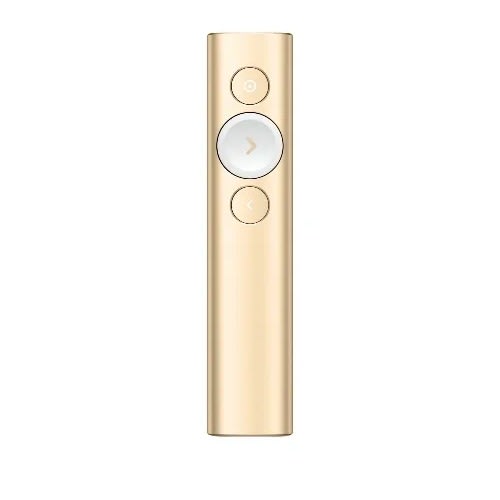
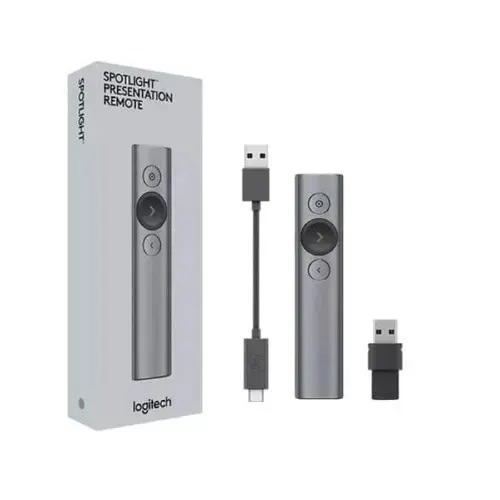
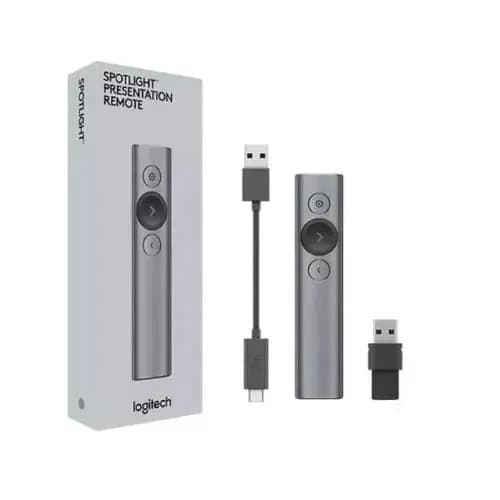
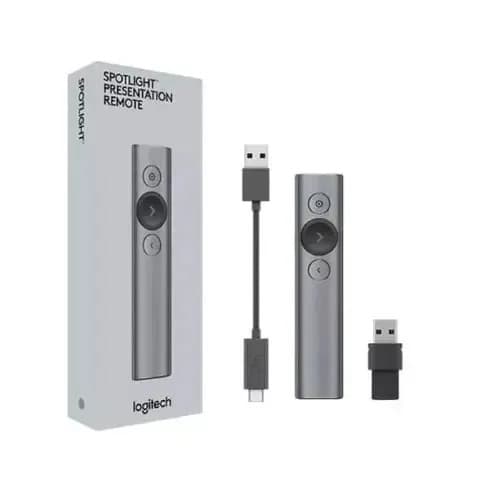
Meet Logitech Spotlight, a game-changing advanced presentation remote. Spotlight allows you to simply navigate slides and interact with on-screen content from up to 100 feet away. The customizable timer sends vibration alerts directly to your hand & ndash; and the advanced pointer system allows you to highlight and magnify areas of focus in pixel-perfect detail. Add to that gesture-commanded scrolling, panning, and volume control and you can be sure to crush every presentation. A full charge lasts up to three months, and Spotlight is plug-and-play on most devices and platforms running popular presentation software. Enabled via Logitech Presentation App. May vary based on environmental and computing conditions. System Requirements: OS: Windows 7 or later Mac OS 10.10 or later-Software: PowerPoint Keynote Adobe PDF Google Slides Prezi.
Highlight and magnify on screen - go beyond traditional laser pointing. Use the advanced pointer system to precisely highlight or magnify areas of focus in pixel-perfect detail. Visible to audience in-person and via video conference. Set your pointer mode with the Logitech presentation app. Enabled via Logitech presentation app.
Mouse-like cursor control - Use the on-screen cursor to play and pause videos, open links, and enjoy a range of rich content interaction.
Smart time management- Spotlight reminds you when it's time to wrap up. The presentation remote vibrates five minutes before the end of your presentation and again when your time is fully up. Track presenting time and customize vibration alerts in the Logitech presentation app. Enabled via Logitech presentation app.
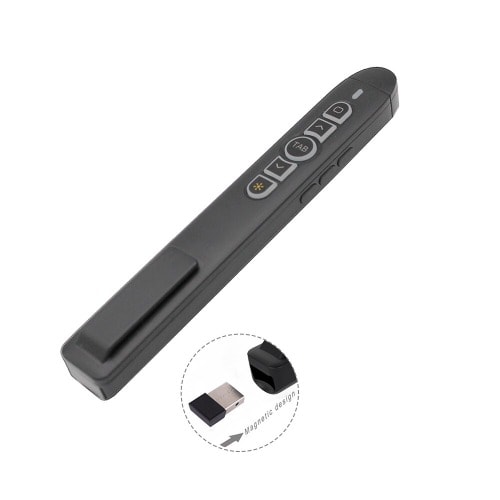
Dual connectivity - connect to your computer via USB receiver or low energy Bluetooth smart. And switch seamlessly between the 2 by plugging or unplugging the receiver. A convenient, built-in dock stores The USB Receiver when not in use.
Universal compatibility - Spotlight is optimized to work with Windows, Mac OS and all leading presentation software including PowerPoint, Keynote, PDF, Google Slides, and Prezi.
Weight
1.00 kg
Brand
Aspect Ratio
Native 4:3, Support 16:9I/16:9II/Native/Auto
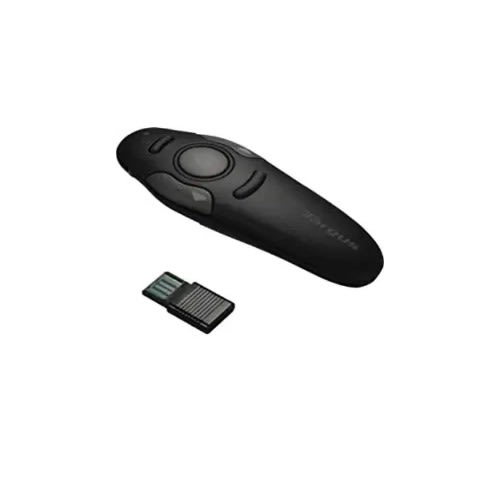
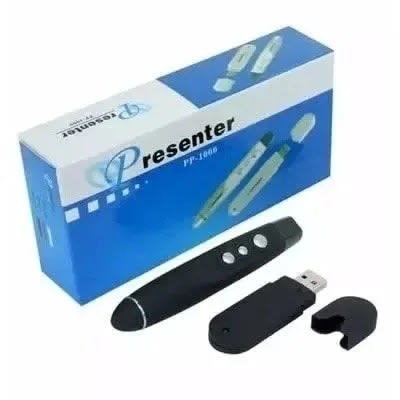
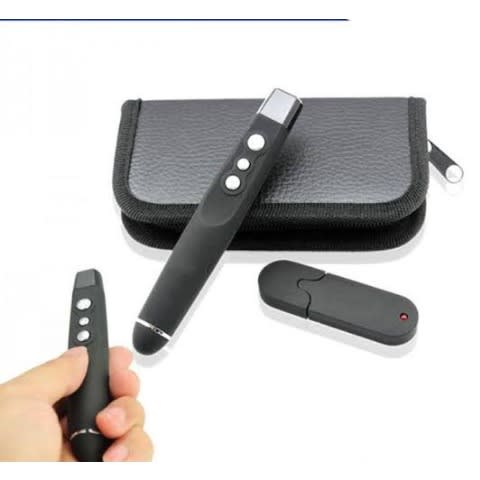
Compact wireless presenter with easy fingertip control and bright laser pointer
Soft-touch surface
Built-in laser pointer, buttons navigate page up, page down, switch applications, darken, and resume
Pre-set connection, no driver required
RF 2.4GHz Wireless Technology
30' Range
Plug-and-Play Technology, Ergonomic Design
PC Compatible
Stylish black color
Condition: Brandnew
R400 Wireless Presentation Remote Clicker With Laser Pointer
Logitech Wireless Presenter R400, Wireless Presentation Remote Clicker with Laser Pointer
Brand
Logitech
Special Feature
Alcohol-Free
Color
Red Laser
Max Number of Supported Devices
1
Compatible Devices
Laptop
About this item
Presenter mode, built-in Class 2 laser pointer, intuitive touch-keys for easy slideshow control. Aa batteries required (best with Polaroid AA batteries)
Bright red laser pointer - Easy to see against most backgrounds
Up to 50-foot wireless range for freedom to move around the room
2.4GHz RF wireless technology, built-in docking bay stores receiver for easy pack up and portability
There's no software to install. Just plug the receiver into a USB port to begin. And when the show is over, you can store the receiver in the presenter
Battery type: 2 AAA batteries, Battery life (Laser pointer): 20-hour maximum and Battery life (Presenter): 1050-hour maximum
The ideal companion for effective presentations
The Speed Wireless presenter R400 is an effective accessory that enhances your presentations. It comes with a red laser pointer that enables you to attract attention to the specific area and has a powerful battery. The enhanced signal strength makes it ideal for usage while the compact and sturdy design easily fits in your hand and is convenient to carry.
Effective features for seamless performance
This wireless presenter is armed with powerful connectors that catch signals with ease. This device has a signal range of up to 15 meters hence you can easily move around and not worry about the signal strength. Focusing on a certain area of the slide becomes with the red laser pointer. This pointer is sharp and enhances offers more accuracy. This bright light glows effectively even during extremely dark conditions.
ergonomic structure for better gripping
This wireless comes with a compact body that easily fits in your hand and is lightweight hence can be easily used. The ergonomic structure provides better griping and lets you operate it without any trouble. At the top are two buttons that enable you to switch slides effectively. The two dedicated buttons let you go forward as well as backward. At the side is the on and off key. By simply sliding the button you can switch this device off or switch it on.
Plug and play feature
Installing this wireless presenter does not involve any hassles as it comes with simple set up. For using this presenter, you simply have to insert the receiver into the USB port and you are done! The receiver has effective compatibility features and can be easily connected with any device. The simple structure offers ease of access.
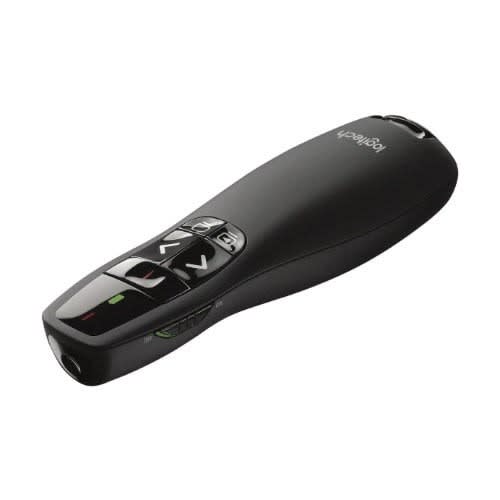
Logitech Laser Presentation Remote - R500
Weight
0.10 kg
Brand
Aspect Ratio
Native 4:3, Support 16:9I/16:9II/Native/Auto
Logitech Wireless Presenter R500 Mid Greyr500 laser presentation remotepresent effortlesslydeliver impactful presentations with the r500 laser presentation remote. move freely
Logitech Wireless Presenter R500 Mid Greyr500 laser presentation remotepresent effortlesslydeliver impactful presentations with the r500 laser presentation remote. move freely and navigate slides from up to 20 meters away & ndash; and point out precise areas of focus with the red laser pointer. the r500 is optimized to work with windows & reg;, macos and leading presentation softwaresimply presentthe r500 is a simple, reliable, and hassle-free presentation remote & ndash; so you can focus on crushing your delivery.DESIGNED FOR A SECURE GRIP
The R500 Laser Presentation Remote has been designed to fit snugly into the palm of your hand, and its soft rubber surface and textured buttons allow for a confident grip while presenting.
LOGITECH PRESENTATION APP
Customize button functions, monitor battery life, and set an on-screen timer from the Logitech Presentation App. Never worry about your computer going to sleep, the app keeps it awake while you present2Only available when installing software on Mac and PC. Requires to install Logitech Presentation software, available for download at logitech.com/r500sw (Only compatible with Windows 7 or later / macOS X 10.12 or later).
INTUITIVE SLIDE NAVIGATION
The R500 & rsquo;s unmistakable three button design means you can navigate your presentation slides with ease and confidence without having to look down to orient your fingers.
and navigate slides from up to 20 meters away & ndash; and point out precise areas of focus with the red laser pointer. the r500 is optimized to work with windows & reg;, macos and leading presentation softwaresimply presentthe r500 is a simple, reliable, and hassle-free presentation remote & ndash; so you can focus on crushing your delivery.DESIGNED FOR A SECURE GRIP
The R500 Laser Presentation Remote has been designed to fit snugly into the palm of your hand, and its soft rubber surface and textured buttons allow for a confident grip while presenting.
LOGITECH PRESENTATION APP
Customize button functions, monitor battery life, and set an on-screen timer from the Logitech Presentation App. Never worry about your computer going to sleep, the app keeps it awake while you present2Only available when installing software on Mac and PC. Requires to install Logitech Presentation software, available for download at logitech.com/r500sw (Only compatible with Windows 7 or later / macOS X 10.12 or later).
INTUITIVE SLIDE NAVIGATION
The R500 & rsquo;s unmistakable three button design means you can navigate your presentation slides with ease and confidence without having to look down to orient your fingers.
Red laser pointerEasy to see on most backgrounds.15 metres (50ft) connection rangePlug and play wireless reciever2.4GHZ wireless technology
R400 Laser Wireless Presentation Remote
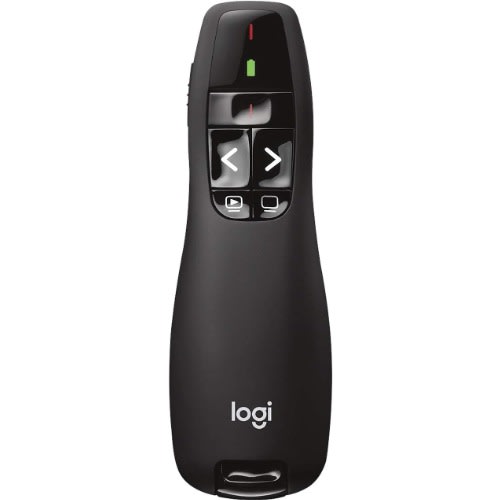
Your slideshow presentation is ready. The room is full. And with your wireless Logitech Professional R400 Presenter in hand, you're set to grab hold of your audience. Aim the laser pointer at the screen and everyone sees your point. The brilliant green laser light is strong enough to be seen clearly, even across a large conference hall. Move smoothly and confidently from slide to slide with intuitive one-touch controls. Focus on your presentation, instead of the clock, with an easy-to-set timer and vibrating alerts to help you manage your time. And with no wires or cables, there's nothing to hold you back from moving around and working the room. Whether you're making a sales presentation in a hotel ballroom or giving a professional lecture in a 2,000-seat auditorium, you'll get and keep their attention from first slide to last.
KEEP YOUR AUDIENCE IN THE PALM OF YOUR HANDButtons are easy to find by touch. And the smooth contours feel great in your hand. You'll be in control from the first slide to the last.
LASER POINTERIt'll be easy for your audience to see exactly what you're pointing to.
If you present on TV & LCD screens1Class 2 laser product tested to limit the power of emission to 1mW continuous wave. Laser light is reflected on LCD and plasma screens, making it less visible. and need a digital pointer, try the
MOVE FREELYUp to 15 meters2Wireless range may vary based on user, environmental and computing conditions. range and battery indicator help you make ordinary presentations extraordinary.
PLUG-AND-PLAY WIRELESS RECEIVERThere's no software to install. Just plug the receiver into a USB port to begin. And when the show is over, you can store the receiver in the presentation remote.
Description
Weight
1.00 kg
Red laser pointerEasy to see on most backgrounds.15 metres (50ft) connection rangePlug and play wireless reciever2.4GHZ wireless technology
R400 Laser Wireless Presentation Remote
Your slideshow presentation is ready. The room is full. And with your wireless Logitech Professional R400 Presenter in hand, you're set to grab hold of your audience. Aim the laser pointer at the screen and everyone sees your point. The brilliant green laser light is strong enough to be seen clearly, even across a large conference hall. Move smoothly and confidently from slide to slide with intuitive one-touch controls. Focus on your presentation, instead of the clock, with an easy-to-set timer and vibrating alerts to help you manage your time. And with no wires or cables, there's nothing to hold you back from moving around and working the room. Whether you're making a sales presentation in a hotel ballroom or giving a professional lecture in a 2,000-seat auditorium, you'll get and keep their attention from first slide to last.
KEEP YOUR AUDIENCE IN THE PALM OF YOUR HANDButtons are easy to find by touch. And the smooth contours feel great in your hand. You'll be in control from the first slide to the last.
LASER POINTERIt'll be easy for your audience to see exactly what you're pointing to.
If you present on TV & LCD screens1Class 2 laser product tested to limit the power of emission to 1mW continuous wave. Laser light is reflected on LCD and plasma screens, making it less visible. and need a digital pointer, try the
MOVE FREELYUp to 15 meters2Wireless range may vary based on user, environmental and computing conditions. range and battery indicator help you make ordinary presentations extraordinary.
PLUG-AND-PLAY WIRELESS RECEIVERThere's no software to install. Just plug the receiver into a USB port to begin. And when the show is over, you can store the receiver in the presentation remote
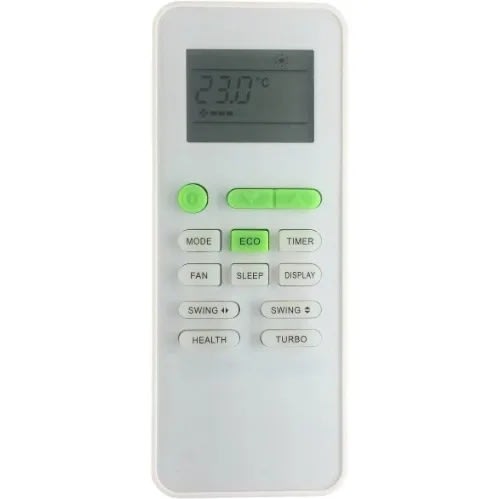
Replacement Remote For Tcl Air Conditioner
Name : TCL AC Remote Control Compatible For TCL AC | Air Conditioner Remote
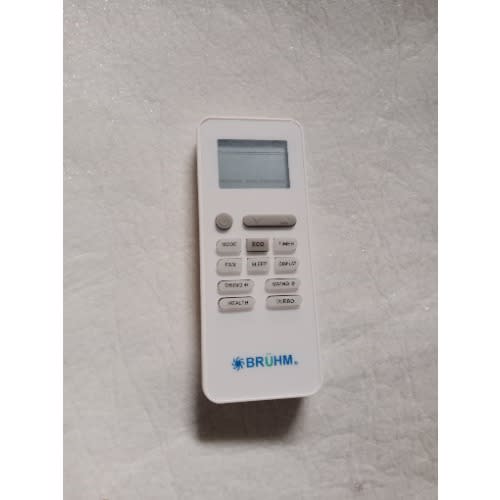
Please Match the Image with your Old Remote
Looking for a new or replace an existing TCL AC Remote Controller ? We would highly recommend this AC Remote Control to work for your TCL Air Conditioner with the Aspect Freeze made up of entire Plastic along with the Soft Rubber Keypad. TCL Remote Is An Absolute Essential Product For Your TCL Air Conditioner.TCL Remote Control With Best Quality Plastic Body And Soft Rubber Keypad. Remotes Complete Satisfaction & Quality Checked And Checked By Testing Machine Before Shipment. It Is Powerful Enough For You To Operate From A Long Distance And Convenient To Use. Buy The Remote And Enjoy Accessing All The Control. Equipped With Different Buttons And Controls, The Remote Lets You Adjust Settings Of Your Air Conditioner. The Remote Has A Compact And Lightweight Design That Makes It Easy To Manage. It Has An Ergonomic Handle That Provides You A Precise Grip. Composed From Superior Grade Materials, The Remote Is Durable. Compatible with TCL AC Remote.
Country of Origin China
More Information
Red laser pointerEasy to see on most backgrounds.15 metres (50ft) connection rangePlug and play wireless reciever2.4GHZ wireless technology
R400 Laser Wireless Presentation Remote
Your slideshow presentation is ready. The room is full. And with your wireless Logitech Professional R400 Presenter in hand, you're set to grab hold of your audience. Aim the laser pointer at the screen and everyone sees your point. The brilliant green laser light is strong enough to be seen clearly, even across a large conference hall. Move smoothly and confidently from slide to slide with intuitive one-touch controls. Focus on your presentation, instead of the clock, with an easy-to-set timer and vibrating alerts to help you manage your time. And with no wires or cables, there's nothing to hold you back from moving around and working the room. Whether you're making a sales presentation in a hotel ballroom or giving a professional lecture in a 2,000-seat auditorium, you'll get and keep their attention from first slide to last.
KEEP YOUR AUDIENCE IN THE PALM OF YOUR HANDButtons are easy to find by touch. And the smooth contours feel great in your hand. You'll be in control from the first slide to the last.
LASER POINTERIt'll be easy for your audience to see exactly what you're pointing to.
If you present on TV & LCD screens1Class 2 laser product tested to limit the power of emission to 1mW continuous wave. Laser light is reflected on LCD and plasma screens, making it less visible. and need a digital pointer, try the
MOVE FREELYUp to 15 meters2Wireless range may vary based on user, environmental and computing conditions. range and battery indicator help you make ordinary presentations extraordinary.
PLUG-AND-PLAY WIRELESS RECEIVERThere's no software to install. Just plug the receiver into a USB port to begin. And when the show is over, you can store the receiver in the presentation remote.