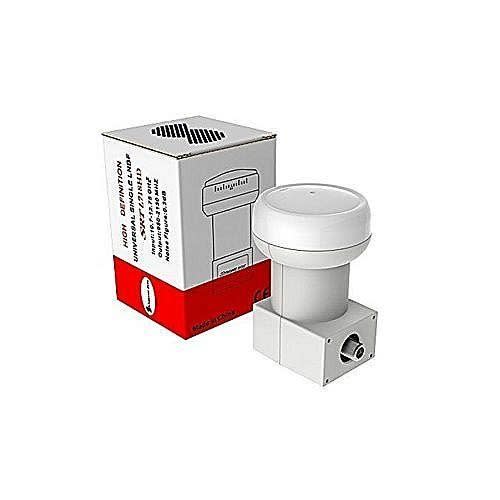
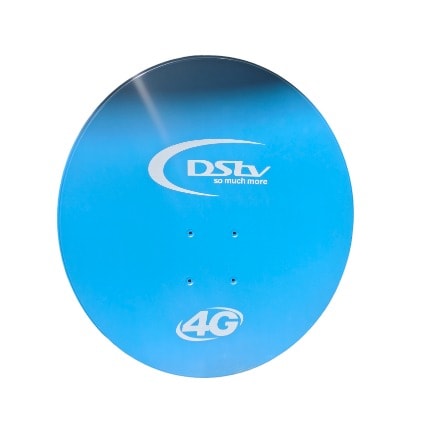
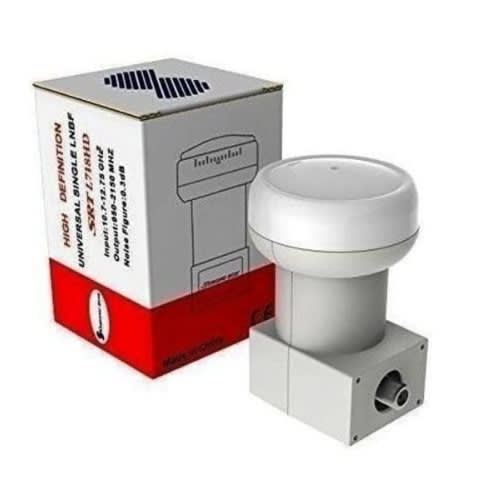
Ideal For Satellite, Startime, Dstv, Surebet, Kingsbets, Betnaija etc, and All Free To Air To receive satellite signals, you need a LNB (Low NoiseBlock).
What this does is picks up all the signals being bounced off the dish and filters out selected frequencies and amplifies the frequencies you need.
It then sends the required frequencies to the satellite decoder box. Installation using a single LNBF allows programming from 1 satellite location and connection of up to 1 reciever.
The benefit of the single LNBF is installation is typically quicker, easier and cleaner than using separate components Single Universal Digital LNBF Ku-Band Input Freq.
Range: 10.7 ~ 12.75GHz Output Freq. & ndash; Low Band: 950 ~2150MHz L.O. Freq. & ndash; Low Band: 9.750MHz L.O. Freq. & ndash; High Band: 10.600MHz
Ideal For Satellite Dstv, Betnaija, All Free To Air To receive satellite signals, you need an LNB (Low NoiseBlock).
These satellites have the following orbital positions respectively 7 degrees East, 5 degrees East and 17 degrees east. All these satellites use the Ku band technology. There is no need of having multiple satellite dishes to receive satellites that are very close together. This is a cost effective measure of having free entertainment but at a much lower installation setup cost.
By now you already know that you need a DiSEqC switch to do the job. What else is required?2 Ku band LNBsSome Extra F-type connectorsEnough length coaxial cableAnd a good HD MPEG4 free to air satellite decoderSome Aluminum wireHow to go about itFix the dish firmly and make sure it has a clear view in the western direction. Now aim the dish at Amos 5 satellite at 17 degrees east and maximize the signal quality to the highest percentage possible.After this lower the dish until you get a balance of 5 degrees East and 7 degrees East. Do a blind scan and save the channels under the appropriate satellite name.Return the dish to Amos 5 at 17 degrees East and make sure that the signal quality is at its best by tweaking the LNB. Fix it firmly at this position, the dish will not be touched again.Now connect the DiSEqC switch and run the cable to the two LNBs. The other cable from the DiSEqC switch should go to the other LNB that we will suspend soon. Make sure that the decoder is unplugged from the mains to avoid damaging the DiSEqC switch.Assign the two LNBs their respective DiSEqC ports on the decoder. Remember we also did a blind scan on SES5 and Eutelsat 7A.Fix the Aluminum cable to the extra LNB like the image below shows. This is the method I use. Note that Aluminum is the best cable to use because it & rsquo;s very responsive. If you bend or twist it will remain in this position unlike Iron wires which are springy. This is the finished Aluminum cable on the LNB. Notice that the cable is long.
These satellites have the following orbital positions respectively 7 degrees East, 5 degrees East and 17 degrees east. All these satellites use the Ku band technology. There is no need of having multiple satellite dishes to receive satellites that are very close together. This is a cost effective measure of having free entertainment but at a much lower installation setup cost.
By now you already know that you need a DiSEqC switch to do the job. What else is required?2 Ku band LNBsSome Extra F-type connectorsEnough length coaxial cableAnd a good HD MPEG4 free to air satellite decoderSome Aluminum wireHow to go about itFix the dish firmly and make sure it has a clear view in the western direction. Now aim the dish at Amos 5 satellite at 17 degrees east and maximize the signal quality to the highest percentage possible.After this lower the dish until you get a balance of 5 degrees East and 7 degrees East. Do a blind scan and save the channels under the appropriate satellite name.Return the dish to Amos 5 at 17 degrees East and make sure that the signal quality is at its best by tweaking the LNB. Fix it firmly at this position, the dish will not be touched again.Now connect the DiSEqC switch and run the cable to the two LNBs. The other cable from the DiSEqC switch should go to the other LNB that we will suspend soon. Make sure that the decoder is unplugged from the mains to avoid damaging the DiSEqC switch.Assign the two LNBs their respective DiSEqC ports on the decoder. Remember we also did a blind scan on SES5 and Eutelsat 7A.Fix the Aluminum cable to the extra LNB like the image below shows. This is the method I use. Note that Aluminum is the best cable to use because it & rsquo;s very responsive. If you bend or twist it will remain in this position unlike Iron wires which are springy. This is the finished Aluminum cable on the LNB. Notice that the cable is long.
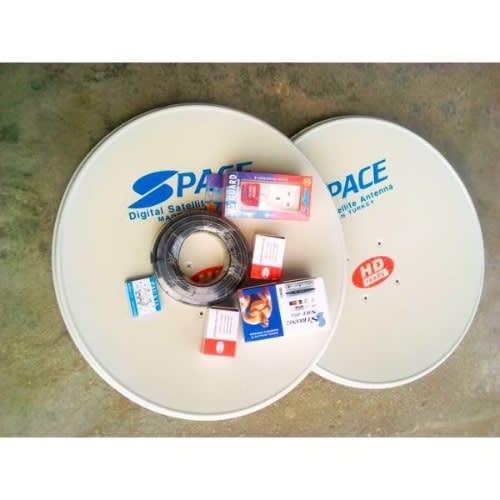
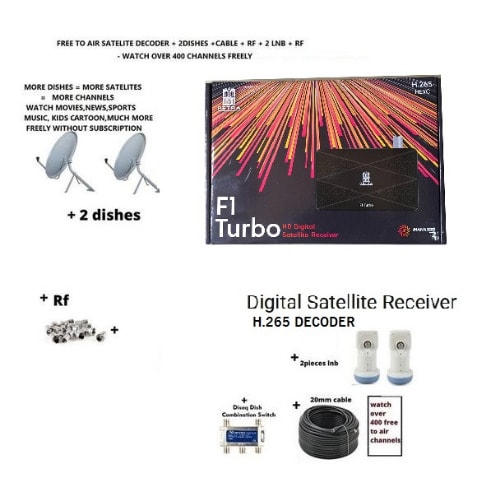
Strong Hd Srt 4954 Portable Two 60cm Dish + Coaxial Cable + Two lnb + 1 diseq & 1 power Surge
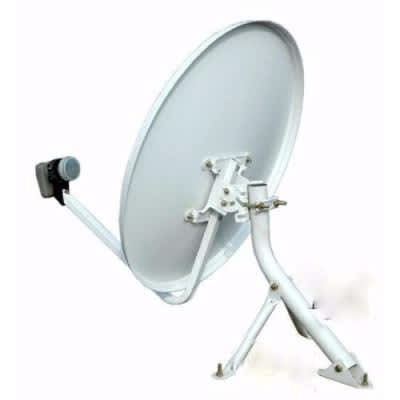
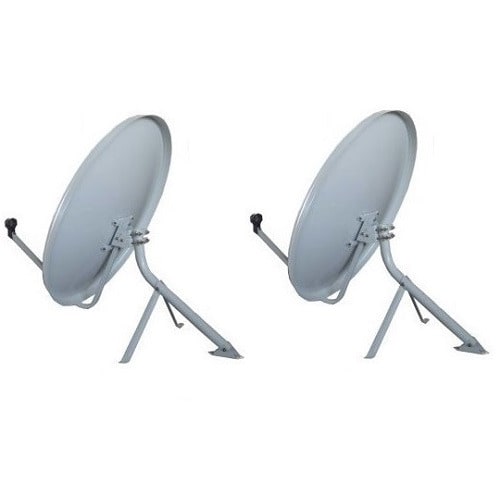
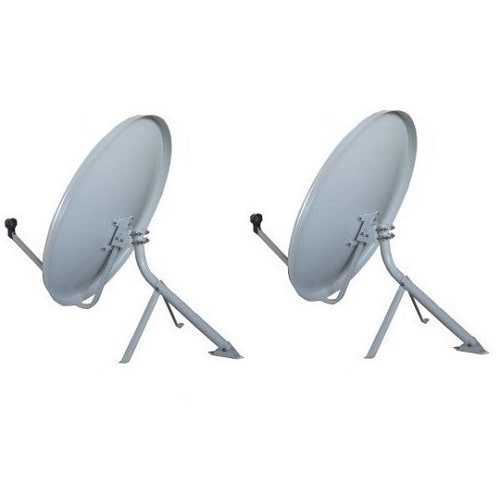
This is the latest free to air decoder satelite tv reciever strong srt 4954 portabledecoder use to track and decode to watch free any free to air channels tracking frequencies such as tstv, nigcomsat, joy astra 1,amos 16 degrees, ses 5, mbc, sports 24,afn and many more.The 60cm dish that is two in number will be use to track two different network each of them having many channels on them, the two network depend on your choice.The role of 50m yard wire will be use to run all the connection starting from dish down to the decoder.The strong LNB that is two in number will be use on the dish one on each to track the signal
The diseq switch will be use to join the two cables that will come from each LNB to have one output to the decoder so that only one wire will go into your decoder having two network simultaneously.Power surge will be use to prevent fluctuating voltage from spoiling tecoder. This is the latest magic box decoder for all free to air satelite channels.THE FULL HD STRONG SRT4954 has recording and time shift functions via usb external mass data storage device.It is very small handy and portable compact decoder with 1080 p+/720/576 p+ i video resolution.It has usb 2.0 (x2) for wifi adapter, usb to lan converter, 3G modem, content recording,multi files play-out and software updating.
Learn more about free to air, satelites and tracking positioning frequencies, all updates,channels available, how to track and more here//www.naijacrux.com/index.php?board=66.0
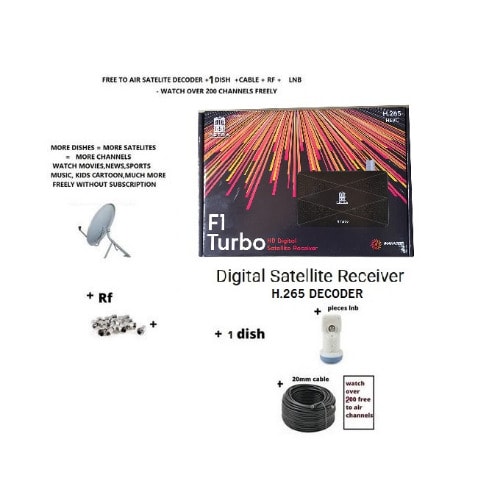
What In the Box1 Receiver1 Remote ControlManualBatteriesAv cable.
These satellites have the following orbital positions respectively 7 degrees East, 5 degrees East and 17 degrees east. All these satellites use the Ku band technology. There is no need of having multiple satellite dishes to receive satellites that are very close together. This is a cost effective measure of having free entertainment but at a much lower installation setup cost.
By now you already know that you need a DiSEqC switch to do the job. What else is required?
2 Ku band LNBs
Some Extra F-type connectors
Enough length coaxial cable
And a good HD MPEG4 free to air satellite decoder
Some Aluminum wire
How to go about it
Fix the dish firmly and make sure it has a clear view in the western direction. Now aim the dish at Amos 5 satellite at 17 degrees east and maximize the signal quality to the highest percentage possible.
After this lower the dish until you get a balance of 5 degrees East and 7 degrees East. Do a blind scan and save the channels under the appropriate satellite name.
Return the dish to Amos 5 at 17 degrees East and make sure that the signal quality is at its best by tweaking the LNB. Fix it firmly at this position, the dish will not be touched again.
Now connect the DiSEqC switch and run the cable to the two LNBs. The other cable from the DiSEqC switch should go to the other LNB that we will suspend soon. Make sure that the decoder is unplugged from the mains to avoid damaging the DiSEqC switch.Assign the two LNBs their respective DiSEqC ports on the decoder. Remember we also did a blind scan on SES5 and Eutelsat 7A.
Fix the Aluminum cable to the extra LNB like the image below shows. This is the method I use. Note that Aluminum is the best cable to use because it & rsquo;s very responsive. If you bend or twist it will remain in this position unlike Iron wires which are springy. This is the finished Aluminum cable on the LNB. Notice that the cable is long
Ideal For Satellite Dstv, Betnaija, All Free To Air To receive satellite signals, you need a LNB (Low NoiseBlock). What this does is picks up all the signals being bounced off the dish and filters out selected frequencies and amplifies the frequencies you need. It then sends the required frequencies to the satellite decoder box. Installation using a single LNBF allows programming from 1 satellite location and connection of up to 1 reciever. The benefit of the single LNBF is an installation is typically quicker, easier and cleaner than using separate components Single Universal Digital LNBF Ku-Band Input Freq. Range: 10.7 ~ 12.75GHz Output Freq. – Low Band: 950 ~ 1950MHz Output Freq. – High Band: 1100 ~ 2150MHz L.O. Freq. – Low Band: 9.750MHz L.O. Freq. – High Band: 10.600MHz
Ideal For Satellite Dstv, Betnaija, All Free To Air To receive satellite signals, you need a LNB (Low NoiseBlock). What this does is picks up all the signals being bounced off the dish and filters out selected frequencies and amplifies the frequencies you need. It then sends the required frequencies to the satellite decoder box. Installation using a single LNBF allows programming from 1 satellite location and connection of up to 1 reciever. The benefit of the single LNBF is an installation is typically quicker, easier and cleaner than using separate components Single Universal Digital LNBF Ku-Band Input Freq. Range: 10.7 ~ 12.75GHz Output Freq. – Low Band: 950 ~ 1950MHz Output Freq. – High Band: 1100 ~ 2150MHz L.O. Freq. – Low Band: 9.750MHz L.O. Freq. – High Band: 10.600MHz